2
1
20
For driving situation in which you feel
insecure, select a low fi nal speed resp.
driving profi le, (e.g. driving in tight
spots, downhill, on ramps or similar).
!
Attention:
During downhill driving, the speed
must be reduced and adjusted to
the respective gradient.
Pre-select the maximum speed
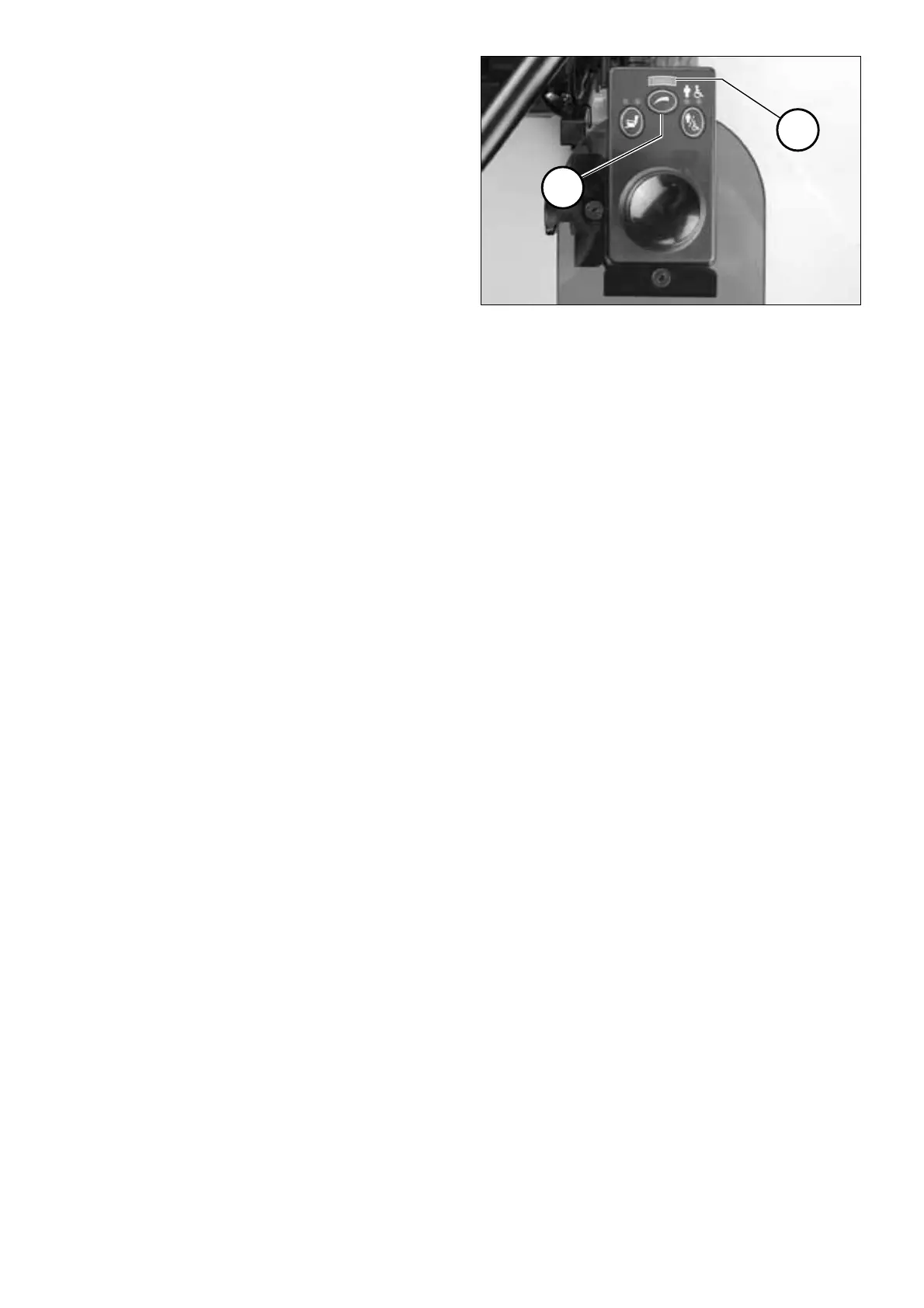
When pressing the key (1) before or
while driving the pre-selectable maxi-
mum fi nal speed resp. driving profi le
is increased by one step up to max step
5. Step 1, the lowest fi nal speed resp.
driving profi le, automatically follows
step 5.
☞ Note:
The diode (LED) that lights up in
the display (2) indicates the select-
ed speed step / driving profi le.
!
Attention:
Danger of accidents due to unsuit-
able selection of the pre-selectable
fi nal speed resp. driving profi le!
• The fi nal speed resp. driving profi le
is to be set in accordance with the
personal abilities of the attendant
in the respective driving situation!
• Changing into a lower speed stage
may only be done during a still-
stand of the wheelchair.


 To Next Page