2
1
3
19
CONTROL UNIT FOR AC-
COMPANYING PERSON
A control by an accompanying person
is only possible with the operating
module VR2.
☞ Note:
Therefore also observe chapter <
Keys and symbols >.
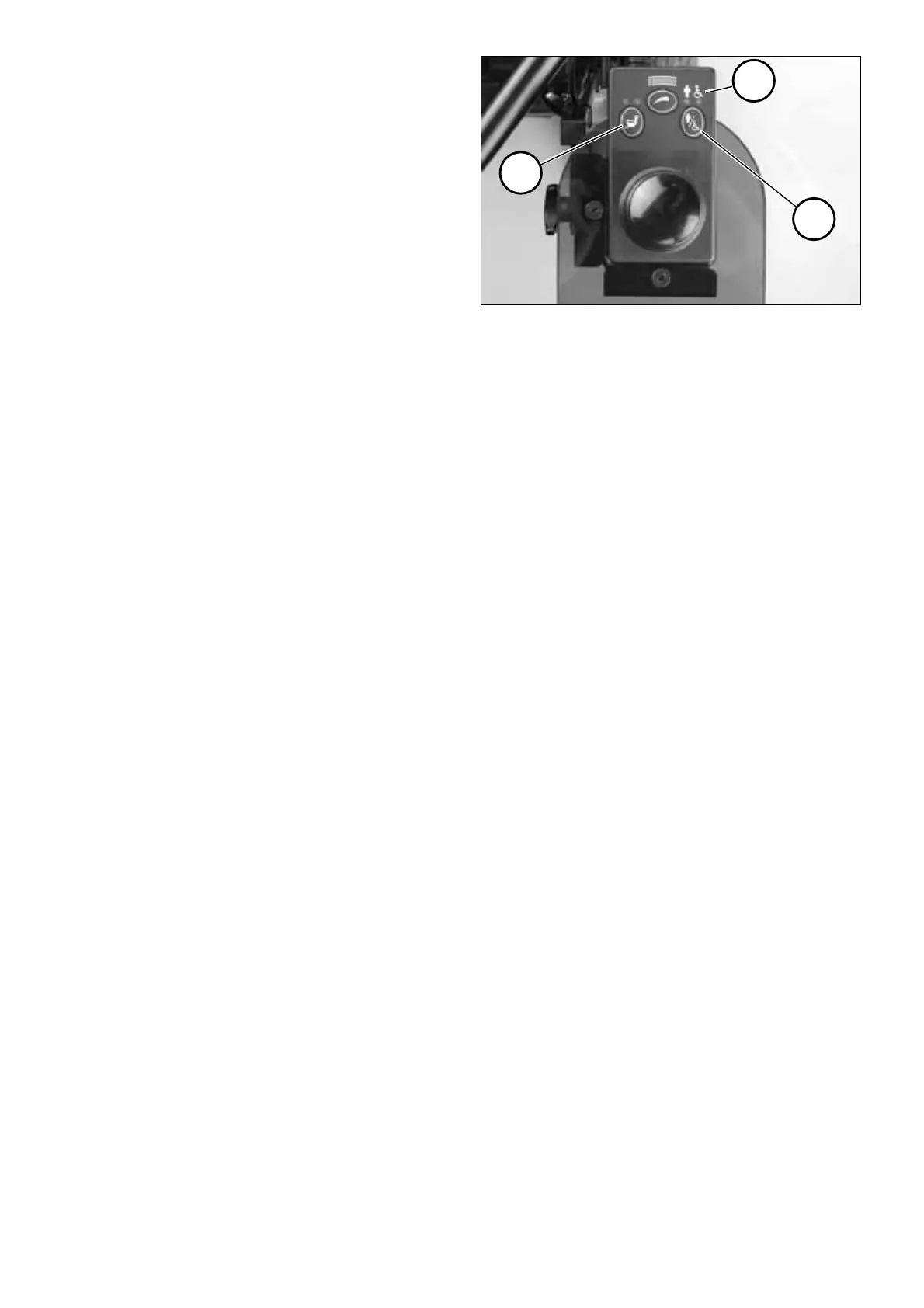
Selecting the control
After turning on the operating mod-
ule VR2 with the ON/OFF-key the last
selected control option is active.
You switch between the user control
mode and the accompanying person
control mode by pressing the push-
button (1).
☞ Note:
The symbol above a lit up LED (2)
shows the currently active control.
Adjustment functions
Max. two electrical adjustment op-
tions (3) can be selected over the op-
erating module.
☞ Note:
Therefore observe chapter < Ad-
justment functions >.


 To Next Page