3400753300/AE - Page 11
3
3
7
Stop-Notch
Snap from
inside of rails
2
6
4
5
5
2
1
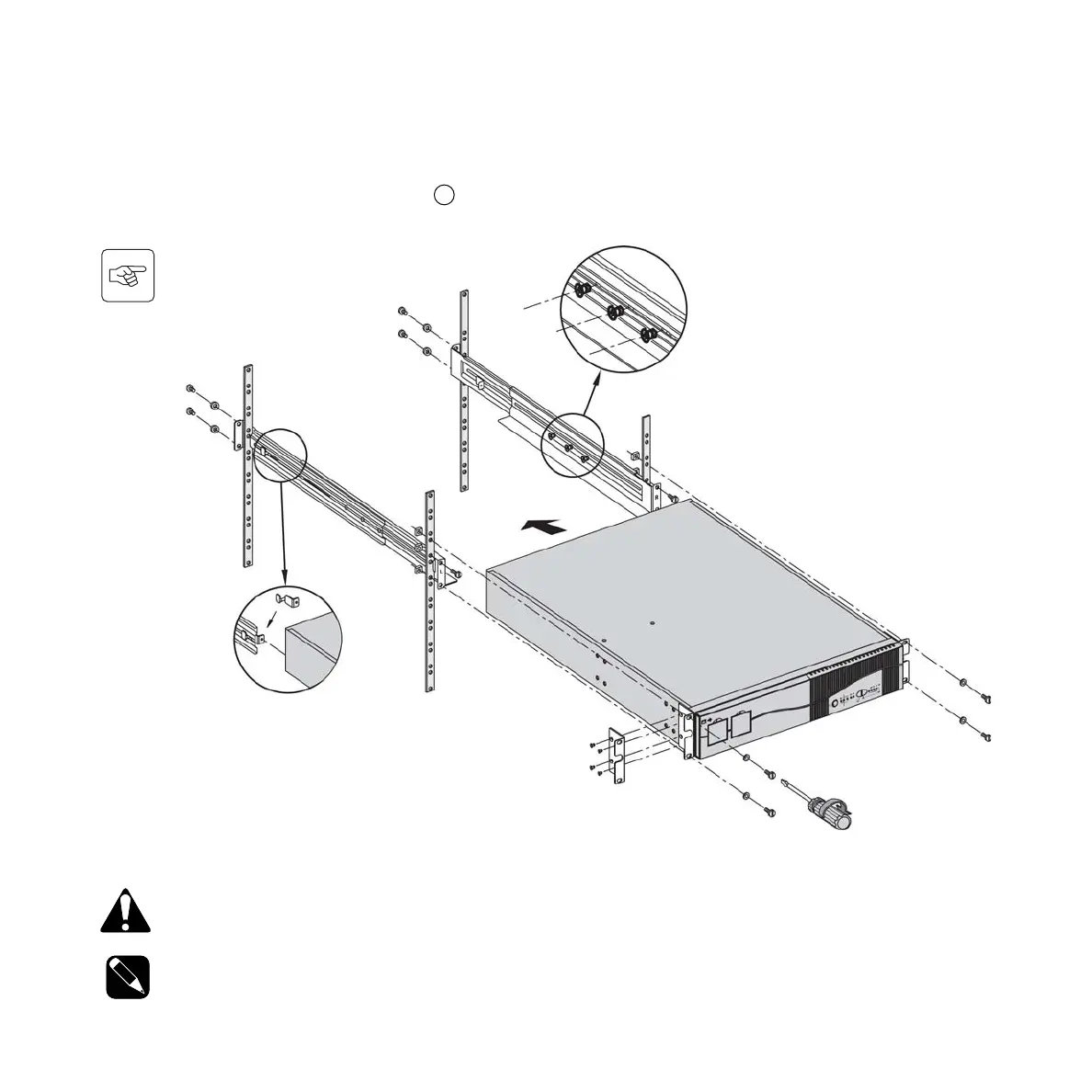
CAUTION: Do not lean or place objects on top of unit at any time. Hazard of dismounting and disconnection can
occur with units.
NOTE: (For step 5) it is possible to adjust the position of the front fixing bracket.
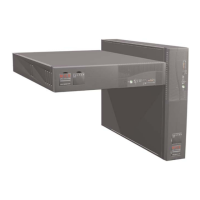
Follow steps A to D for rack mounting of the UPS on the rails. The rails and the necessary mounting hardware are supplied in
the box along with the UPS (see item 32 on page 10).
2. Installation
2.2 Installation in rack position
A. Secure Rails together with three screws (1).
B. Attach frontal Rails to Rack front (2).
C. Attach rearmost Rails to Rack rear (3).
If using Stop-Notch (7) snap into rear rail.
(refer to Quick Start for positioning details.)
D. Attach both front brackets (4 & 5) to each
side of UPS, and slide (mount) UPS into
the Rack (6).






 To Next Page