Page 22 - 3400753300/AE
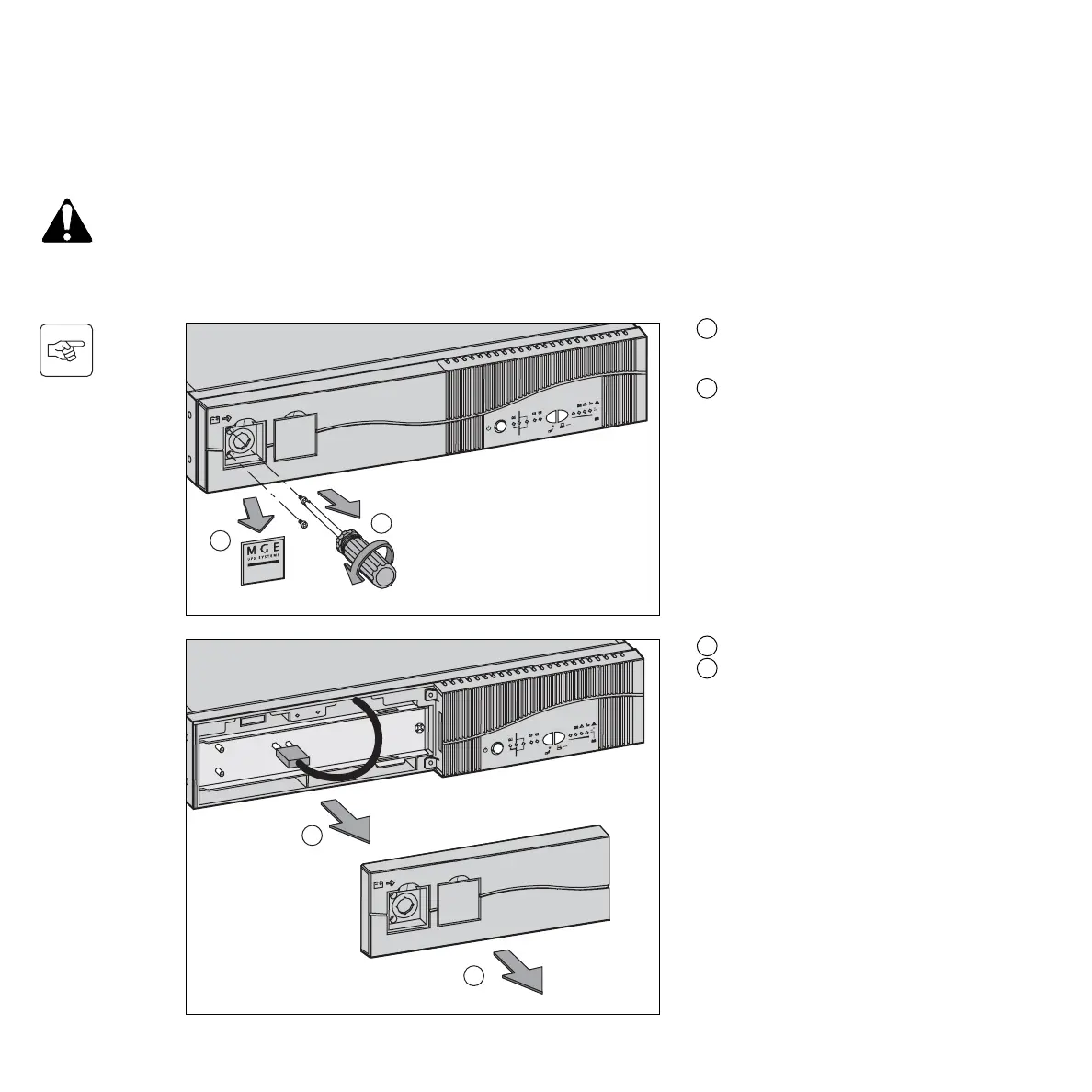
C - Remove the left part of the front panel.
D - Disconnect the connector.
A - Unclip the small plate with the MGE
UPS SYSTEMS, Inc. Logo on the
UPS front panel.
B - Remove the 2 screws.
Removal of the battery modules
CAUTION: Load will not be protected during this procedure!
Batteries constitute a danger (electrical shock, burns). The short-circuit current may be very high.
Precautions must be taken for all handling.
Safety Rules:
◗ Remove all watches, rings, bracelets and any other metal objects that may come into contact with the battery modules.
◗ Use tools with insulated handles.
4. Maintenance
4.2 Replacement of the battery modules






 To Next Page