What does DATABASE FAIL ERROR 15 mean on Micom 3R?
- CchavezjosephSep 14, 2025
If your Micom Transceiver displays 'DATABASE FAIL ERROR 15', this message will display if the ALE scanned channels don’t match the programmed channels in the RSS.
What does DATABASE FAIL ERROR 15 mean on Micom 3R?
If your Micom Transceiver displays 'DATABASE FAIL ERROR 15', this message will display if the ALE scanned channels don’t match the programmed channels in the RSS.
What to do if Micom 3R has poor transmission?
If your Micom Transceiver experiences poor or no transmission, check the following: * Ensure a 30A fuse is installed in the fuse holder located on the red wire of the power cable. * Verify that proper grounding cables are connected from the radio and from the antenna tuner to the vehicle chassis. * While speaking, check RF power bars for activity. The resultant RF power output is displayed in approximately 15 W increments (bars) being added from left to right. If the received signal level (RCVL) indication is low, there may be a problem in the antenna system. If antenna cabling, antenna mast rigging position has changed since the antenna was last tuned, the antenna tuner will not be adjusted automatically. To retune the antenna tuner, scroll to the next channel and thereafter scrol...
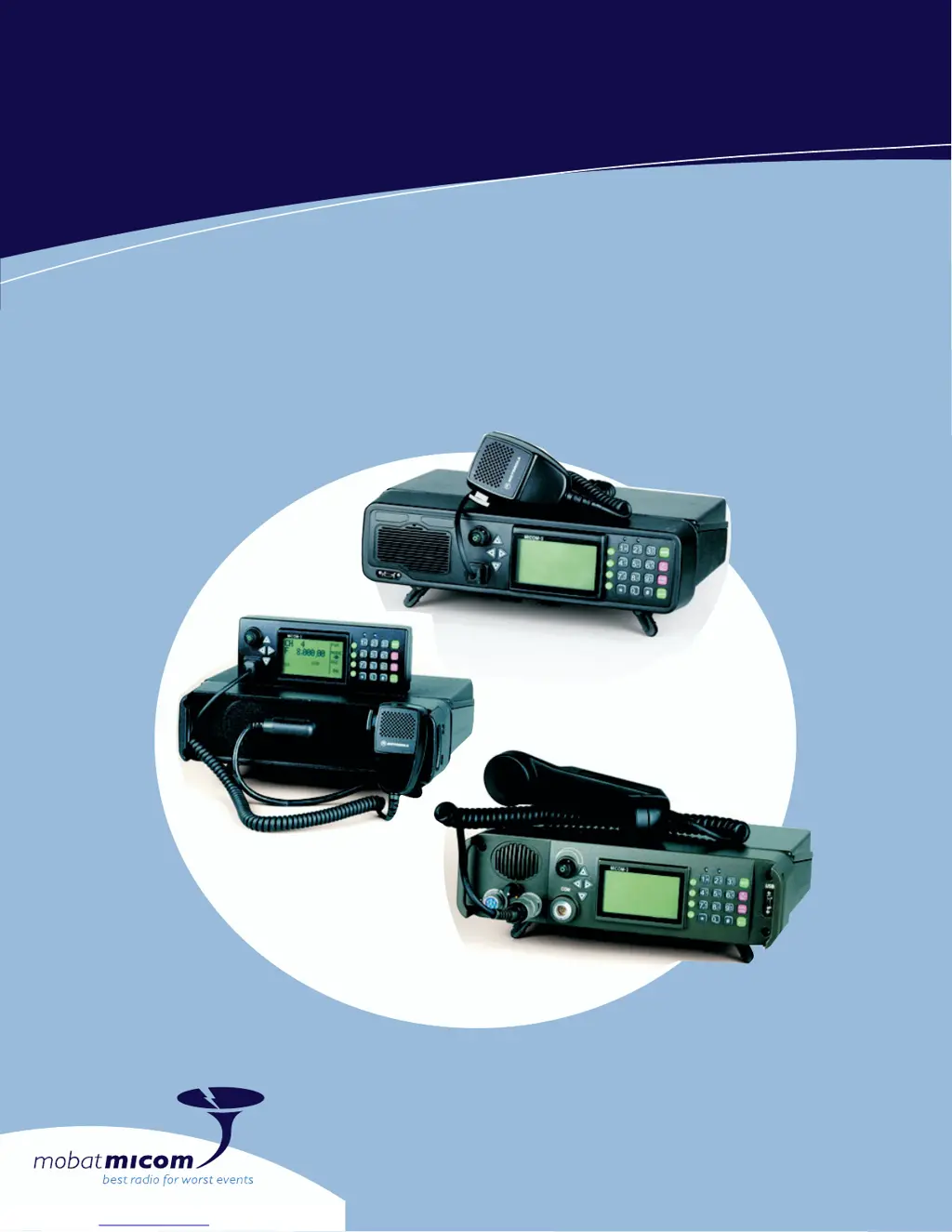
Transceiver for long range wireless voice, fax, data and email communication.
Transceiver for trunk mounting with separate control box for space saving.
Ruggedized transceiver with military handset for utmost dependability.
Covers familiarization, operation, installation, and troubleshooting of MICOM-3 radios.
Detailed instructions for manual programming of radio parameters via front panel.
Details on output power, thermal protection, and antenna mismatch protection.
Information on digital signal processing for receiver functions like demodulation and filtering.
Description of standard DTCXO and optional OCXO frequency sources and their accuracy.
Overview of controls and indicators on the MICOM-3F front panel.
Overview of controls and indicators on the MICOM-3T front panel.
Overview of controls and indicators on the MICOM-3R front panel.
Description of connectors and functions on the rear panel of all models.
Details on the layout and elements of the LCD display.
Explanation of various indications that may appear on the LCD display.
Description of indications related to received and transmit RF signal levels.
Information on audible tones used to indicate radio events and conditions.
Explanation of how to use the keypad for navigation and data entry.
Details on the soft keys (F1-F4) and their dynamic functions.
Procedure for entering and editing alphanumeric strings.
Instructions for using an optional USB keyboard with the radio.
Steps to change the display language from the menu.
Overview of the main menu items and their purposes.
Procedure for powering the radio on and off.
How to transmit voice messages and receive calls, including PTT types.
Instructions for selecting and operating in the Channel mode.
Details on options available within the Channel mode.
Instructions for selecting and operating in the Frequency mode.
Details on options available within the Frequency mode.
Explanation of the Variable Frequency Offset (VFO) function.
Instructions for using the Scan mode to monitor channels.
Details on options available within the Scan mode.
Procedure for using the Built-In-Test (BIT) mode for diagnostics.
How to prevent unauthorized access by locking the radio.
Procedure for changing the radio's password.
Overview of ALE features like scanning, sounding, and LQA.
Procedure to exchange LQA scores without establishing a link.
Using ALE for selective calling to single or multiple stations.
Details on station addressing, including wildcards and stuffing symbols.
Explanation of AllCall for broadcasting messages or distress calls.
Description of AnyCalls for detecting new stations and connections.
Enabling MultiNet for operating on multiple ALE nets simultaneously.
Steps to enable and enter the ALE mode for communication.
How to receive and identify different types of ALE calls.
Functions available while in the ALE link state.
Managing the stack of unanswered calls.
Using double-press PTT to call the last station.
Setting shortcuts for calls using autodial codes.
How to send messages with initial calls or during an established link.
Description of special call types like AllCall, Net, Group, Any, Wildcard, Self.
Configuration of various ALE options like PTT timeout and alert tones.
Programming net parameters: names, members, channels, and options.
Directory configuration for storing station addresses for ALE calls.
Configuration of Automatic Message Display (AMD) messages.
Detailed configuration of ALE options like PTT Timeout, Alert, and LQA Score.
Setting shortcuts for calls to frequently called stations.
Procedure to save programmed ALE configuration changes.
Procedure to manage received addresses and add them to the ALE directory.
Overview of the VP-116 unit for voice privacy.
Parameters used by the VP-116 unit for private communication.
Step-by-step instructions for connecting and disconnecting the VP-116 unit.
How to use the VP-116 unit in Channel, Frequency, or ALE modes.
Accessing and programming the VP-116 unit via the MICOM-3.
Procedure to select the private mode and encryption key for VP-116.
How to use the public key mode for private communication between two radios.
Performing the Built-In-Test to check VP-116 operation.
Overview of the vocoder option for voice privacy and digital encryption.
How to choose between CLR, DIG, and PVT modes with the vocoder.
Accessing and programming vocoder functions like private keys and erasure.
Procedure to select the private key for vocoder operation.
Information on using the optional internal GPS receiver.
Details on how the GPS receiver provides time and navigation data.
Explanation of LLA and ECEF formats for GPS data.
Description, selection, and installation of the GPS antenna.
Instructions on accessing and using the GPS menu.
Guidance for initial operation of the GPS receiver.
How to switch the display to show GPS information.
Using ALE AMD service to send or request position data.
General procedures for installing the radio in mobile or fixed configurations.
Guidance on selecting a suitable mounting location and planning installation.
Specifics for installing the radio as a base station using AC power.
Installation procedure for the MICOM-3R model in a vehicle.
Procedure for installing the MICOM-3F model, similar to MICOM-3R.
Installation procedure for the MICOM-3T model with separate control head.
Step-by-step guide for installing the radio, including mounting kit and power.
Detailed instructions for connecting the radio to a 12V vehicular battery.
Final connection steps for MICOM-3F/3R models.
Final connection steps for the MICOM-3T model.
Checks to perform after installation to ensure proper operation.
Pin functions for the microphone connector on MICOM-3F/3T.
Pin functions for the audio connectors on MICOM-3R.
Description of the N type antenna connector on the rear panel.
Pin functions for the 44-pin D-type accessories connector.
Pin functions for the DC power connector on the radio's rear panel.
Practices to reduce radio reception noise from vehicle sources.
Overview of maintenance information for ensuring continuous operation.
Guidelines for maintaining system integrity and periodic calibration.
Periodic checks of power source, cables, connectors, tuner and antenna.
Requirement for calibrating the internal frequency source for accuracy.
Description of options for checking radio operation and malfunctions.
Items to check before requesting service for radio problems.
Introduction to the micomTrooper 3, a backpack transceiver version.
This appendix covers installation and operation of the micomTrooper 3.
Description of micomTrooper 3's capabilities and intended use.
Detailed functionality of the micomTrooper 3 transceiver.
Concise list of main operational features of the micomTrooper 3.
Key technical specifications for the micomTrooper 3 transceiver.
Instructions for preparing the micomTrooper 3 for backpack operation.
Steps for unpacking and inspecting the micomTrooper 3 equipment.
Description and view of the typical backpack carrying harness.
General view of the micomTrooper 3 transceiver and its connectors.
Procedure for installing the transceiver into the carrying harness.
Procedure for installing the battery into the carrying harness.
Steps for inspecting, installing, and removing the whip antenna.
Connecting the handset and other audio accessories.
Instructions on how to wear the backpack carrying harness.
Basic steps for turning the micomTrooper 3 on, off, and adjusting volume.
Procedure to connect dipole or long-wire antennas for static operation.
Steps to revert to regular operation with the whip antenna.
Overview of the FLN9541 AC-powered battery charger.
Step-by-step guide for operating the battery charger.
Technical specifications for the FLN9541 battery charger.
Index of main activities and their corresponding page references.
| Brand | Micom |
|---|---|
| Model | 3R |
| Category | Transceiver |
| Language | English |