12
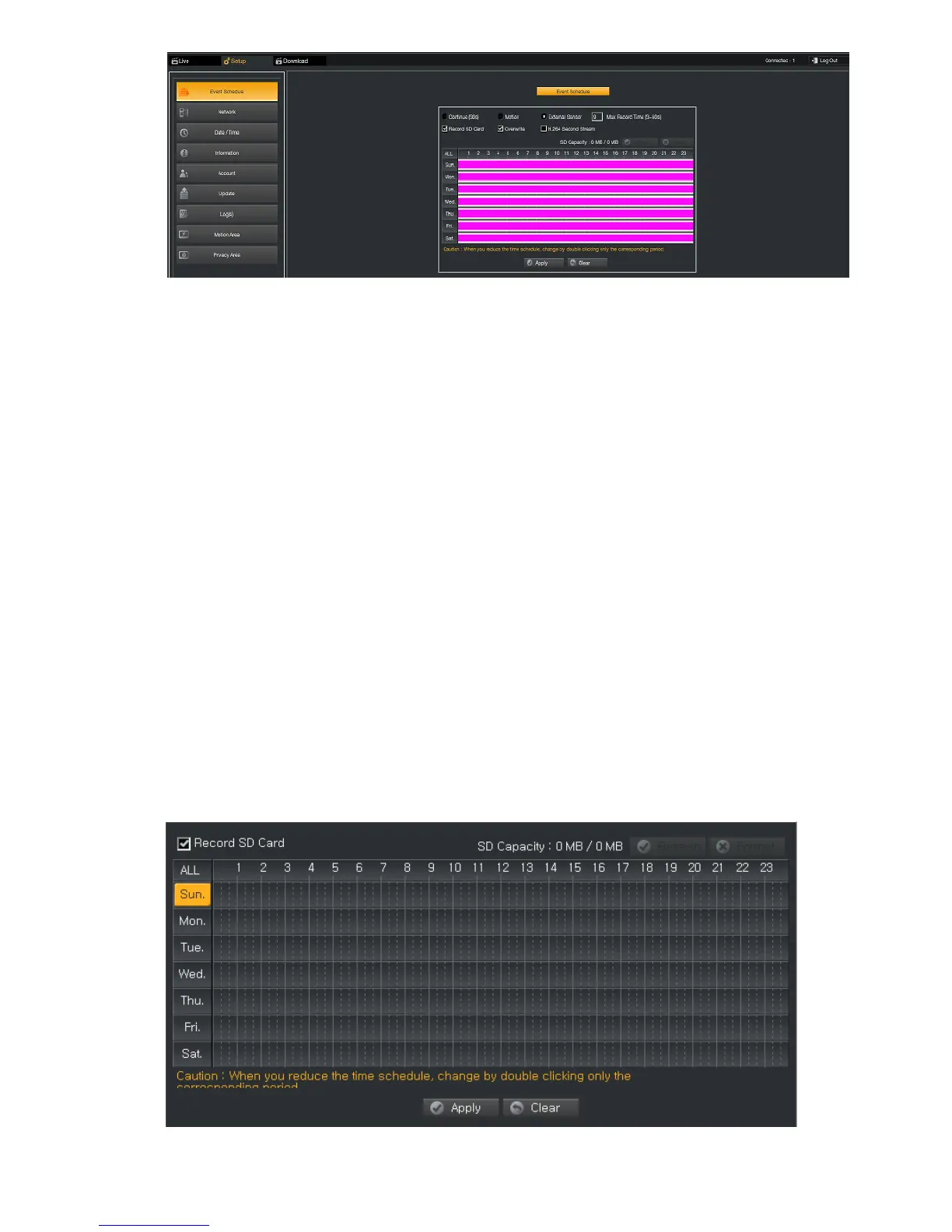
Recording mode
Continue or Motion recording mode is selectable. In case that user selects continuous recording mode, the re-
coding file is created as a chunk file per 30 seconds. When a Motion is detected, “M” is marked at the top-right
of the screen.
SD Card Support
User can save the video to SD Card in avi format.
Overwrite mode
Preparing for storage fully, user selects Overwriting mode to record the video with erasing the previous record-
ed video by serial order.
Secondary Streaming in H.264
User can save the storage by selecting H.246 Second Stream.
External Sensor
When DI/DO (Option) is used and a motion is triggered by synchronizing with DI signal, “S” is marked at the
top-right of the screen.
Schedule can be added as follows.
Select a day of week.



 To Next Page