6
6. Video and System Setup
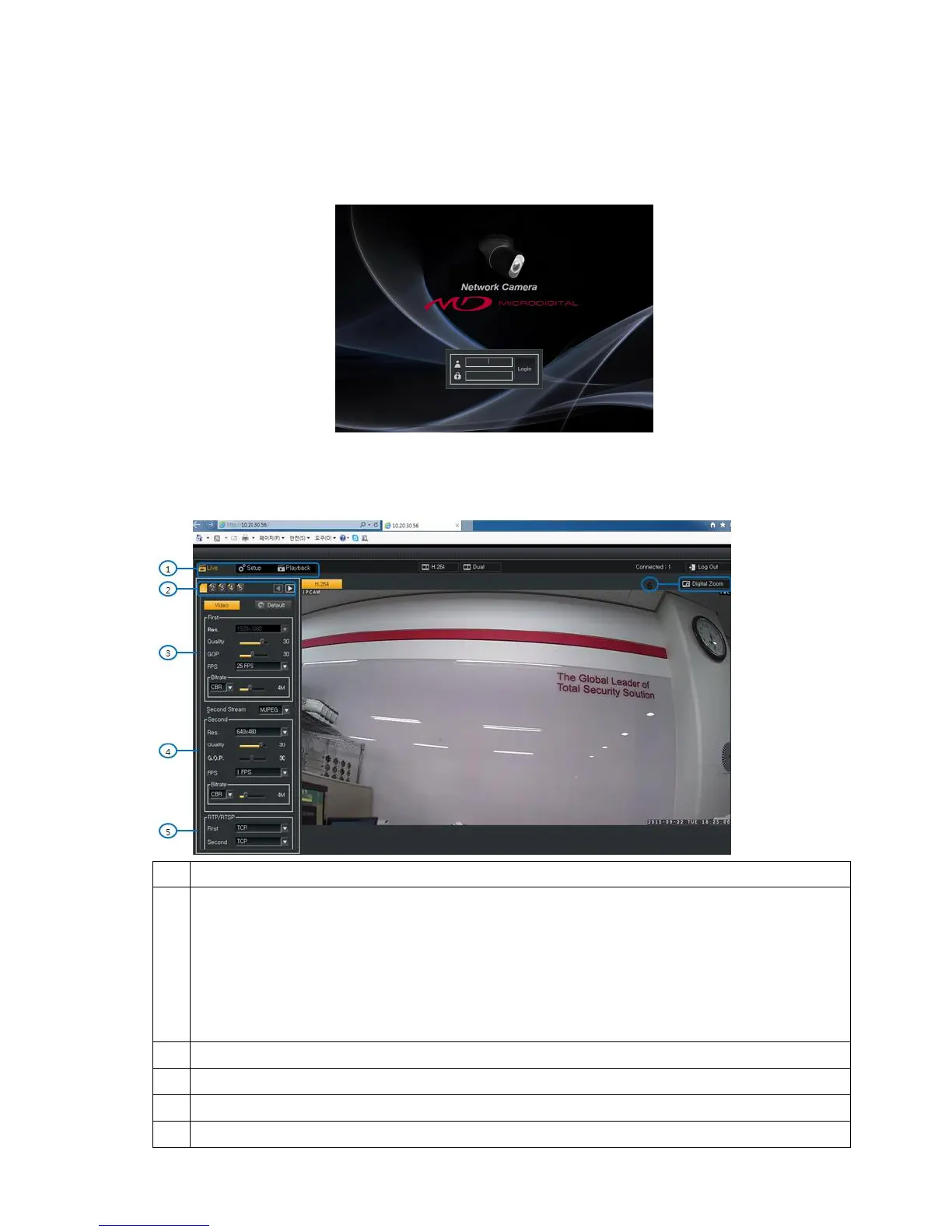
6.1. Login
Users can connect IP Camera after inserting User Name and Password.
The default User Name and Password is root / root.
6.2. Live View : Tap 1 ~5
Tap 1 : Setup First / Secondary Video Streaming and the video transmission protocol.
Tap 2 : Setup OSD (Camera Name / Position, Date / Time)
Tap 3 : Setup AE (Auto Exposure), HLC (Highlight Compression), BLC (Backlight Compensation) and
Day/Night control
Tap 4 : Setup White Balance, Image Enhancement and Functions (Mirror / Flicker).
Tap 5 : Setup WDR mode, Defog, Shading and Alarm In/Out control



 To Next Page