14
6.3.2.1. IP Address Settings
Static IP and DHCP are selectable. Static IP is selected when users are using Static IP and it is done manually.
On the other hand, IP Address and Network Setting Value are allocated in DHCP automatically through DHCP server.
[Notice]
* In case that users input IP Address and Gateway Address wrong, the network connection fails.
* In case that users input DNS Server Address wrong, some function may be inactivated.
6.3.2.2. Web Server Settings
HTTP Port : This port is for Web Server on the Camera and in general, the port number for HTTP is 80.
If it needs changing, be careful not to make a conflict with the port used for other device.
6.3.2.3. RTSP Settings
RTSP Port : This port is for Video Streaming and the default port number is 554.
(Main stream : rtsp://192.168.0.2:554/h264 Sub Stream : rtsp://192.168.0.2:554/hsub)
6.3.2.4. DDNS Settings
If DDNS is activated, users can use sub menus like DDNS Service. Well known DDNS Server is DynDNS.
Domain Name : Input Host (Domain) Name for use.
Domain Name must be registered in the DDNS Server which users will use in advance.
User Name : Input User Name registered on the DDNS Server.
Password : Input Password registered on the DDNS Server.
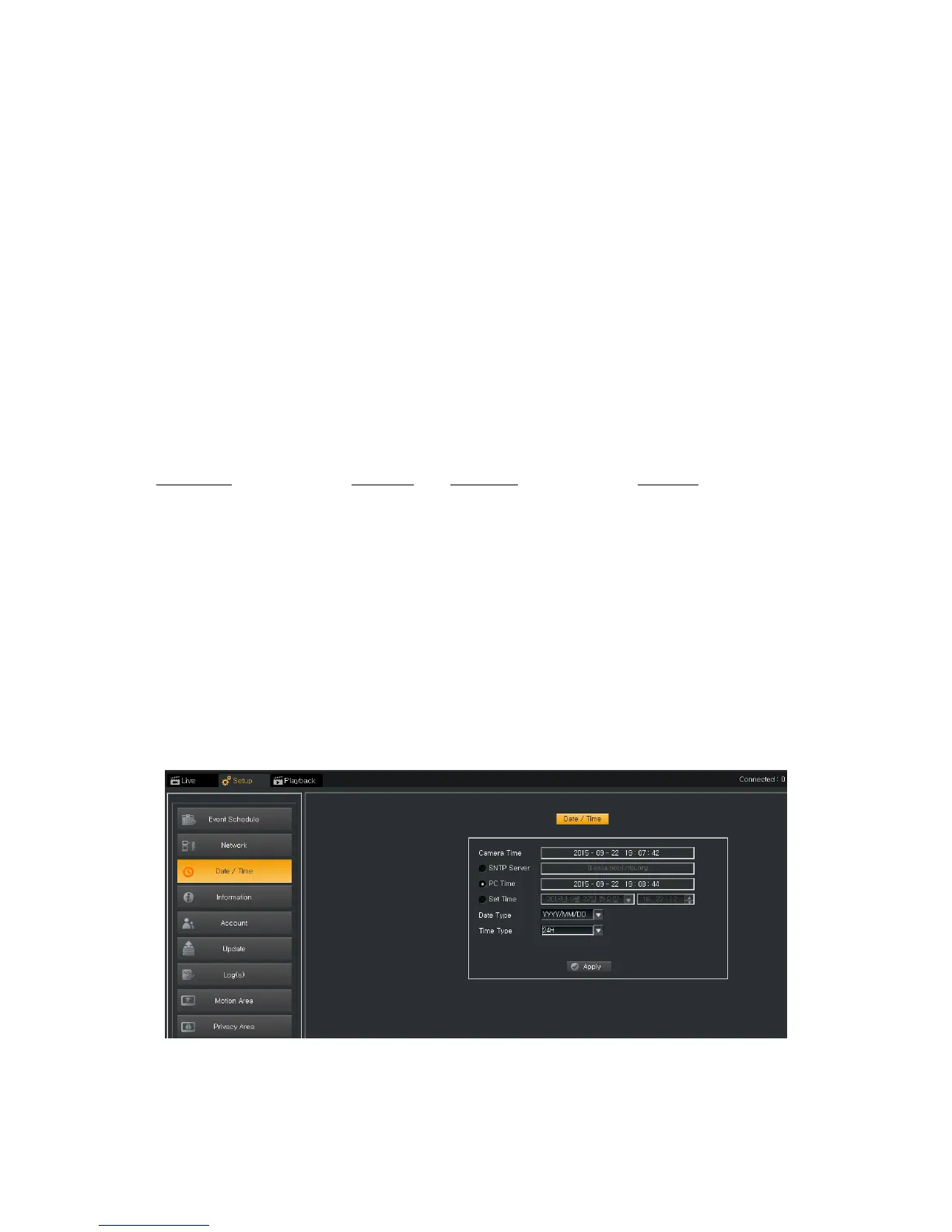
6.3.3. Date / Time
6.3.3.1. Time Settings
Current Time : It shows current time on the Camera.
Mode : There are 3 ways to setup the time on the Camera.



 To Next Page