9
6.2.4.2. Backlight
Backlight Compensation (BLC) : Users can get the foreground scene brighter to recognize the object more clearly
even under strong backlight environment. But the over saturation in the background is inevitable.
Highlight Compression (HLC) : Highlight can be masked with a designated color and the reference value of the highlight
is programmable.
6.2.4.3. Day / Night
In order to provide true color image at daytime and noiseless monochrome image at nighttime, the Camera switches
Images from Color to B/W and vice versa at an optimized lux level.
Auto : It switches over from Color to B/W and from B/W to Color automatically and should be used for Non IR LED
Cameras.
[Notice] In case that Auto mode is selected for IR LED Cameras, it may cause the malfunction of Day/Night Switching
over.
Color : It always shows Color mode but can reflect unclear images at nighttime if there is no relevant light source.
B/W : IR LEDs are only activated at night and regardless of daytime and night time, it always shows B/W mode
Extern : Day/Night Switching over is synchronized by trigger signal from IR LED Board inside.
[Notice] When users are using IR LED Camera and want to set up Day/Night to switching over automatically, Extern
mode should be selected.
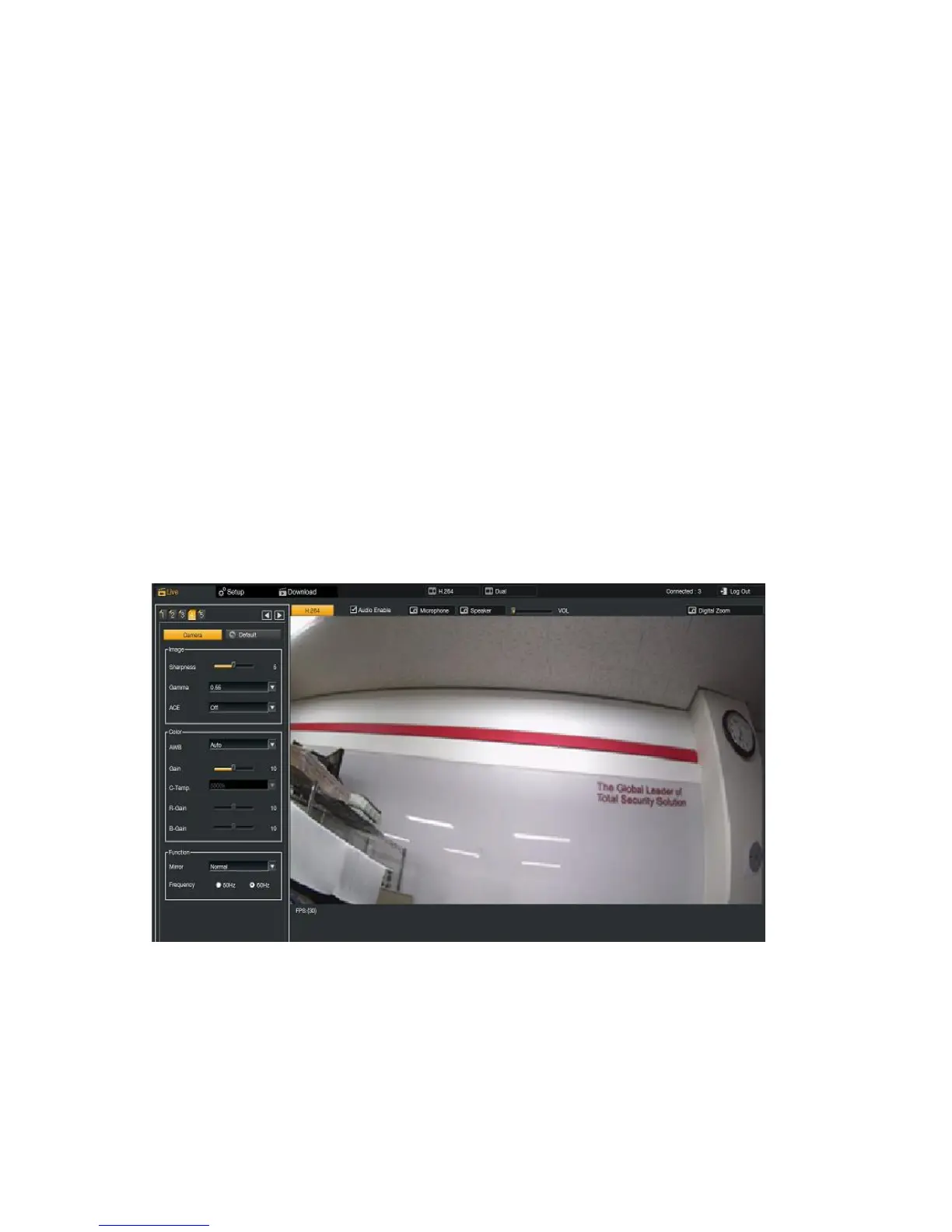
6.2.5. Camera Setup at Tap 4
6.2.5.1. Image
Sharpness : it adjusts the Sharpness.
Gamma : Brightness, Contrast, and Color Reproduction on the screen can be adjusted.
ACE : Adaptive Contrast Enhancer is necessary because imaging devices has narrow dynamic range. Conventional
methods, such as Gamma Correction or Histogram Equalization, are normally lost their contents information in limit
area, and then picture quality of bright/dark area can be degraded



 To Next Page