7
6.2.1. First Streaming at Tap 1
* Video Codec : H.264 / Main Profile or Baseline profile is supported.
* Resolution : 1920 x 1080, 1280x720, 800x600, 704X480, 640X480, 320X240 resolutions are supported.
* Quality : VBR mode keeps the video quality constantly and it is configured in 10 - 50 (Default : 50).
* GOP (Group of Picture) is configurable.
- The more the GOP size sets, the less network bandwidth will be occupied.
* Frame Rate : Users can set up Frame Rate up to 30fps.
* Encoding Mode
- The Bitrate used in encoding has a direct impact on the video quality and the bandwidth consumption.
- VBR (Variable Bit Rate) mode and CBR (Constant Bit Rate) mode are selectable.
VBR mode varies the amount of output data per time segment and allows a higher Bitrate to be allocated in
more complex scenes. On the other hand, CBR mode keeps a constant Bitrate in busy networks but image
quality is variable by scene complexities
* Bit Rate
- Activated in CBR mode only. The lower Bitrate provides lower quality image and vice versa but Frame rate may
get lower accord to Network environment. The configurable Bitrate range is between 512kbps ~ 10,000 kbps.
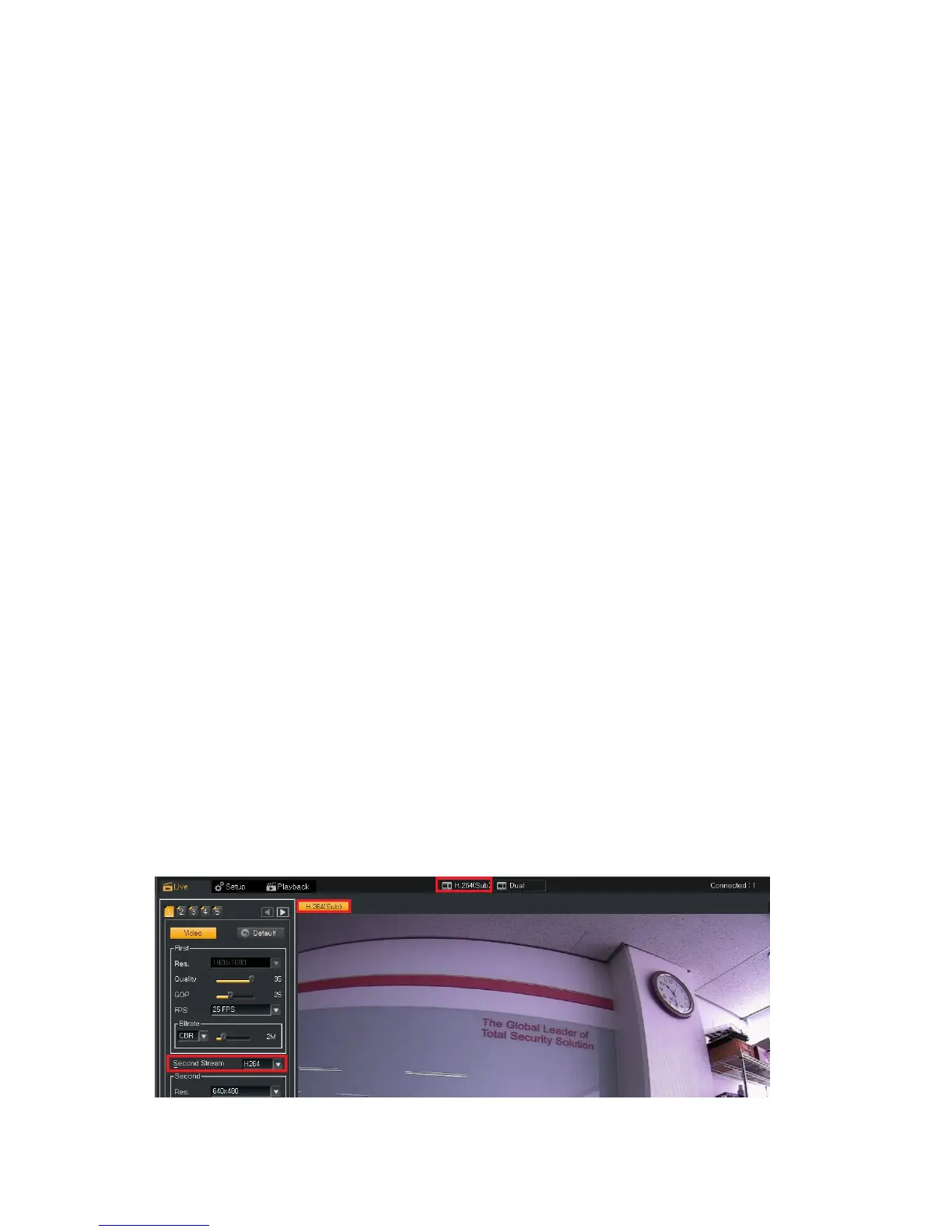
6.2.2. Secondary Streaming at Tap 1
* Video Codec : It supports H.264 / Main Profile or Baseline profile and MJPEG.
* Resolution : Either 640 x480 and 320X240 resolution is selectable.
*Quality : VBR mode keeps the video quality constantly and it is configured in 10 - 50 (Default : 50).
* GOP (Group of Picture) is configurable and users can set it up in H.264 mode only.
- The more the GOP size sets, the less network bandwidth will be occupied.
* Frame Rate : Users can set up Frame Rate up to 30fps.
* Encoding Mode
- The Bitrate used in encoding has a direct impact on the video quality and the bandwidth consumption.
- VBR (Variable Bit Rate) mode and CBR (Constant Bit Rate) mode are selectable.
VBR mode varies the amount of output data per time segment and allows a higher Bitrate to be allocated in more
complex scenes. On the other hand, CBR mode keeps a constant Bitrate in busy networks but image quality is
variable by scene complexities
* Bit Rate
- Activated in CBR mode only. The lower Bitrate provides lower quality image and vice versa but Frame rate may
get lower accord to Network environment. The configurable Bitrate range is between 512kbps ~ 10,000 kbps.
* To monitor the 2
nd
(sub) stream, click the button at the center of top menu.



 To Next Page