© Microhard Systems Inc. 117
4.0 Configuration
4.7.6 GPS > Load Record
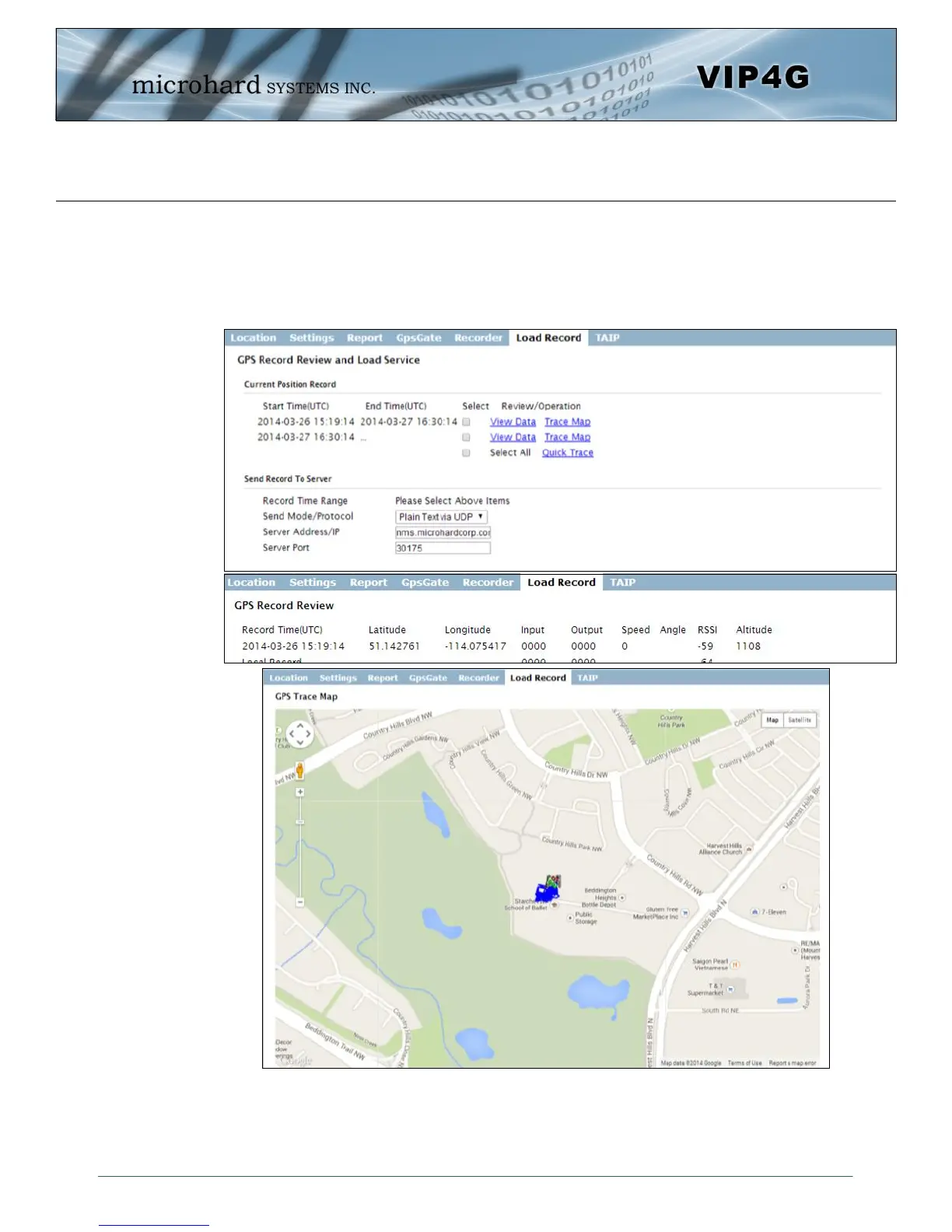
Data that has been recorded and saved by the VIP4G can then be viewed or sent to a remote server in
various formats. The data recorded can also be viewed directly by selecting “View Data” and the data can
be traced on a map (internet access required), by selecting “Trace Map”, or “Quick Trace”. The
screenshots below show the raw data that can be viewed and the Trace Map/Quick Trace output.
Image 4-7-7: GPS > GPS Load Record



 To Next Page