© Microhard Systems Inc. 144
4.0 Configuration
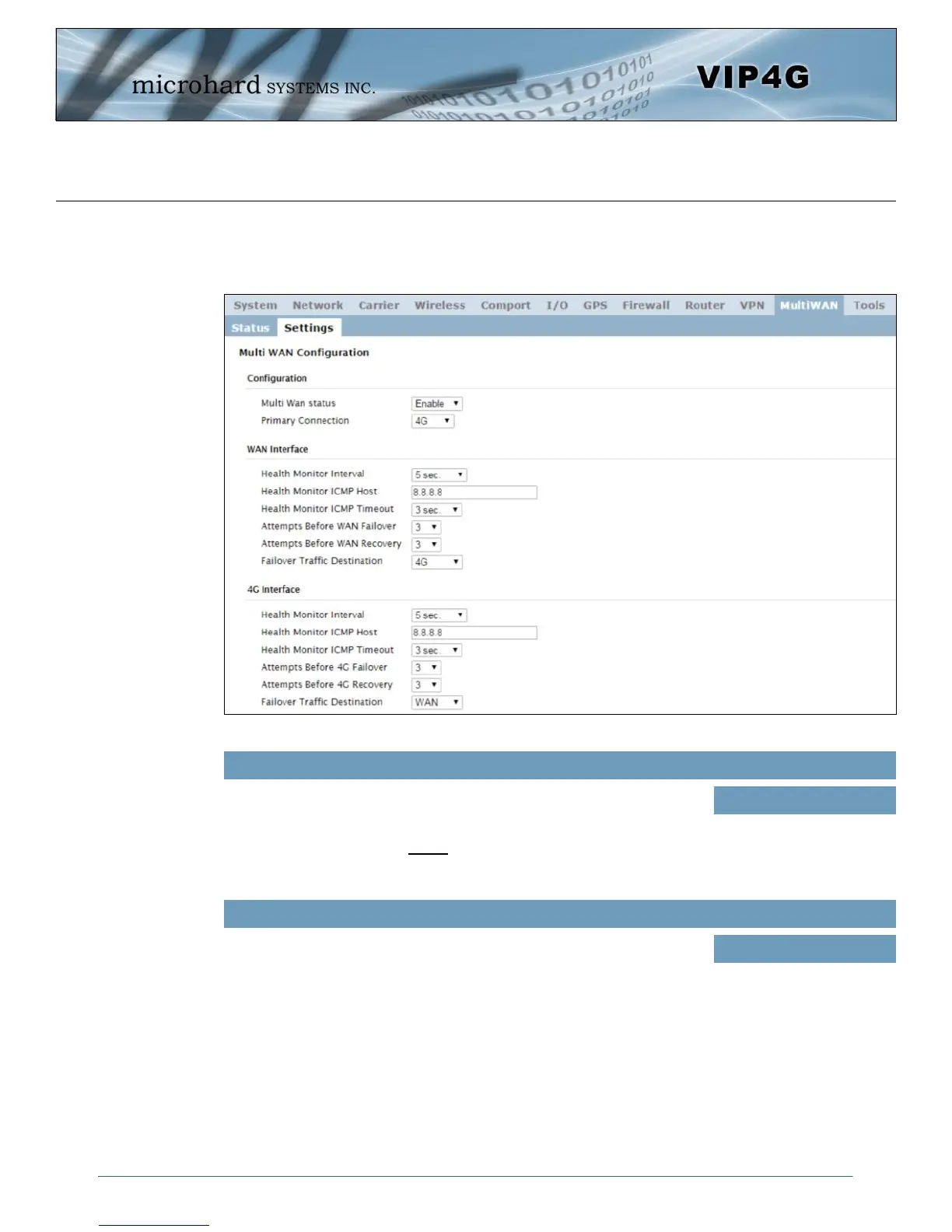
Image 4-10-2: MultiWAN > Settings
4.10.2 MultiWAN > Settings
The following section describes the parameters required for MultiWan for failover purposes. The
configuration for each interface in identical, so will only be described once.
Multi Wan status
Enable or disable the MultiWan service on the VIP4G.
To use MultiWAN, the WAN (wired) must be configured as independent in
the Network > WAN settings and/or the Wireless must be set to Client &
bound to the WIFI interface.
Values (selection)
Enable / Disable
Primary Connection
Define which connection is the primary network/internet connection for the
VIP4G. Normally this is the wired WAN connection to an ISP.
Values (selection)
WAN / 4G / WIFI



 To Next Page