© Microhard Systems Inc. 16
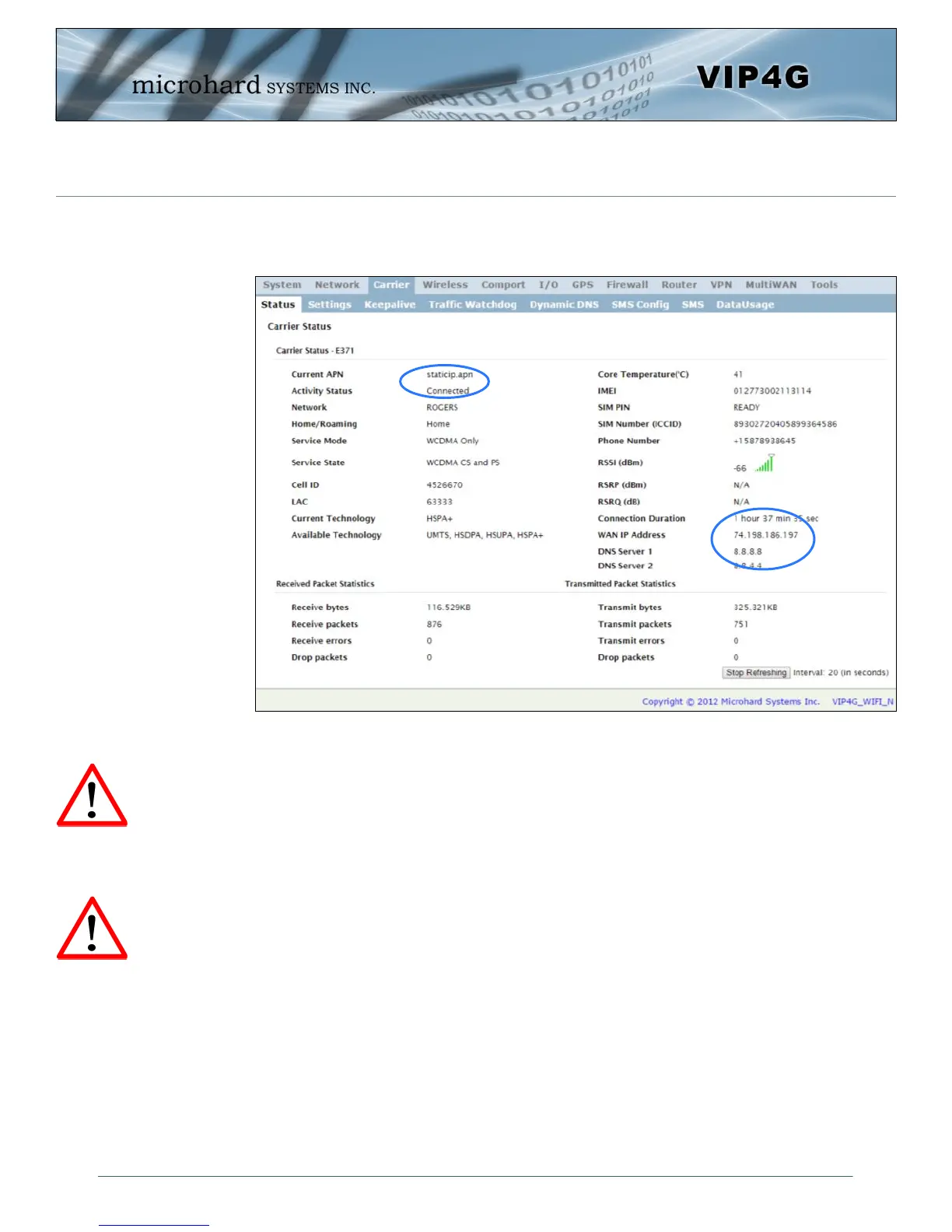
On the Carrier > Status Tab, verify that a WAN IP Address has been assigned by your
carrier. It may take a few minutes, so try refreshing the page if the WAN IP Address
doesn’t show up right away. The Activity Status should also show “Connected”.
If you have set a static IP on your PC, you may need to add the DNS Servers shown in
the Carrier Status Menu to you PC to enable internet access.
Congratulations! Your VIP4G is successfully connected to your Cellular Carrier. The next
section gives a overview on enabling and setting up the WiFi Wireless features of the mo-
dem giving 802.11 devices network access.
To access devices connected to VIP4G remotely, one or more of the following must be
configured: IP-Passthrough, Port Forwarding, DMZ. Another option would be to set up a
VPN.
Ensure that all default passwords are changed to limit access to the mo-
dem. The admin password can be changed at the System > Access Con-
trol menu.
For best practices and to limit data charges it is critical to properly set
up the firewall. (Especially important for Public Static IP addresses.)
2.0 Quick Start
Ensure the default
passwords are changed.
Set up appropriate firewall
rules to block unwanted
incoming data.



 To Next Page