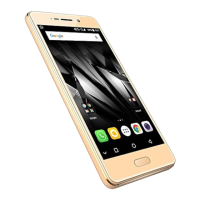
User Guide
Model – A56 22
7
7
A
A
i
i
s
s
h
h
a
a
Y
Y
o
o
u
u
r
r
S
S
u
u
p
p
e
e
r
r
f
f
o
o
n
n
e
e
N
N
i
i
n
n
j
j
a
a
2
2
c
c
o
o
m
m
e
e
s
s
w
w
i
i
t
t
h
h
A
A
i
i
s
s
h
h
a
a
,
,
a
a
n
n
i
i
n
n
t
t
e
e
r
r
a
a
c
c
t
t
i
i
v
v
e
e
a
a
s
s
s
s
i
i
s
s
t
t
a
a
n
n
t
t
w
w
h
h
i
i
c
c
h
h
f
f
o
o
l
l
l
l
o
o
w
w
s
s
y
y
o
o
u
u
r
r
v
v
o
o
i
i
c
c
e
e
c
c
o
o
m
m
m
m
a
a
n
n
d
d
s
s
a
a
n
n
d
d
e
e
v
v
e
e
n
n
t
t
a
a
l
l
k
k
s
s
t
t
o
o
y
y
o
o
u
u
.
.
U
U
s
s
e
e
t
t
h
h
e
e
i
i
n
n
t
t
e
e
r
r
a
a
c
c
t
t
i
i
v
v
e
e
f
f
e
e
a
a
t
t
u
u
r
r
e
e
s
s
o
o
f
f
A
A
i
i
s
s
h
h
a
a
t
t
o
o
g
g
e
e
t
t
t
t
h
h
i
i
n
n
g
g
s
s
d
d
o
o
n
n
e
e
f
f
o
o
r
r
y
y
o
o
u
u
.
.
F
F
o
o
r
r
m
m
o
o
r
r
e
e
i
i
n
n
f
f
o
o
r
r
m
m
a
a
t
t
i
i
o
o
n
n
o
o
n
n
h
h
o
o
w
w
t
t
o
o
u
u
s
s
e
e
A
A
i
i
s
s
h
h
a
a
,
,
p
p
l
l
e
e
a
a
s
s
e
e
r
r
e
e
f
f
e
e
r
r
t
t
o
o
t
t
h
h
e
e
F
F
l
l
y
y
e
e
r
r
t
t
h
h
a
a
t
t
c
c
o
o
m
m
e
e
s
s
w
w
i
i
t
t
h
h
y
y
o
o
u
u
r
r
p
p
h
h
o
o
n
n
e
e
’
’
s
s
p
p
a
a
c
c
k
k
a
a
g
g
i
i
n
n
g
g
.
.
B
B
e
e
f
f
o
o
r
r
e
e
y
y
o
o
u
u
s
s
t
t
a
a
r
r
t
t
u
u
s
s
i
i
n
n
g
g
A
A
i
i
s
s
h
h
a
a
,
,
y
y
o
o
u
u
w
w
o
o
u
u
l
l
d
d
n
n
e
e
e
e
d
d
t
t
o
o
d
d
o
o
t
t
h
h
e
e
f
f
o
o
l
l
l
l
o
o
w
w
i
i
n
n
g
g
:
:
1. Connect to the Internet (refer to section 8).
2. Tap on the Aisha icon and it will automatically install the
required data on to your SD card. Proceed with the
installation as suggested.
N
N
o
o
w
w
y
y
o
o
u
u
a
a
r
r
e
e
r
r
e
e
a
a
d
d
y
y
t
t
o
o
u
u
s
s
e
e
A
A
i
i
s
s
h
h
a
a
.
.
P
P
l
l
e
e
a
a
s
s
e
e
r
r
e
e
f
f
e
e
r
r
t
t
o
o
t
t
h
h
e
e
A
A
i
i
s
s
h
h
a
a
F
F
l
l
y
y
e
e
r
r
t
t
h
h
a
a
t
t
c
c
o
o
m
m
e
e
s
s
a
a
l
l
o
o
n
n
g
g
w
w
i
i
t
t
h
h
y
y
o
o
u
u
r
r
A
A
5
5
6
6
t
t
o
o
e
e
x
x
p
p
l
l
o
o
r
r
e
e
t
t
h
h
e
e
w
w
o
o
r
r
l
l
d
d
o
o
f
f
a
a
i
i
s
s
h
h
a
a
.
.
8
8
C
C
o
o
n
n
n
n
e
e
c
c
t
t
t
t
o
o
t
t
h
h
e
e
I
I
n
n
t
t
e
e
r
r
n
n
e
e
t
t
To configure your Internet:
1. Go to Settings> Wireless & Networks >Mobile Networks>
Dual SIM Settings >access point names.
3. Select the access point name or change the access point



 To Next Page