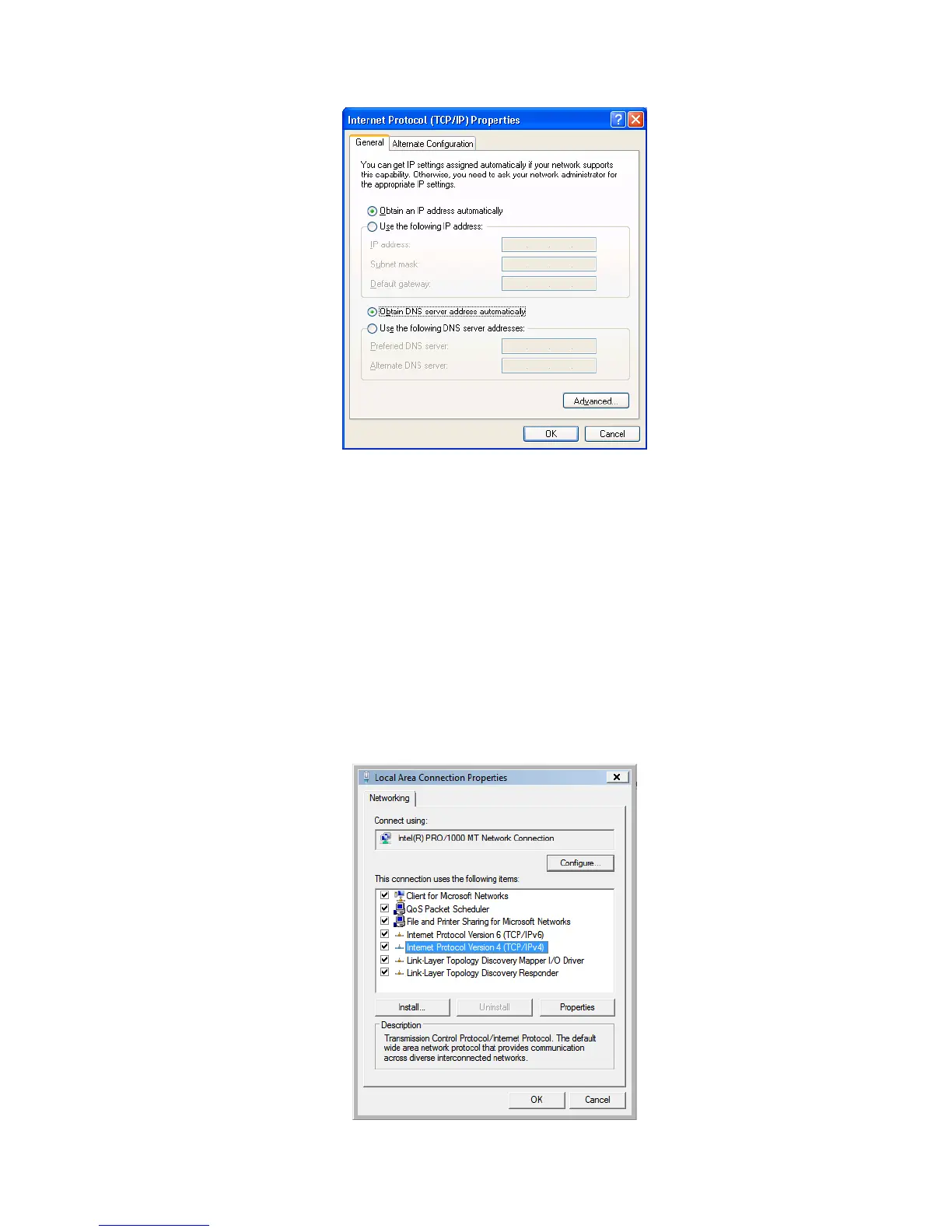
5. Click <OK> to confirm the setting. PC will now obtain an IP address
automatically from the Broadband Router’s DHCP server.
6. Please make sure that the Broadband router’s DHCP server is the only DHCP
server available on the LAN network.
d) Windows Vista
1. Click <Start> button, then click control panel. Click <View Network Status
and Tasks>, then click <Manage Network Connections>. Right-click <Local
Area Network>, then select <Properties>. Local Area Connection Properties
window will appear, select <Internet Protocol Version 4 (TCP / IPv4)> and
click <Properties>.
11



 To Next Page