Parameter Description
Current Password
Enter user’s current password for the remote management
administrator to login to your Broadband router.
Default: no password
New Password Enter the new password.
Confirmed Password
Enter the new password again for verification purposes. If
users forget the password, it will be necessary to reset the
router to the factory default (No password) with the reset
button (see router’s back panel).
Click <Apply> at the bottom of the screen to save the above configurations.
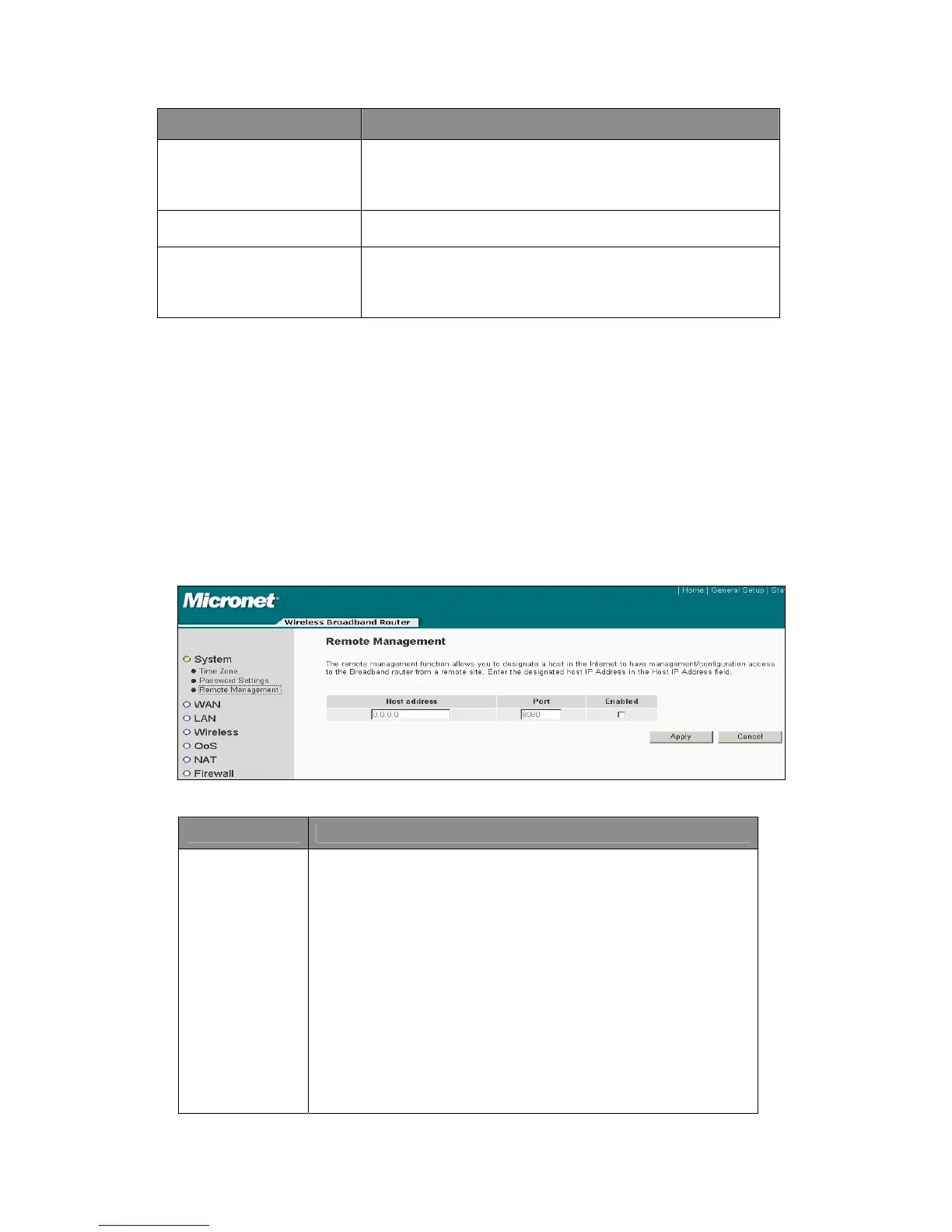
4.2.1.3 Remote Management
This router does not allow management access from Internet, to prevent possible
security risks (especially when users defined a weak password, or didn’t change
default password). However, users can still manage this router from a specific IP
address by enabling the ‘Remote Management’.
Parameter Description
Host
Address
z This is the IP address of the host in the Internet that will have
management/configuration access to the Broadband router from
a remote site. This means if users are at home and the home IP
address has been designated the Remote Management host IP
address for this router (located in your company office), then it
will be able to configure this router remotely.
z If the Host Address is left 0.0.0.0, it would mean anyone can
access the router’s web-based configuration from a remote
location, provided password is known.
z When users want to access the web-based management from a
remote site, it is necessary to enter the router’s WAN IP
address (e.g. 10.0.0.1) into your web-browser followed by port
number 8080 (e.g. 10.0.0.1:8080). Users also need to know the
password set in the Password Setting screen in order to access
the router’s web-based management.
26



 To Next Page