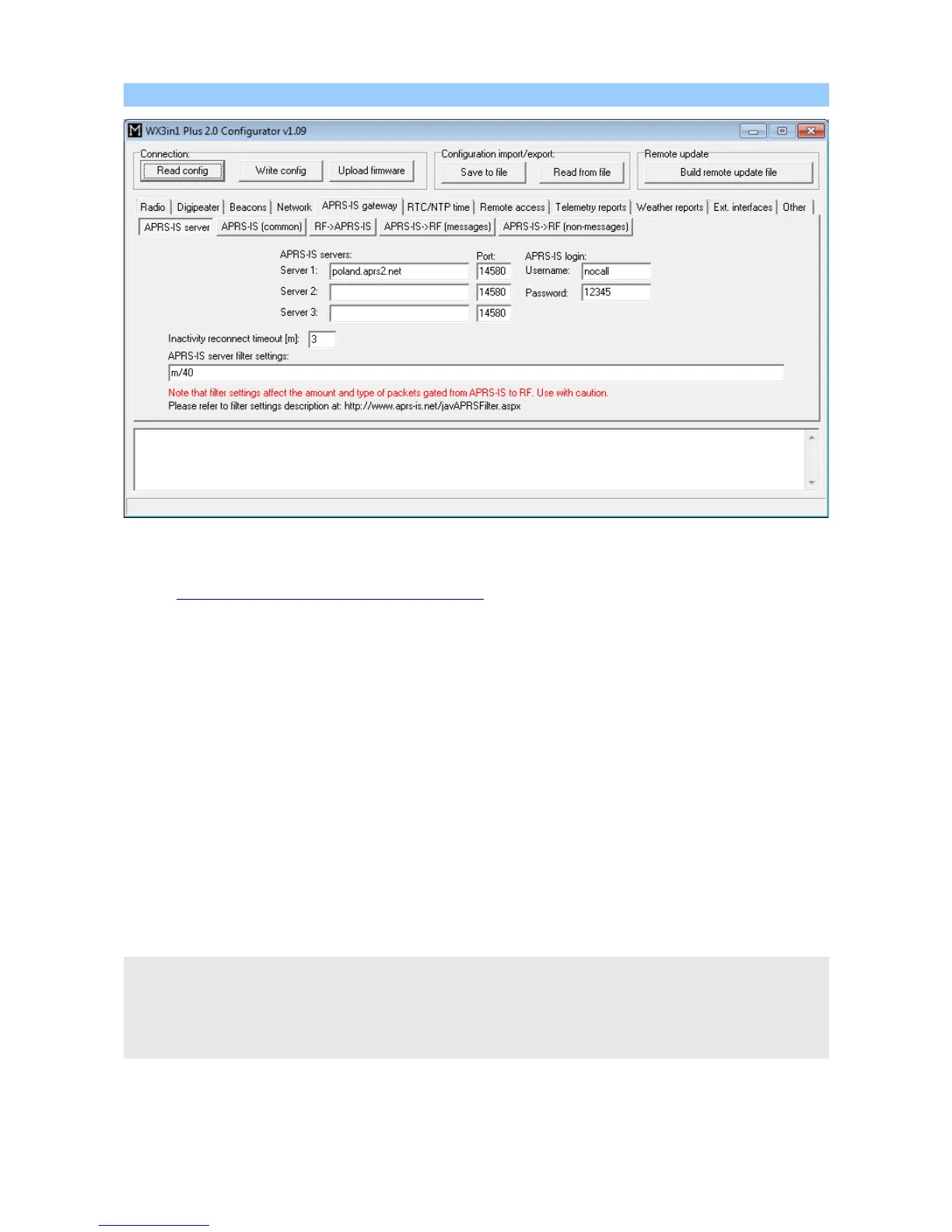
10.9.1. APRS-IS gateway / APRS-IS server Tab
• “APRS-IS servers” - domain names or IP addresses of APRS-IS T2 servers which
should be connected by WX3in1 Plus 2.0. A list can be found on this page:
http://www.aprs2.net/serverstats.php.
• “APRS-IS port” - IP ports of APRS-IS servers, in most cases default port 14580
should work fine.
• “APRS-IS login username” - this should be your callsign with ssid, the same as on
Radio Tab,
• “APRS-IS login password” - this should be a password for your callsign, passwords
should be generated by your APRS-IS server sysop,
• “Inactivity reconnect timeout [m]” – this field defines the amount of time after
which WX3in1 Plus 2.0 will try to reconnect to APRS-IS server. Most APRS-IS servers
send “keepalive” string every few tens of seconds so in case of no data received
for a longer time we can assume that something gone wrong with the connection.
Default value of 3 minutes should work fine.
• “APRS-IS server filter settings” - this is a global filter setting string which is sent
to APRS-IS server after logging and it tells the server which packets you want to
receive from it. Default value of “m/40” tells the server to send all posits,
objects from stations within 40 km radius. Messages addressed to these stations
will also be received from the server.
APRS-IS server filter setting may be potentially dangerous if you are not sure what you
are doing. Please avoid changing filter to a very wide setting to avoid being flooded with
packets from APRS-IS server. All packets received from APRS-IS are then processed
according to “I-Gate” Tab settings and they can be forwarded to RF as “third-party
packets”.
30



 To Next Page