digipeated by most nearby digipeaters), if you leave this field empty, weather
report will be sent without path,
• “RF[min]“ – weather report transmit rate to RF (expressed in minutes), report
will not be sent if this field is set to 0,
• “IS[min]“ – weather report transmit rate to APRS-IS (expressed in minutes),
report will not be sent if this field is set to 0,
• “Comment“ – This is a short comment which will be appended at the end of
weather report.
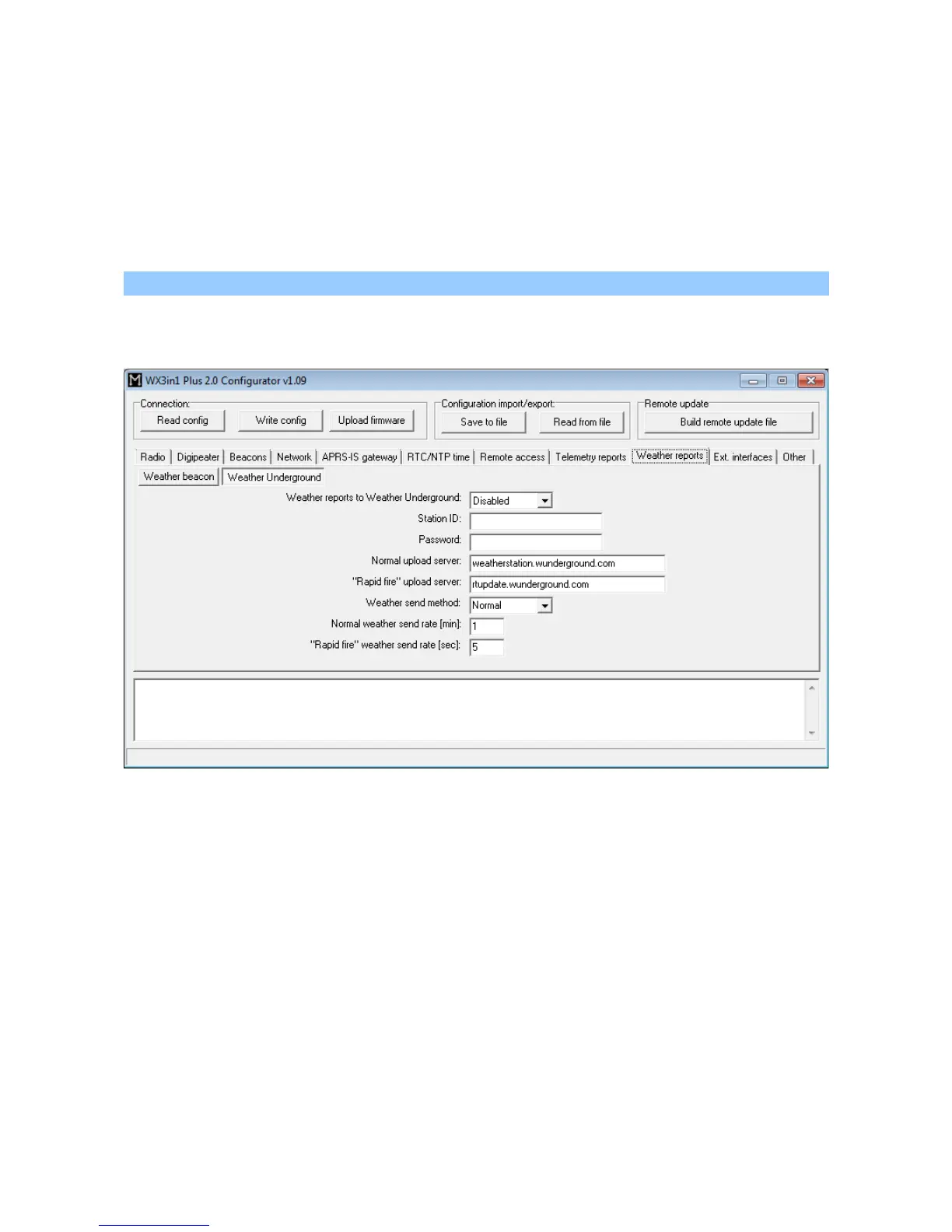
10.13.2. Weather reports / Weather Underground
This tab is related to Weather Underground service which allows to upload and
store weather data from your station.
• “Weather reports to WeatherUnderground” – enables WeatherUnderground
reporting in your WX3in1 Plus 2.0 device,
• “Station ID” – ID of the station assigned when you were adding a station in
WeatherUnderground account settings on their web page,
• “Password” – password of your WeatherUnderground account (as far as I know, it
is the same for all stations on your account if you have more than one),
• “Normal upload server” – this is WeatherUnderground server name for report
reception, you should leave it as is,
• “Rapid fire upload server” - this is WeatherUnderground server name for “rapid
fire” report reception, you should leave it as is,
• “Weather send method” – this option allows you to select between “rapid fire”
realtime frequent report update or normal report update every few minutes,
• “Normal weather send rate [min]” – Frequency of normal report update (in
minutes),
• “Rapid fire weather send rate [sec]” – Frequency of “rapid fire” realtime report
44



 To Next Page