11. Telnet interface
Telnet interface is a very good method to see what happens inside of your WX3in1
Plus 2.0 device. It provides you with a lot of debugging messages and statistics, which
allows you to locate any potential problems and solve them.
11.1. Telnet client software
To connect to WX3in1 Plus 2.0 telnet interface you will need to download one of
telnet client applications available over the internet. I recommend you to use an open
source “putty” application for this task. You can find it here: http://www.putty.org/.
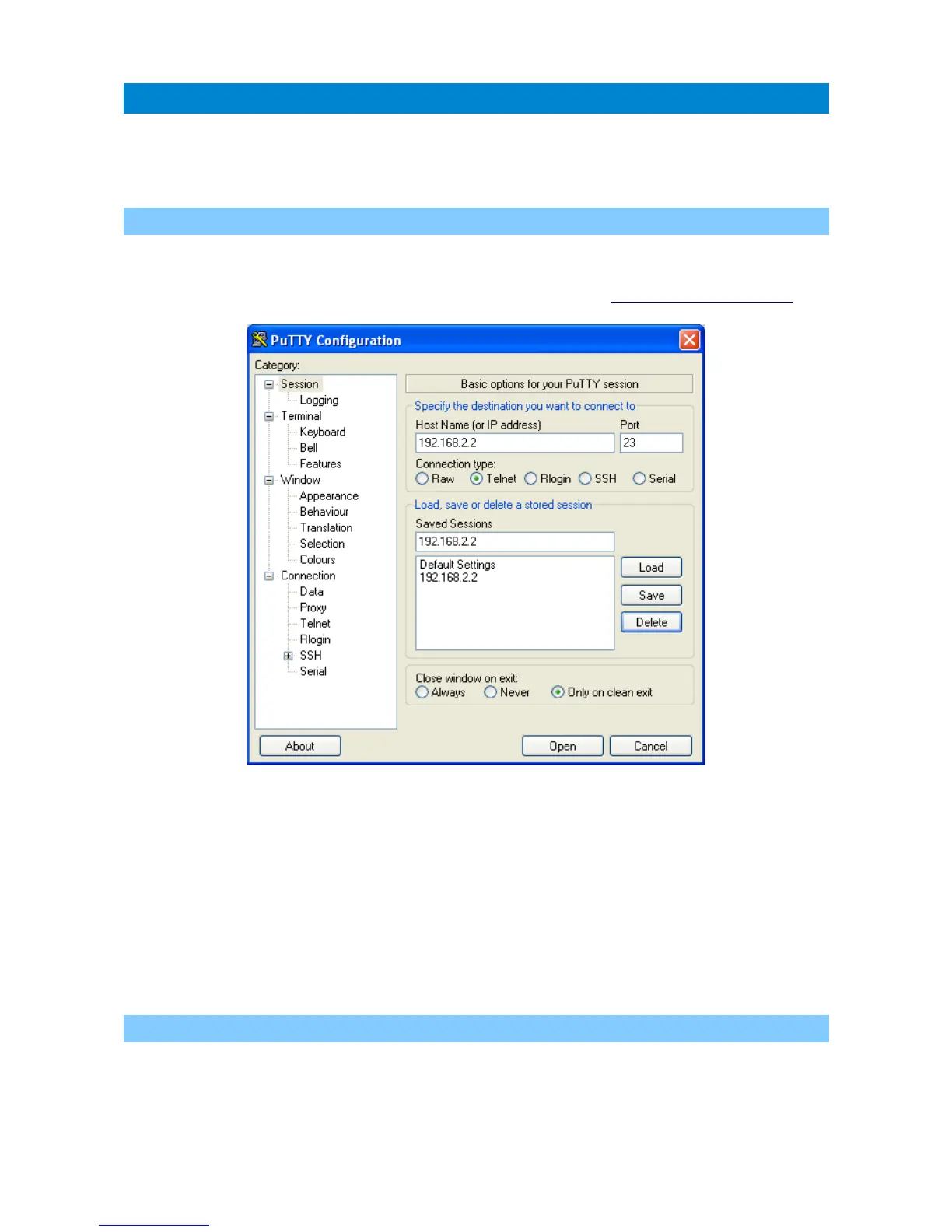
To configure “putty” as a telnet terminal for WX3in1 Plus 2.0 you need to set the
following fields (visible above):
• Host Name (or IP address) – this is your WX3in1 Plus 2.0 network IP address,
• Connection type: Telnet (this is important, as we want to use a simple telnet
interface),
• Port – this should be set the same as “Telnet port” in your device's configuration.
After setting proper values you can save them with a “Save” button.
Connect to your device with “Open” button. Then you should see a black window of your
telnet terminal with a prompt for your “Username” and “Password”. Use the values from
your device's configuration.
11.2. Telnet commands
For a list of available WX3in1 Plus 2.0 telnet commands please issue “help” command,
you should see a full list as below:
49



 To Next Page