3. Connectors and device status leds
3.1. Front panel
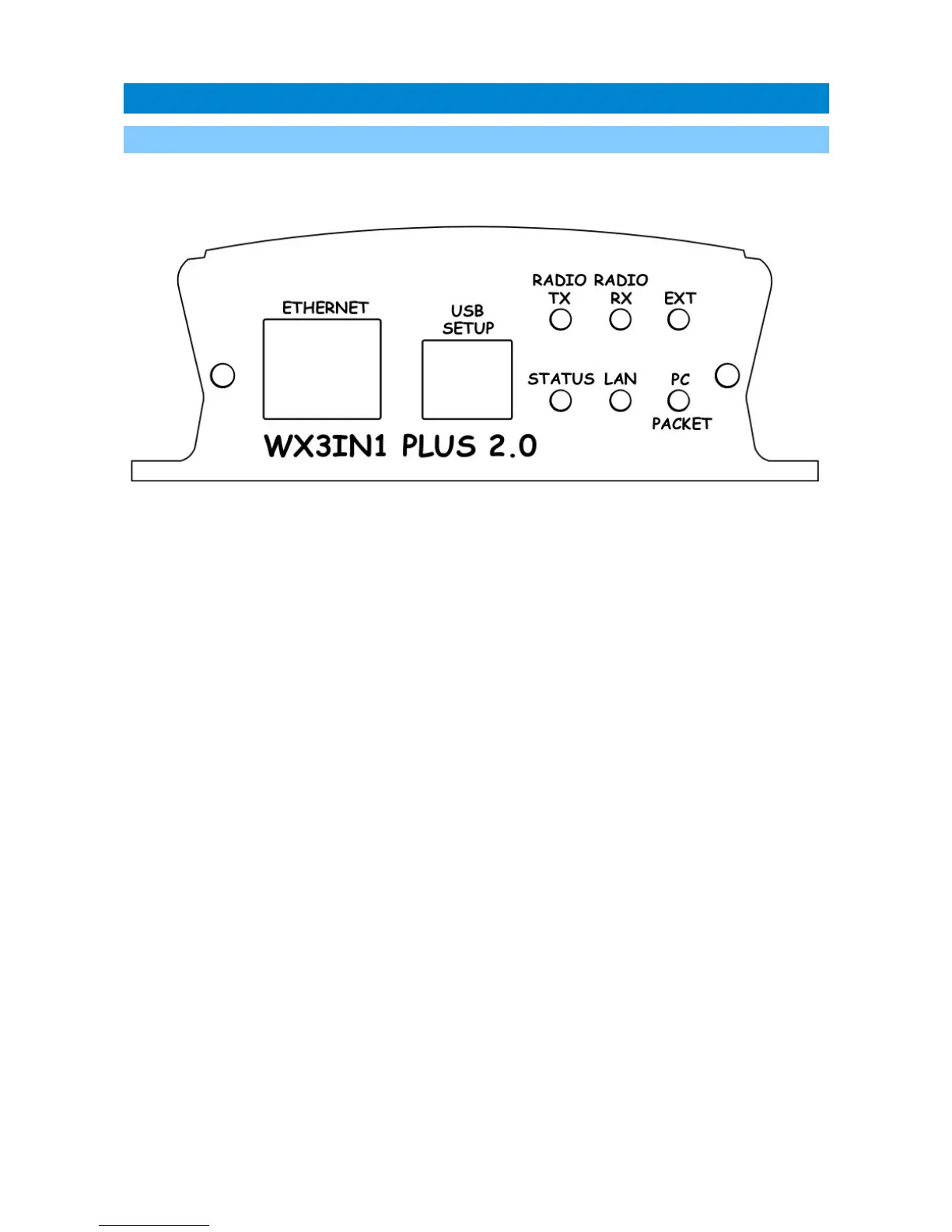
There are 6 leds on the front panel which inform about the status of device
operation. The following image shows the location of front panel LEDs and connectors.
Leds:
• Radio TX - The red led lights during transmission - the device sends an APRS data
packet,
• Radio RX - Yellow led illuminates when receiving a signal from the radio
(indicates the channel is busy),
• Ext - Green led indicates proper communication with external device, it blinks
after reception of:
• correct weather data from weather station,
• GPS NMEA sentence with fixed position,
• temperature from external sensor,
• telemetry data from WXTelemetry/WXBits.
• Status - Green led indicates the status of the device (led lights up regularly every
3 seconds, indicating correct operation),
• Lan TX - Blue led illuminates when sending TCP/IP packet to the Ethernet,
• PC/Packet – This red led has two purposes. In PC configuration mode it blinks
regularly and in device working mode it blinks when there is a proper packet
received from the radio.
Connectors:
• Ethernet - RJ45 (ethernet network connection),
• USB - a USB socket-B (printer type), used to connect to a computer for
configuration and firmware update,
9



 To Next Page