Visionscape® Software Structure and Concepts
Visionscape®
Overview
1
v4.1.3, April 2012 Visionscape FrontRunner™ User’s Manual 1-11
started and stopped asynchronously. In a typical inspection, you use a
Snapshot/Acquire to acquire an image, execute vision tools on that
image, and then report results either through I/O or through the Inspection
Report.
Creating multiple inspections allows you to create inspections with tools
that execute either synchronously or asynchronously.
Note: The preceding statement is generally applicable to Visionscape
®
. In
the case of the VS-1 Smart Camera: while multiple inspections are still
supported, care should be taken to make sure that multiple Snapshot
steps do not attempt to use the single “camera” at the same time.
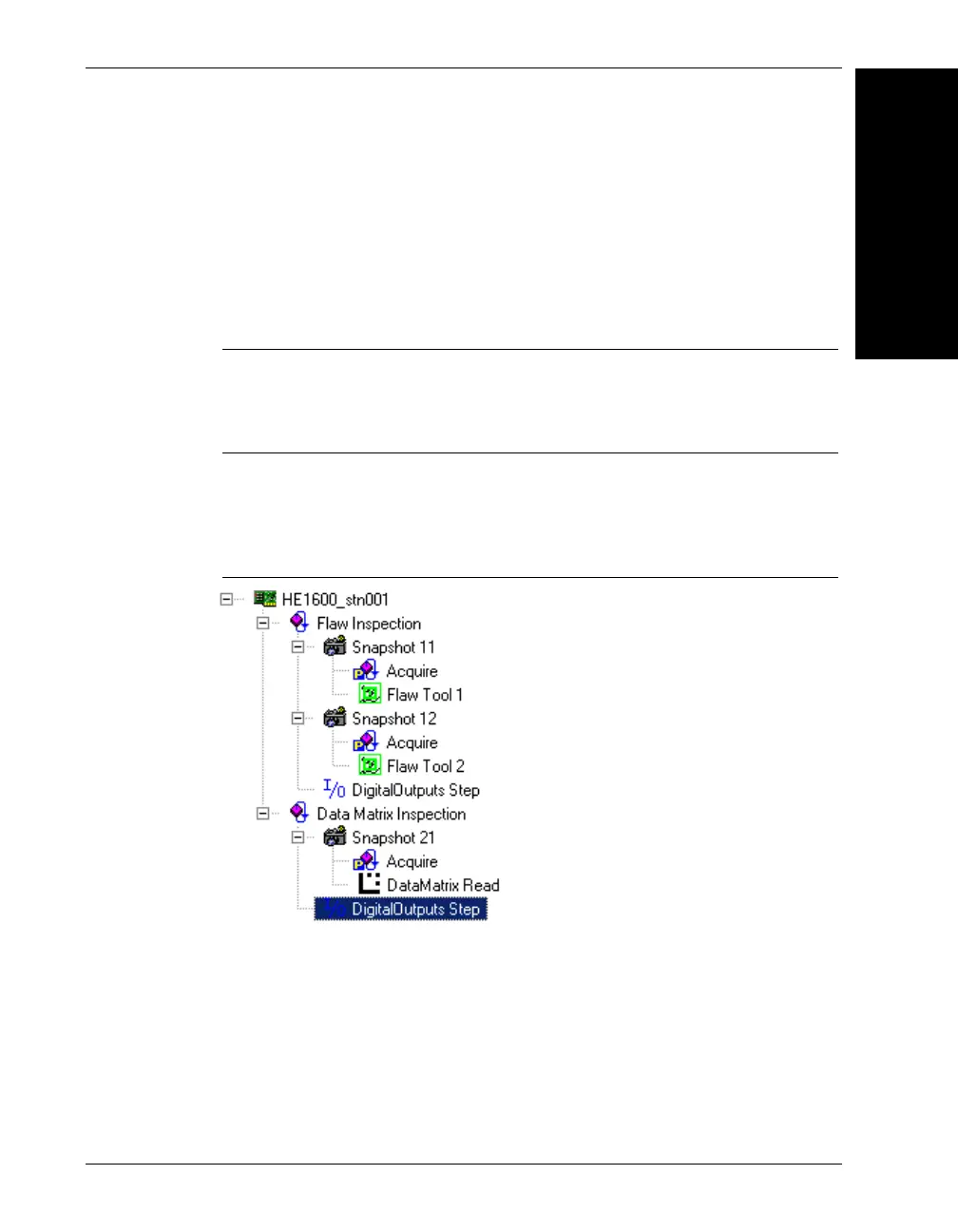
In Figure 1-8, the Job contains two Inspection steps renamed to Flaw
Inspection and Data Matrix Inspection for clarity.
FIGURE 1–8. Job With Multiple Inspection Steps
The Flaw Inspection contains two Snapshots. The first Snapshot (11)
contains a Flaw tool that might be used to detect scratches on a part. The
second Snapshot (12) in this inspection might be taken at a longer
exposure to detect some subtle defects in a specified region. Because
Snapshot 12 follows Snapshot 11 in the same inspection, it will not take
place until the Flaw tool runs. Snapshot 21 is in a separate inspection.
Both it and Snapshot 11 should be separately triggered in a manner that
will ensure that they do not both use the sensor at the same time.



 To Next Page