4. Insert the RAID controller into the expansion slot and press down gently but rmly until it clicks into
place. When installed properly, the RAID controller should appear level with the expansion slot. Secure
the bracket in the expansion slot, using the retention device (for instance, a screw or lever) supplied
with your computer.
Caution: Touch a grounded metal object before handling the RAID controller.
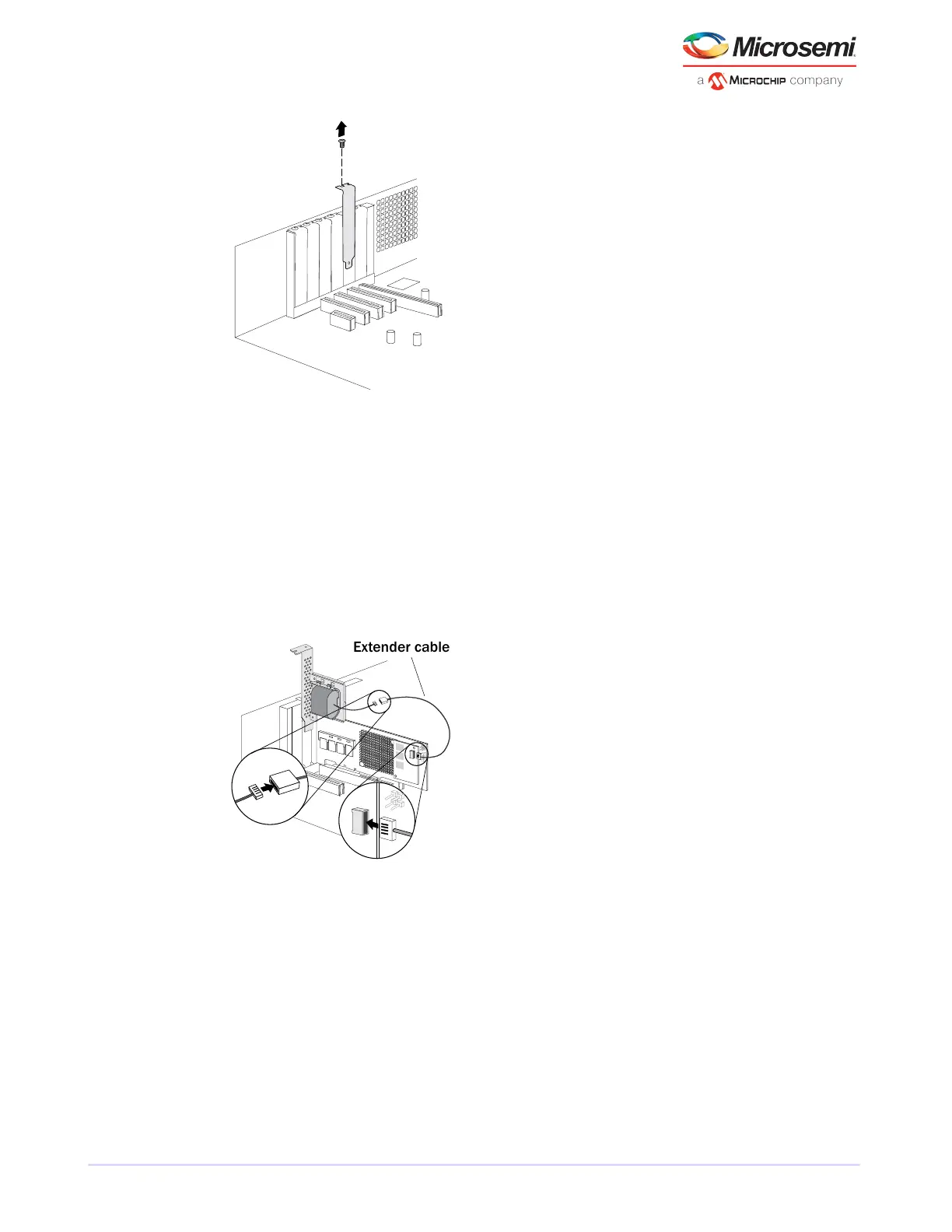
5. Attach the supercapacitor module to the RAID controller by inserting the connector into the socket on
the ash module daughterboard, as shown in the gure below. (The connector attaches to the socket
in only one direction.) Use the included extender cable if you need extra length to reach the connector
on the daughterboard.
6. Install the mounting plate in the empty slot next to the controller, as shown in the next gure. After
securing the mounting plate to the card cage, verify that the supercapacitor module and mounting plate
sit above (and do not touch) the PCIe slot.
19
Microsemi Proprietary and Condential. Installation and User's Guide Revision 5
Installing the Controller and Disk Drives



 To Next Page