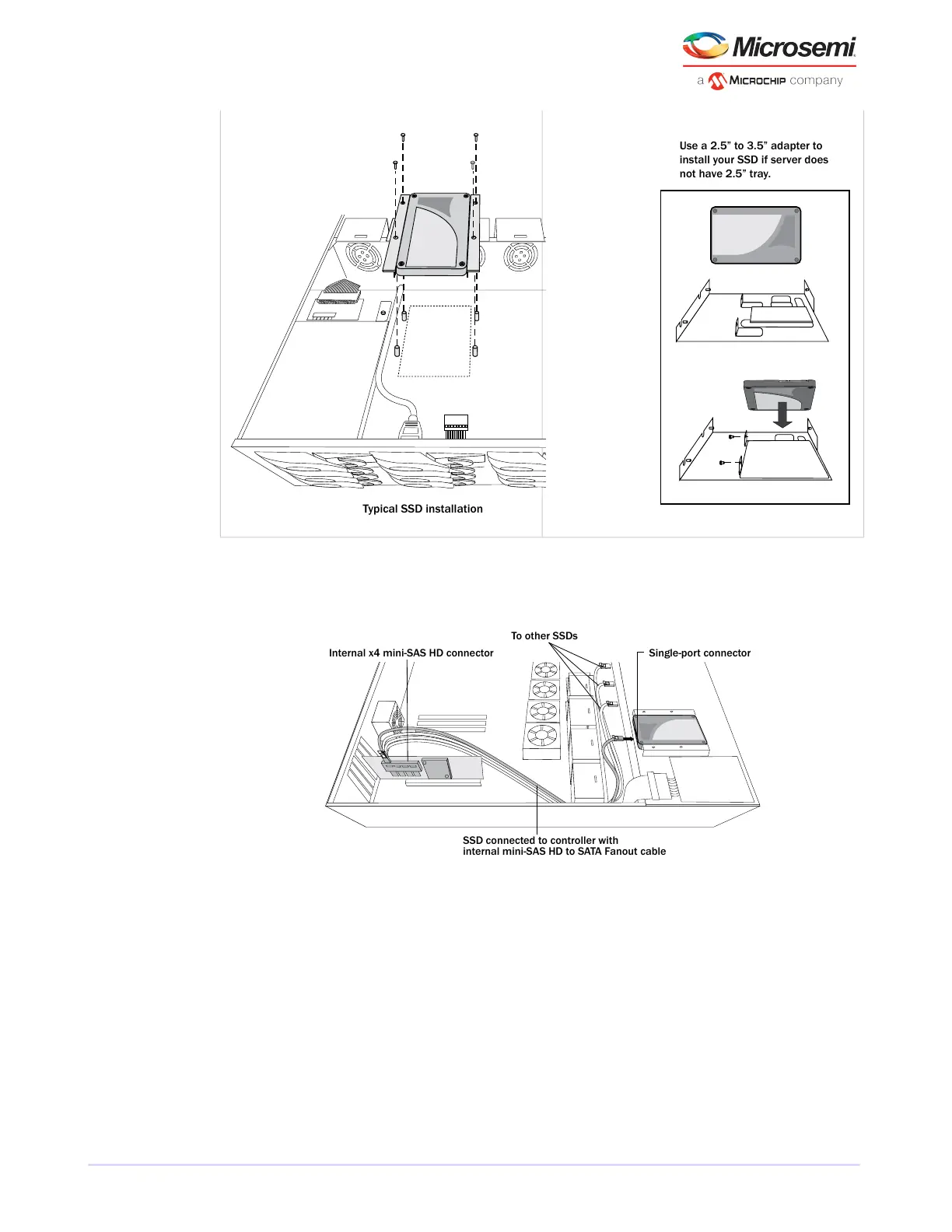
Use a 2.5” to 3.5” adapter to
install your SSD if server does
not have 2.5” tray.
2. Use an internal mini-SAS or mini-SAS HD to SATA cable, as required, to attach the SSD(s) to the controller,
as shown in the example below.
To other SSDs
SSD connected to controller with
internal mini-SAS HD to SATA Fanout cable
Single-port connectorInternal x4 mini-SAS HD connector
3. When all SSDs have been installed and connected, close your computer cabinet, reattach the power
cord, then continue with Connecting External Devices installation external devicesexternal
devicescontrollers connecting external devicesdisk drives external.
5.4 Connecting External Devices
Note: If you are not connecting any external devices, see the following section, Next
Steps.
Use high-quality cables to connect your controller to your external device(s), such as disk drives or disk
drive enclosures.
22
Microsemi Proprietary and Condential. Installation and User's Guide Revision 5
Installing the Controller and Disk Drives



 To Next Page