MICROSENS 8 Port Gigabit Ethernet Switch User’s Manual
6
1-4. View of 8 Port Gigabit Ethernet Switch
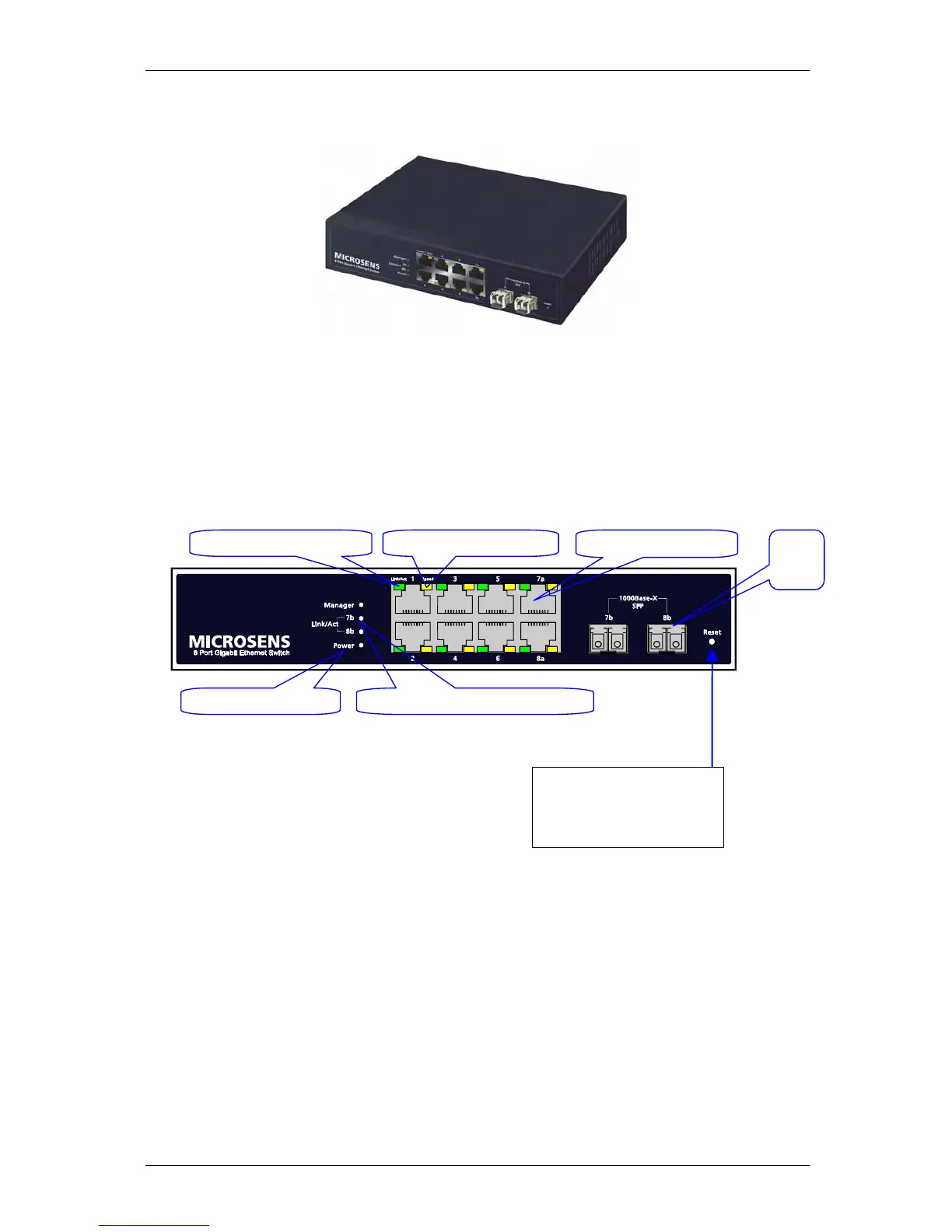
1-4-1. User Interfaces on the Front Panel (Button, LEDs and Plugs)
There are 8 TP Gigabit Ethernet ports and 2 SFP fiber ports for optional removable
modules on the front panel of the switch. LED display area, locating on the left side of the panel,
contains a Power LED, which indicates the power status and 8 ports working status of the switch.
Fig. 1-1 Full View of 8 Port Gigabit Ethernet Switch
Power Indication LED
Gi
abit Ethernet Port
SFP
Fiber
Port
Fiber Port Status Indication LEDs
TP Port Status: Link/ACT TP Port Status: SPEED
RESET Button:
RESET button is used to
reset the management
system.
Fig. 1-2 Front View of 8 Port Gigabit Ethernet Switch



 To Next Page