MICROSENS 8 Port Gigabit Ethernet Switch User’s Manual
7
• LED Indicators
LED Color Function
System LED
POWER Green Lit when +5V DC power is on and good
CPU LED Green Blinks when CPU is activity
10/100/1000Ethernet TP Port 1 to 8 LED
LINK/ACT Green
Lit when connection with remote device is good
Blinks when any traffic is present
Off when cable connection is not good
10/100/1000Mbps
Green/
Amber
Lit green when 1000Mbps speed is active
Lit ember when 100Mbps speed is active
Off when 10Mbps speed is active
1000SX/LX Gigabit Fiber Port 7, 8 LED
SFP(LINK/ACT) Green
Lit when connection with the remote device is good
Blinks when any traffic is present
Off when module connection is not good
Table1-1
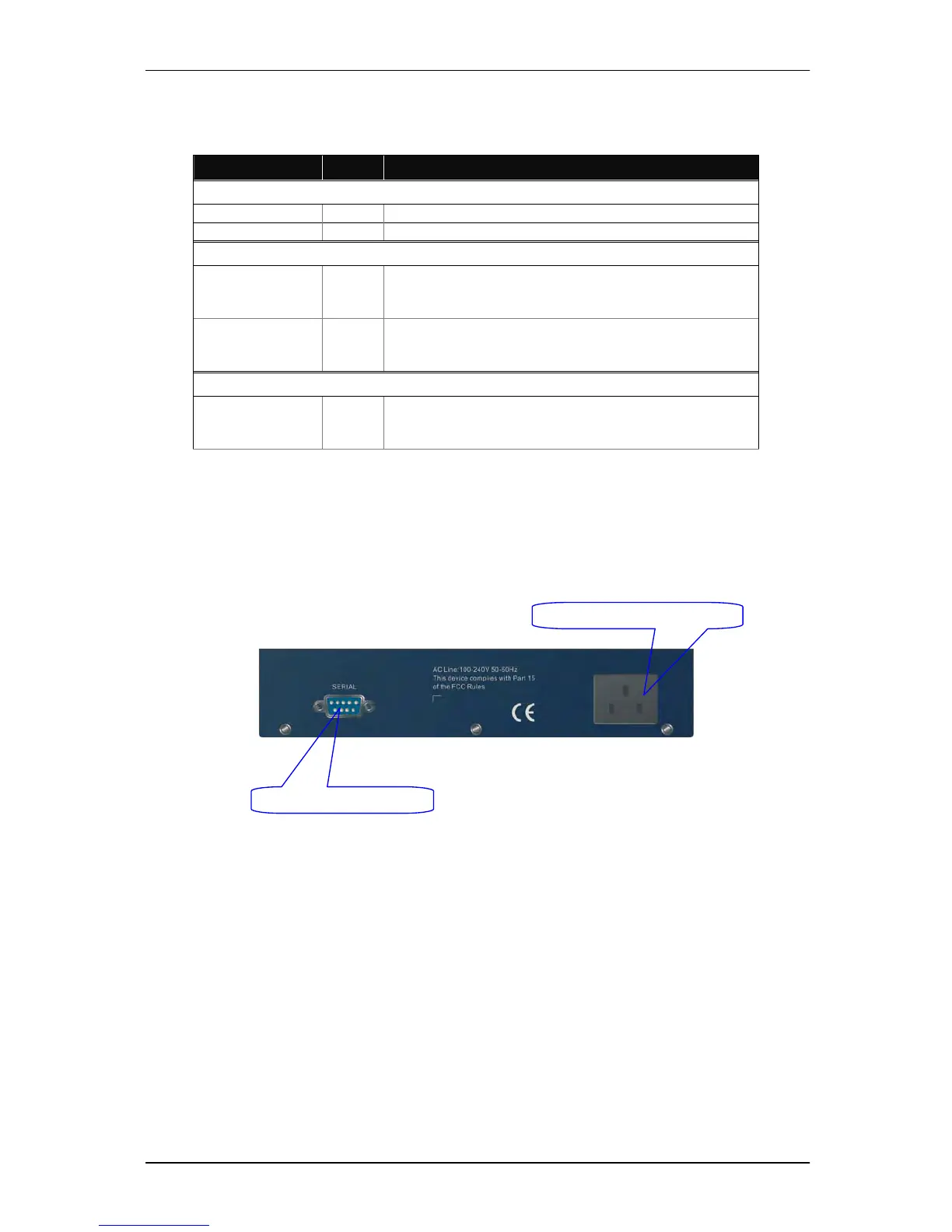
1-4-2. User Interfaces on the Rear Panel
One RS-232 DB-9 interface is offered for configuration or management.
Fig. 1-3 Rear View of 8 Port Gigabit Ethernet Switch
RS-232 DB-9 Connector



 To Next Page