MICROSENS 8 Port Gigabit Ethernet Switch User’s Manual
57
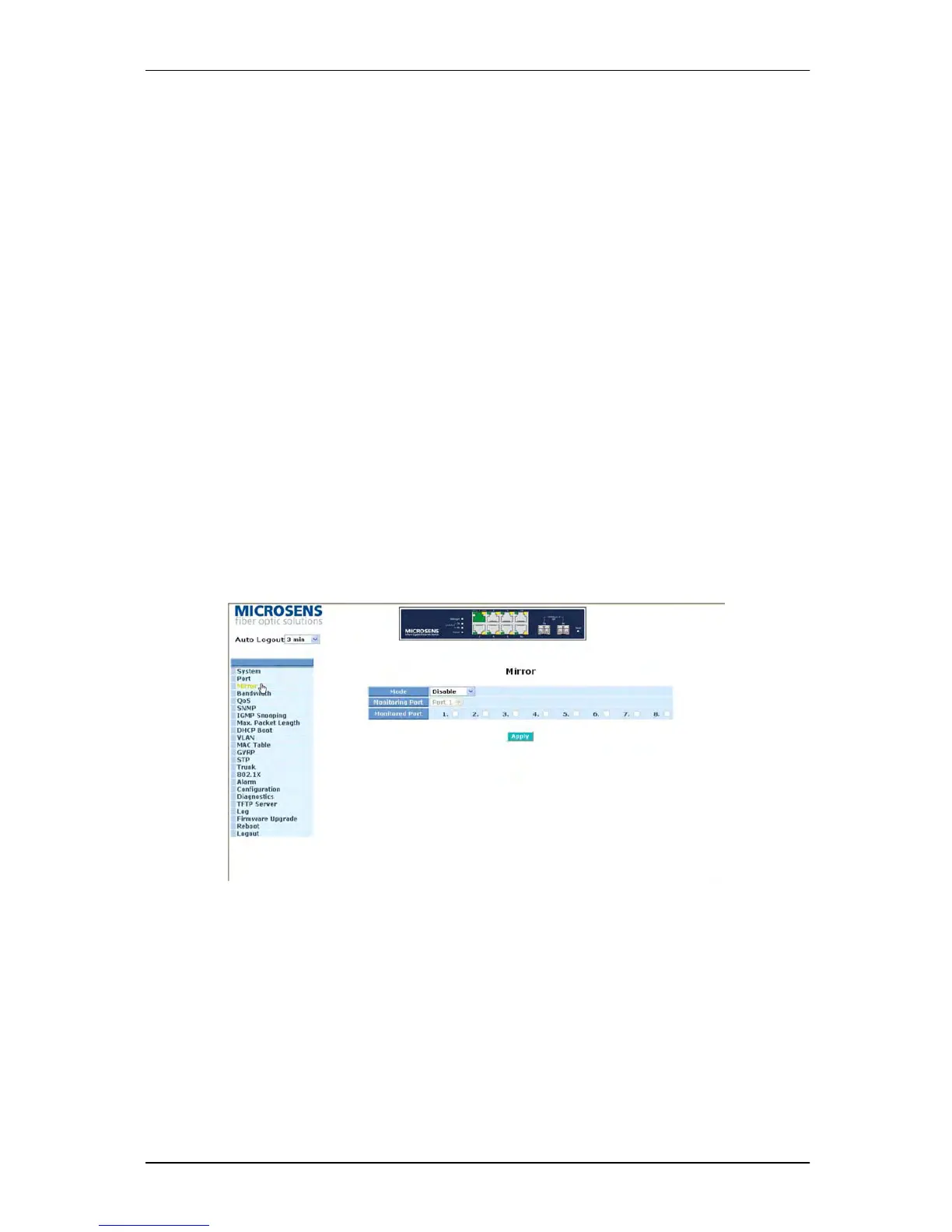
3-3. Mirror
Function name:
Mirror Configuration
Function description:
Mirror Configuration is to monitor the traffic of the network. For example, we assume that
Port A and Port B are Monitoring Port and Monitored Port respectively, thus, the traffic
received by Port B will be copied to Port A for monitoring.
Note:
When configuring the mirror function, you should avoid setting a port to be a sniffer port
and aggregated port at the same time. It will cause something wrong.
Parameter description:
Mode:
Used for the activation or de-activation of Port Mirror function. Default is disable.
Monitoring Port:
Set up the port for monitoring. Valid port is Port 1~8 and default is Port 1.
Monitored Port:
Set up the port for being monitored. Just tick the check box (
) beside the port x and
valid port is Port 1~8.
Fig. 3-15



 To Next Page