MICROSENS 8 Port Gigabit Ethernet Switch User’s Manual
115
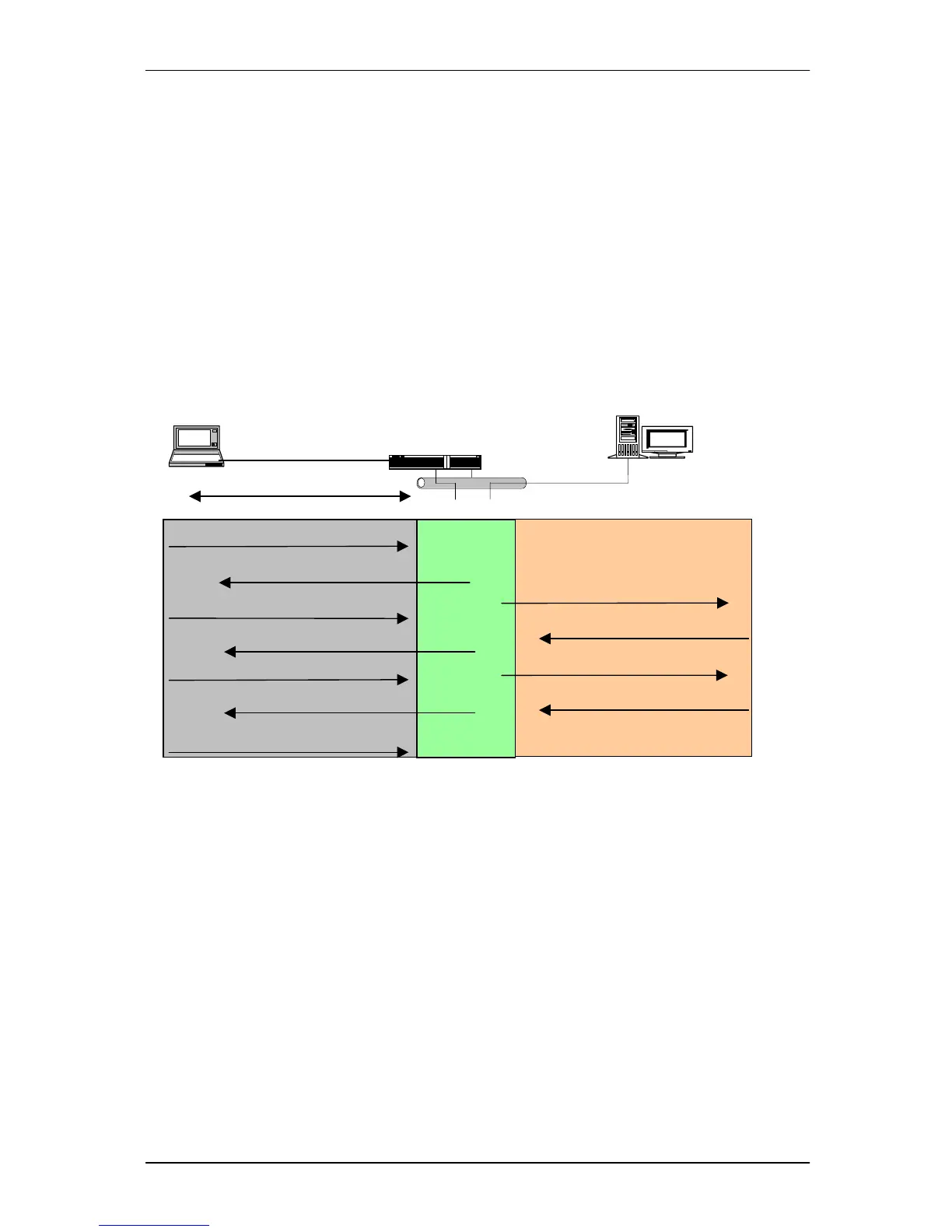
8. If user ID and password is correct, the authentication server will send a Radius-
Access-Accept to the authenticator. If not correct, the authentication server will
send a Radius-Access-Reject.
9. When the authenticator PAE receives a Radius-Access-Accept, it will send an EAP-
Success to the supplicant. At this time, the supplicant is authorized and the port
connected to the supplicant and under 802.1X control is in the authorized state.
The supplicant and other devices connected to this port can access the network.
If the authenticator receives a Radius-Access-Reject, it will send an EAP-Failure to
the supplicant. This means the supplicant is failed to authenticate. The port it
connected is in the unauthorized state, the supplicant and the devices connected
to this port won’t be allowed to access the network.
10. When the supplicant issue an EAP-Logoff message to Authentication server, the
port you are using is set to be unauthorized.
Fig. 3-54
Access allowed
PC
LAN
Bridge
Radius Server
Access blocked
Port connect
Radius-Access-Challenge
Radius-Access-Accept
Radius-Access-Request
Radius-Access-Request



 To Next Page