EasyManua.ls Logo

Midea MC-6F74A0H556 - User Manual

Midea MC-6F74A0H556
32 pages
Print Icon
To Next Page IconTo Next Page
Loading...
Warning notices: Before using this product, please read this manual carefully and keep it for future reference.
The design and specifications are subject to change without prior notice for product improvement.
Consult with your dealer or manufacturer for details.
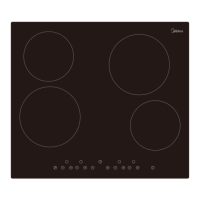
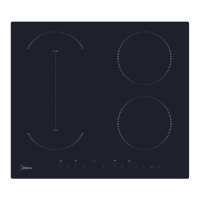
The diagram above is just for reference. Please take the appearance of the actual product as the standard.
INDUCTION HOB
MC-6F74A0H556
USER MANUAL

Questions and Answers

  • C
    Christopher EstradaAug 19, 2025
    Why my Midea Hob cooktop cannot be turned on?
    • R
      Regina Arnold DVMAug 19, 2025
      If your Midea Hob cooktop isn't turning on, first ensure it's properly connected to the power supply and switched on. Check for any power outages in your home or area. If the problem continues after these checks, it's best to consult a qualified technician.
  • R
    Rita DanielsAug 21, 2025
    What to do if pans do not become hot on Midea Hob?
    • K
      Kimberly Wilson MDAug 21, 2025
      If your pans aren't heating up and a symbol appears on the display of your Midea Hob, it could be that the cookware isn't suitable for induction cooking, or it's too small or not centered on the cooking zone. Use cookware designed for induction cooking and ensure the pan's base matches the cooking zone size and is properly centered.
  • Y
    ybeckAug 23, 2025
    What to do if Midea MC-6F74A0H556 heating stops suddenly and display flashes “u”?
    • W
      wyattpatriciaAug 25, 2025
      If the heating stops suddenly and the display flashes “u” on your Midea Hob, it could be due to several reasons: the pan type is wrong, the pan detection circuit is damaged, the pot diameter is too small, or the cooker has overheated. Use the proper pot, wait for the temperature to return to normal, and push the “ON/OFF” button to restart the unit. If replacing the pot doesn't help, replace the power board.
  • E
    Eric PetersonAug 26, 2025
    Why the LED does not come on Midea MC-6F74A0H556 when unit is plugged in?
    • R
      rwatsonAug 26, 2025
      If the LED on your Midea Hob doesn't light up when plugged in, check if the plug is securely in the outlet and the outlet is working. Also, check the connection of the accessorial power board and the display board. If those are fine, the accessorial power board or the display board might be damaged, and you may need to replace them.
  • G
    gskinnerAug 27, 2025
    Why are the touch controls difficult to operate on Midea MC-6F74A0H556?
    • A
      aliciaortizAug 28, 2025
      If you're finding the touch controls on your Midea Hob difficult to operate, it might be due to a slight film of water on the controls or using the tip of your finger. Ensure the touch control area is dry and use the ball of your finger when touching the controls.
  • B
    Barbara BauerAug 29, 2025
    What to do if the Cooking Mode Indicator comes on, but heating does not start on Midea Hob?
    • B
      Bruce LutzAug 29, 2025
      If the Cooking Mode Indicator lights up but the Midea Hob doesn't start heating, the ambient temperature may be too high, or the air intake/vent might be blocked. Also, there may be something wrong with the fan. Check whether the fan runs smoothly, if not, replace the fan. If these are not the cause, the power board may be damaged and need replacement.
  • J
    Julian RamirezSep 1, 2025
    What does EL/EH mean on Midea Hob?
    • T
      Timothy BrownSep 1, 2025
      If you see 'EL/EH' displayed on your Midea Hob, it indicates an abnormal supply voltage. Inspect whether the power supply is normal and power on after the power supply is normal.
  • N
    Nicholas DiazSep 3, 2025
    How to prevent glass scratches on Midea Hob?
    • H
      Holly HernandezSep 3, 2025
      To prevent scratches on the glass surface of your Midea Hob, use cookware with flat and smooth bases and avoid abrasive scourers or cleaning products.
  • J
    Jeffrey WarrenSep 5, 2025
    What to do if some buttons can’t work, or the LED display is not normal on Midea MC-6F74A0H556 Hob?
    • K
      Kelly BowenSep 5, 2025
      If some buttons aren't working or the LED display is abnormal on your Midea Hob, the display board may be damaged. Replace the display board.
  • D
    David SmithSep 7, 2025
    What to do if Midea MC-6F74A0H556 Hob turns off unexpectedly and shows an error code?
    • J
      John ThompsonSep 7, 2025
      If your Midea Hob unexpectedly turns off, emits a tone, and displays an error code, there may be a technical fault. Note down the error letters and numbers, switch off the power to the induction hob at the wall, and contact a qualified technician.

Summary

Safety Instructions

Intended Use

Defines the proper and safe use of the appliance to prevent risks and damage.

Explanation of Symbols

Details various symbols used in the manual to convey warnings and important information.

Safety Warnings and Precautions

Installation Safety

Covers electrical shock and cut hazards during installation, and general safety guidelines.

General Installation Safety

Key safety guidelines for appliance installation, including earthing, circuit protection, and qualified personnel.

Appliance Specifications

Product Overview and Controls

Top View Diagram

Illustrates the layout of the induction hob's cooking zones and glass plate.

Control Panel Details

Explains the function of each control button on the induction hob's panel.

Induction Cooking Theory

Quick Start Guide

General Cooking Tips

Provides advice on reducing cooking times, saving energy, and optimal heat settings.

Simmering and Rice Cooking

Guides on achieving perfect simmered dishes and cooking rice using the absorption method.

Searing Steak Technique

Step-by-step instructions for cooking juicy steaks, including resting and checking doneness.

Stir-frying Method

Advice on preparing ingredients and cooking vegetables and meat for stir-fries.

Heat Setting Guidelines

Product Installation

Installation Equipment Selection

Details requirements for cutting work surfaces and selecting heat-resistant materials for installation.

Installation Ventilation and Checks

Adequate Ventilation Warning

Ensures proper ventilation to prevent overheating and electric shock during operation.

Pre-Installation Checks

Covers checks for work surface, material, oven compatibility, and electrical connections before installation.

Post-Installation Checks

Ensures power supply cable safety, adequate airflow, and accessibility of the isolating switch after installation.

Fixing Brackets and Cautions

Locating and Adjusting Brackets

Guides on placing the hob on a stable surface and adjusting brackets for table top thickness.

Installation Cautions

Highlights key safety points like professional installation, avoiding direct installation above appliances, and heat resistance.

Mains Power Connection

Operation Instructions: Controls and Cookware

Touch Control Operation

Details how to use the touch controls, including pressure, finger use, and keeping controls clean and dry.

Cookware Selection Guide

Explains how to identify suitable induction cookware using a magnet test or water heating method.

Pan Dimensions and Starting Cooking

Pan Dimension Requirements

Specifies the minimum and maximum base diameter for cookware on different cooking zones.

Starting the Cooking Process

Guides on activating the hob, placing suitable pans, and ensuring clean, dry surfaces.

Boost Function and Flexible Area

Activating and Cancelling Boost

Explains how to use the boost function for rapid heating and how it automatically cancels.

Boost Function Notes

Provides details on boost function duration, zone return settings, and interaction between cooking zones.

Flexible Area Usage

Describes using the flexible zone as a single or two zones and requirements for pan detection.

Control Locking and Timer Functions

Locking and Unlocking Controls

Details how to lock controls to prevent unintended use and unlock them.

Timer Control Operation

Explains how to set and adjust timers for individual heat zones and the flex zone.

Pause and Pan Transfer Functions

Pausing Cooking

Describes how to pause active cooking zones and resume them.

Pan Transfer Operation

Explains how to activate, deactivate, and use the pan transfer function between zones.

Default Working Times and Auto Shut-down

Cleaning and Maintenance Guide

Everyday Glass Cleaning

Instructions for cleaning fingerprints, marks, and non-sugary spills from the glass surface.

Cleaning Spills and Melts

Guidance on removing sticky or hot spills, including using scrapers and safety precautions.

Touch Control Spill Cleanup

Steps for cleaning spills on touch controls, ensuring they are completely dry before use.

Troubleshooting Common Issues

Self-Diagnostic Failure Codes

Specific Failure Solutions

Trademarks, Copyrights, and Legal Statement

Disposal and Recycling Information

Environmental Instructions (WEEE)

Compliance with WEEE Directive for proper disposal of electrical equipment and recycling points.

RoHS Directive Compliance

Confirms compliance with the RoHS Directive regarding prohibited materials.

Package Material Information

Details on recycling packaging materials according to national regulations and local collection points.

Data Protection Notice

Midea MC-6F74A0H556 Specifications

General IconGeneral
Number of Burners4
MaterialStainless Steel
Ignition TypeAutomatic
Weight8.5 kg
TypeGas

Related product manuals