Pr
eva Dental X-ray System User Manual, 00-02-1576, Revision ZA1
19
It may be necessary to increase or decrease the kV, mA, or time from the preset
values. To do this:
1. Pr
ess the Enter button to highlight the value being changed.
2. Use the up or down arrows to increase or decrease the value (no lights on the
display will be lit to indicate the preset values).
3. Press the Exposure button.
4. Press any other button (Tooth, Film or Patient Size) to return the display to the
preset values.
For information on estimated radiation doses for all Technique Factors combi-
nations using the 20 cm cone, refer to the Dose Information section on page 43.
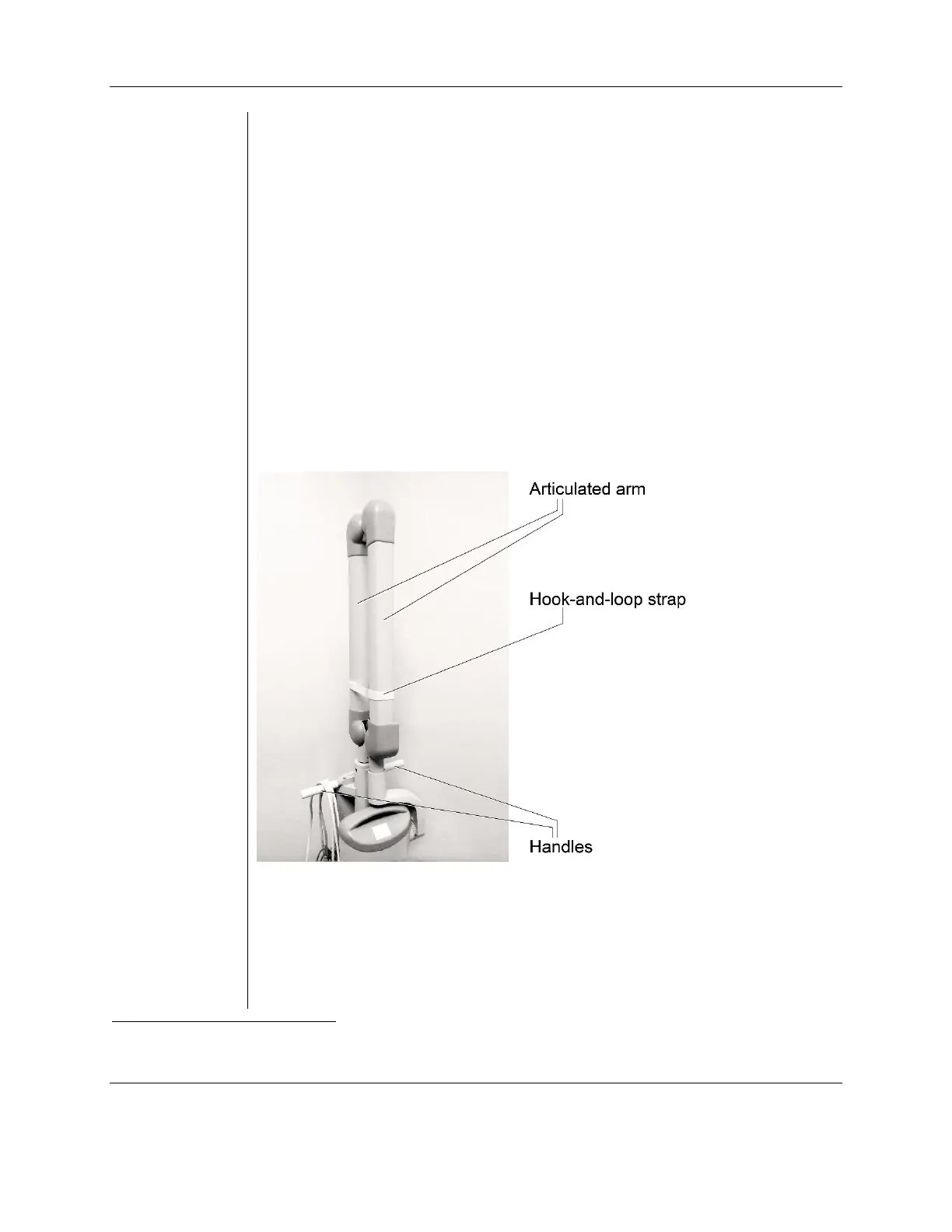
To avoid injury and damage to the tubehead when transporting the device to a
different location within the user facility, collapse the articulated arm and secure it
with the hook and loop strap
5
that was used during shipping. Maneuver the device
by grasping the device's two handles. Avoid hitting the tubehead on walls,
doorways, etc. and be careful not to damage the cable with the wheels during
transport.
About the
20 cm and
30 cm Cones
The System is factory configured for use with the standard, supplied 20 cm (8 in.)
Round Cone
6
. A 30 cm (12 in.) Round Cone
7
is also available.
Us
ing the longer cone will require longer exposure times. For instructions on
configuring the system for use with the longer cone, see the System Configuration
Mode section on page 28.
5
Part number 30-S0037
6
Part number 30-A2195
7
Part number 30-A2200



 To Next Page