Safety features
29
Overheating protection
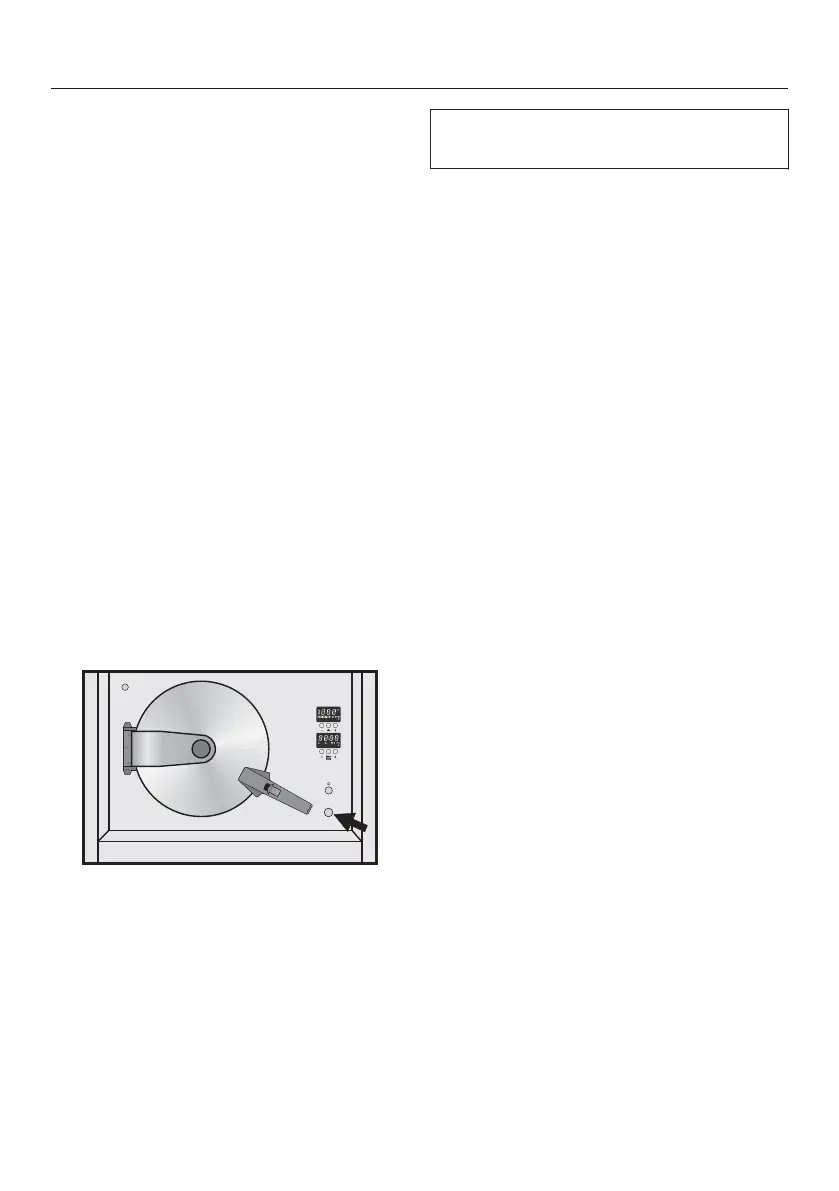
The overheating protection device is lo‐
cated underneath the On/Off switch.
This switches the heating off automati‐
cally if the temperature in the steam
generator gets too high. will appear
in the function / temperature display
and the cooling down phase will start.
The cooling down phase lasts for 1 mi‐
nute. There will be several beeps when
it is finished. will then flash in the
function / temperature display for a
short while and then three horizontal
bars - - - will appear. A short while later
will appear in the display.
Switch the appliance off and open
the door.
Allow the appliance to cool down for
approx. 30 minutes.
will disappear from the display
whilst the appliance is cooling down.
Remove the protective cap from the
overheating protection device (see
arrow). Use a screwdriver or similar
thin tool to press the device in again.
Replace the cap.
The steam oven can now be used again
as normal.
If the overheating protection device
trips again, contact Miele.


 To Next Page