To show the time display all
the time
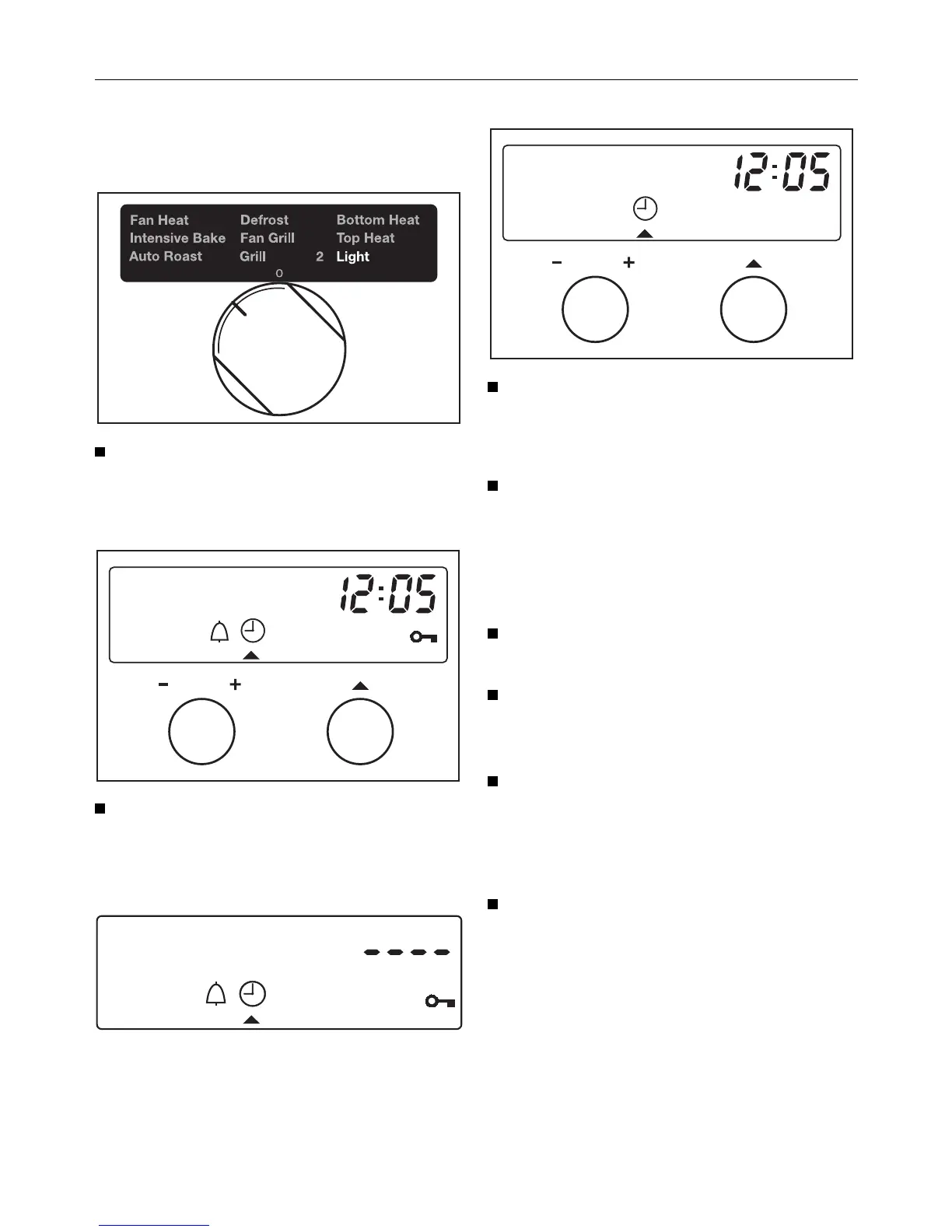
Turn the programme selector to the
Light H position.
The time of day will show in the display.
Turn the function selector (right hand
dial) until triangle V is underneath
the m symbol in the display.
Four horizontal bars will then appear in
the display.
Now turn the (–/+) input dial clock-
wise.
The time of day will show in the display.
Turn the programme selector to "0".
The time of day now shows constantly
in the display.
To switch off the time of day display
Turn the programme selector to the
Light H position.
Turn the function selector (right hand
dial) until triangle V is underneath
the m symbol in the display.
Now turn the (–/+) input dial anti-
clockwise.
Four horizontal bars will then appear in
the display.
Turn the programme selector to "0".
The display will go dark and the time
will continue unseen in the background.
Operation
18



 To Next Page