Switching on and off automati-
cally
See the following example for an expla-
nation of how to do this.
The time is 9:05. A roast needs 1
1
/
2
h
using Auto Roast E at 160 °C and
should be ready at 13:15.
Place the roast in the oven and close
the door.
Select Auto Roast and set a tempera-
ture.
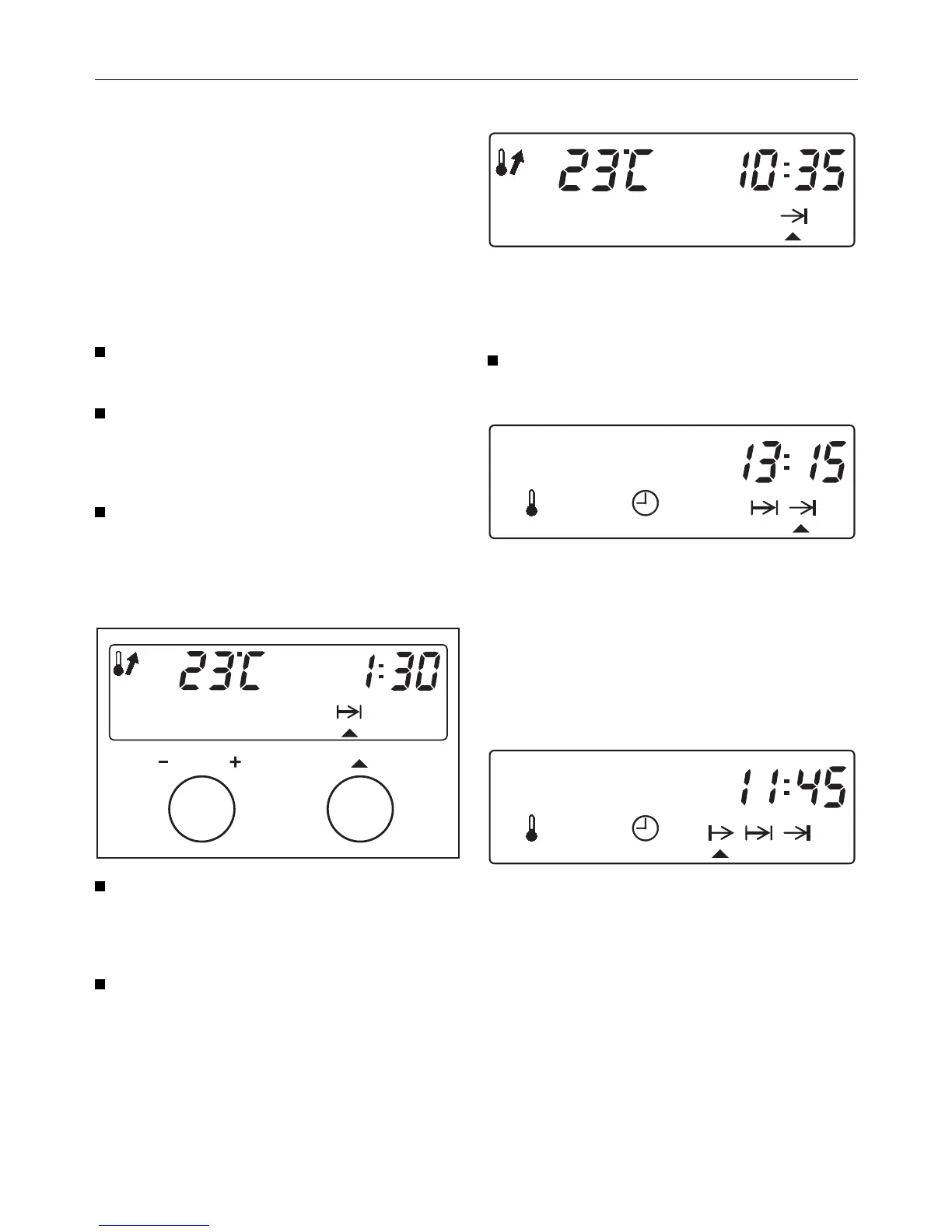
First enter the duration :
Call up the g symbol for duration.
"0:00" and the actual temperature in the
oven (e.g. 23 °C) will appear in the dis-
play.
Enter the duration (1
1
/
2
h) in
Hours:Minutes.
Now set the End time :
Call up the ) symbol for End time.
The time of day plus the cooking time
entered appear in the display (9:05 +
1:30 = 10:35).
Enter the end time (13:15) in
Hours:Minutes.
Once this setting has been accepted
– the oven heating and cooling fan
switch off,
– the g and ) symbols indicate that
a programme has been set.
A Start time (11:45) will show in the dis-
play, when you call up the f symbol.
The oven will start heating up at this
time and the duration will then be dis-
played.
Once the time set has elapsed, the
oven will switch itself off automatically.
Programming cooking times
35



 To Next Page