Technical Information
37
MasterChef Ovens
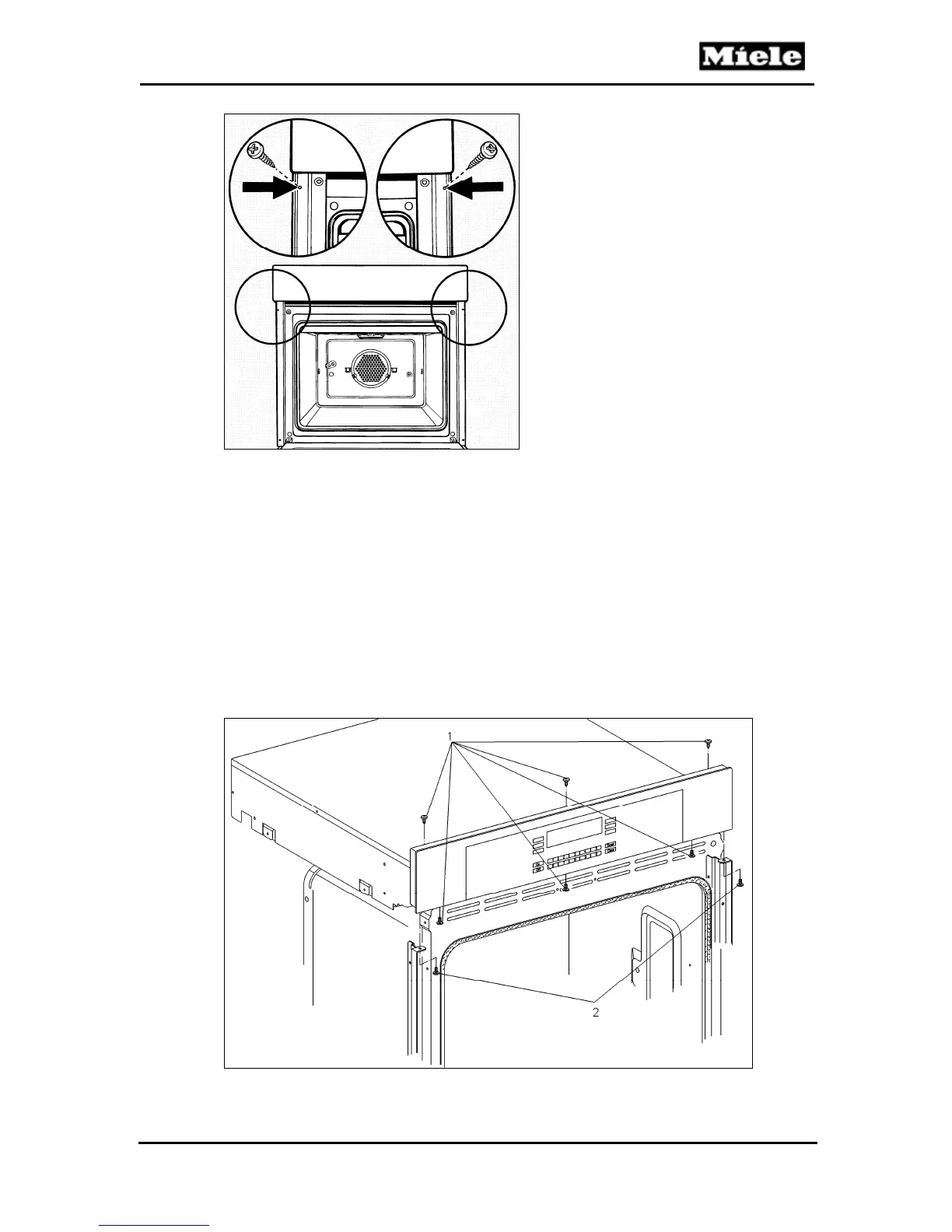
Figure 5-10: Installation Screws
5.6 Control Panel Removal
1. Remove the oven door(s) (Section 5.2).
2. Remove the installation screws (Figure 5-10).
3. Carefully move the oven outward about 3 inches.
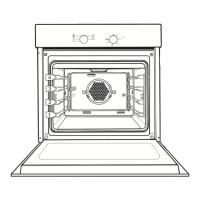
4. Remove the five screws from the underside of the control panel (Figure 5-
11, Items 1 and 2).
5. Hold the control panel in place and remove the three screws from the top
of the oven (Figure 5-11, Item 1).
6. Carefully pull away the control panel from the oven, as the still-connected
wiring is short in length.
Figure 5-11: Control Panel Retaining Screws



 To Next Page