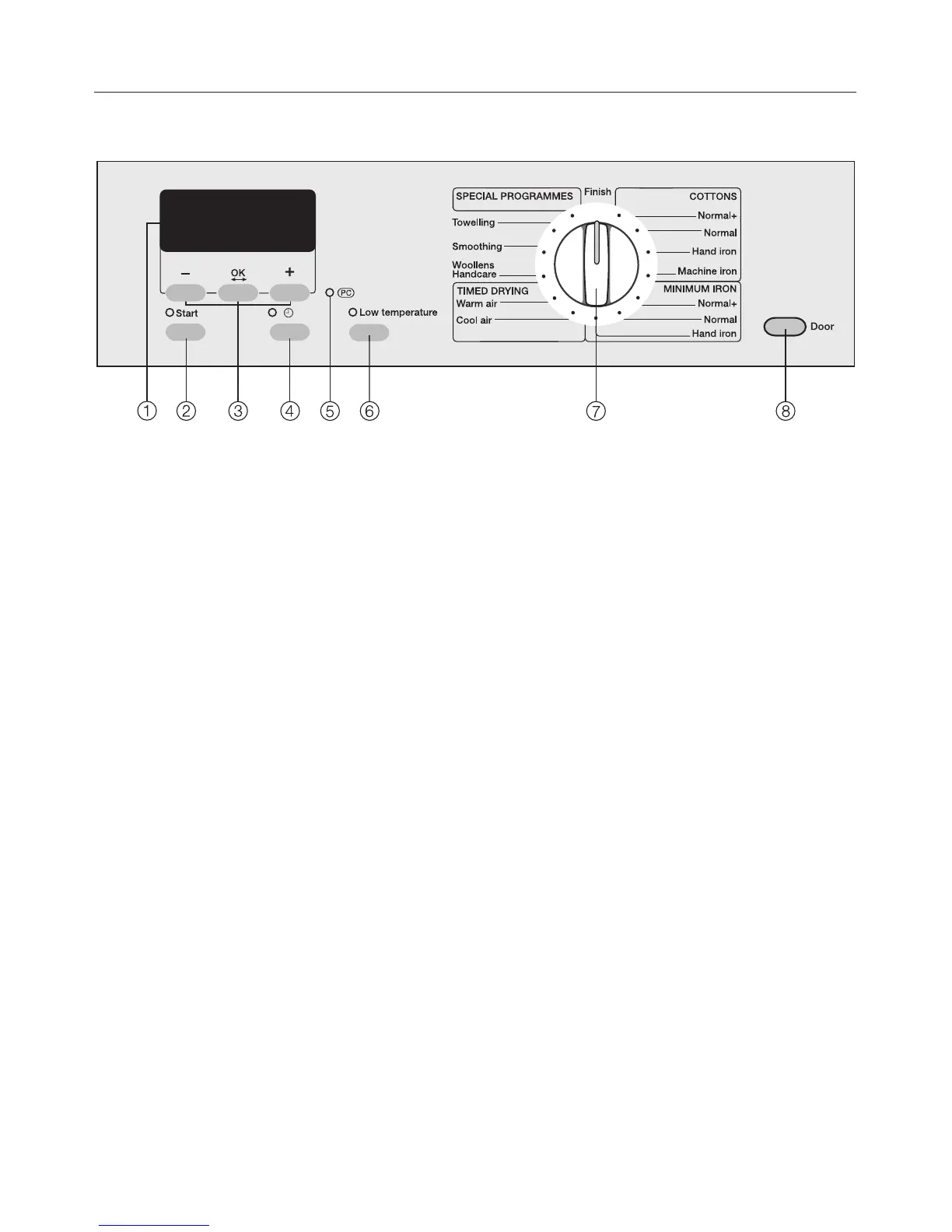
Control panel
a Display*
See the following pages for more
information.
b Start button
Starts the selected wash program.
c +/ – and OK buttons
See next page for more information.
d m
Delay Start button, Time of day
display.
e Optical Interface PC
Allows a service technician to check
and update the drying programs.
f "Low temperature" button
g Program selector
To select a wash program.
The program selector can be turned
clockwise or counterclockwise.
h Door button
To open the drum door.
Guide to the dryer
6


 To Next Page