2.8 Key Operation of Setting
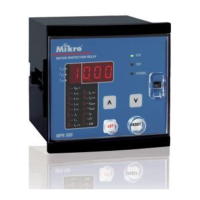
i) To program the settings for I>/In, kt>, I>>/In, t>>, I
o
>/In, kt
o
>, I
o
>>/In and
t
o
>>.
Step 1
Select the required item by stepping through all the items using the RESET/
STEP key. The corresponding light of the selected item will be lighted.
Step 2
Press the PROGRAM key once, the indicator light of the selected item will
blink to indicate that the system is now in programming mode.
Step 3
Use the UP or DOWN key to select the desired value. Holding down the key
until the desired value appears.
Step 4
To save the selected value, press the PROGRAM key once. The indicator
light stop blinking and the setting is saved.
To abort without saving the selected setting, press the RESET/STEP key.
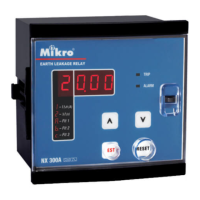
ii) To program the software switch setting
Step 1
Press the SWITCH key until the desired switch number appears on the
display.
Step 2
Press the PROGRAM key to enter into programming mode. The SWITCH light
will blink to indicate that the system is in switch programming mode.
Step 3
Use the UP or DOWM key for changing the soft switch setting.
Step 4
To save the change, press the PROGRAM key again until SWITCH light stop
blinking .
To abort the change, press the SWITCH key or RESET/STEP key.
MIKRO
Page 12



 To Next Page