Note:
Crossing along the direction of the arrow will record as “In”, opposite as “Out”;
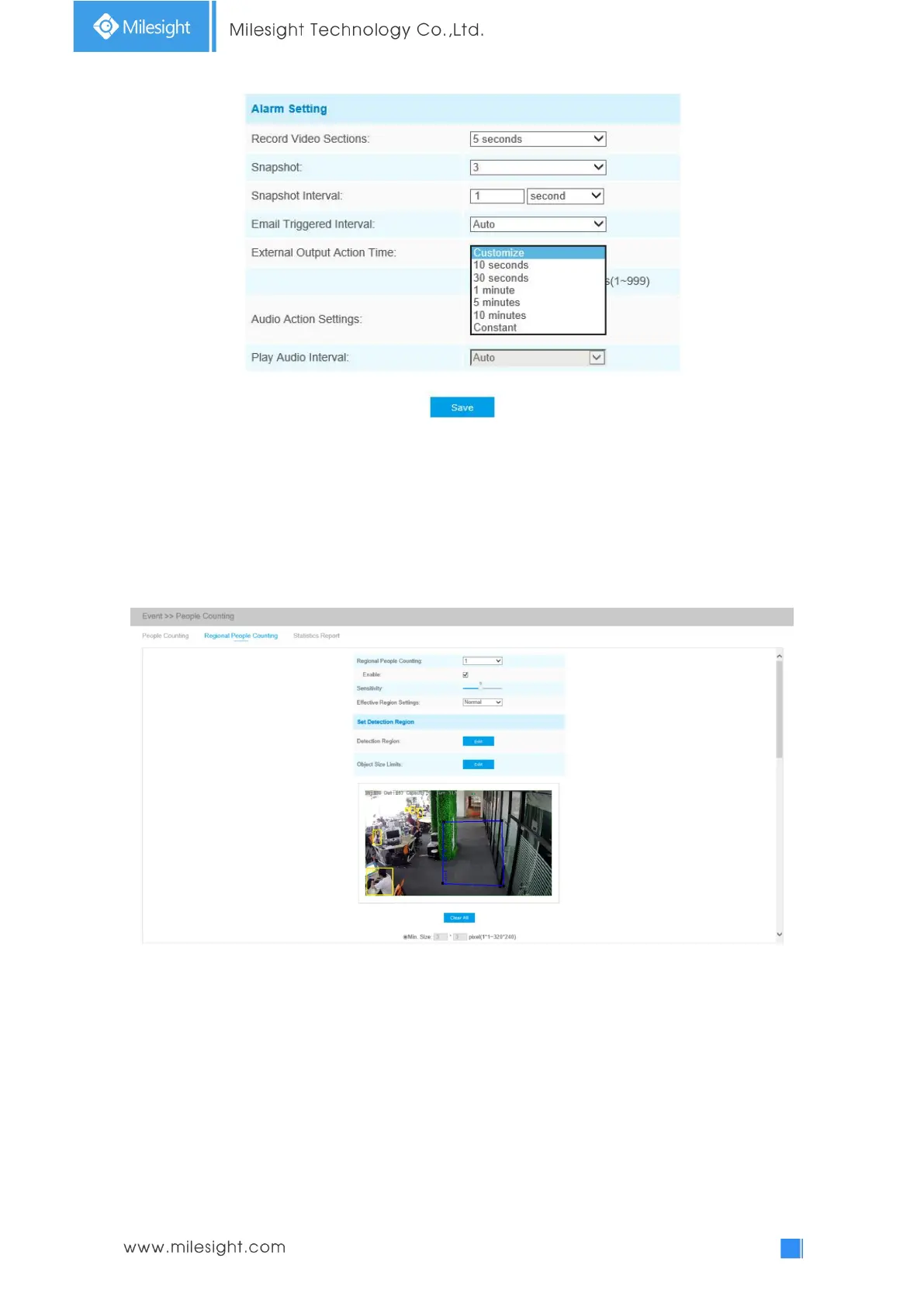
Regional People Counting
When enabling Regional People Counting, users can check the real-time number of people and the
time of each person's stay in the detection region.
Settings steps are as shown below:
Step1: Enable Region People Counting;
Step2: Set detection region and object size limits. The object size limits can refer to Table 4-6-5;
Step3: Set detection schedule;
Step4: Set alarm trigger. Alarm will be triggered when the thresholds exceeds the certain value.



 To Next Page