1.4 How to Connect to Alarm Interface
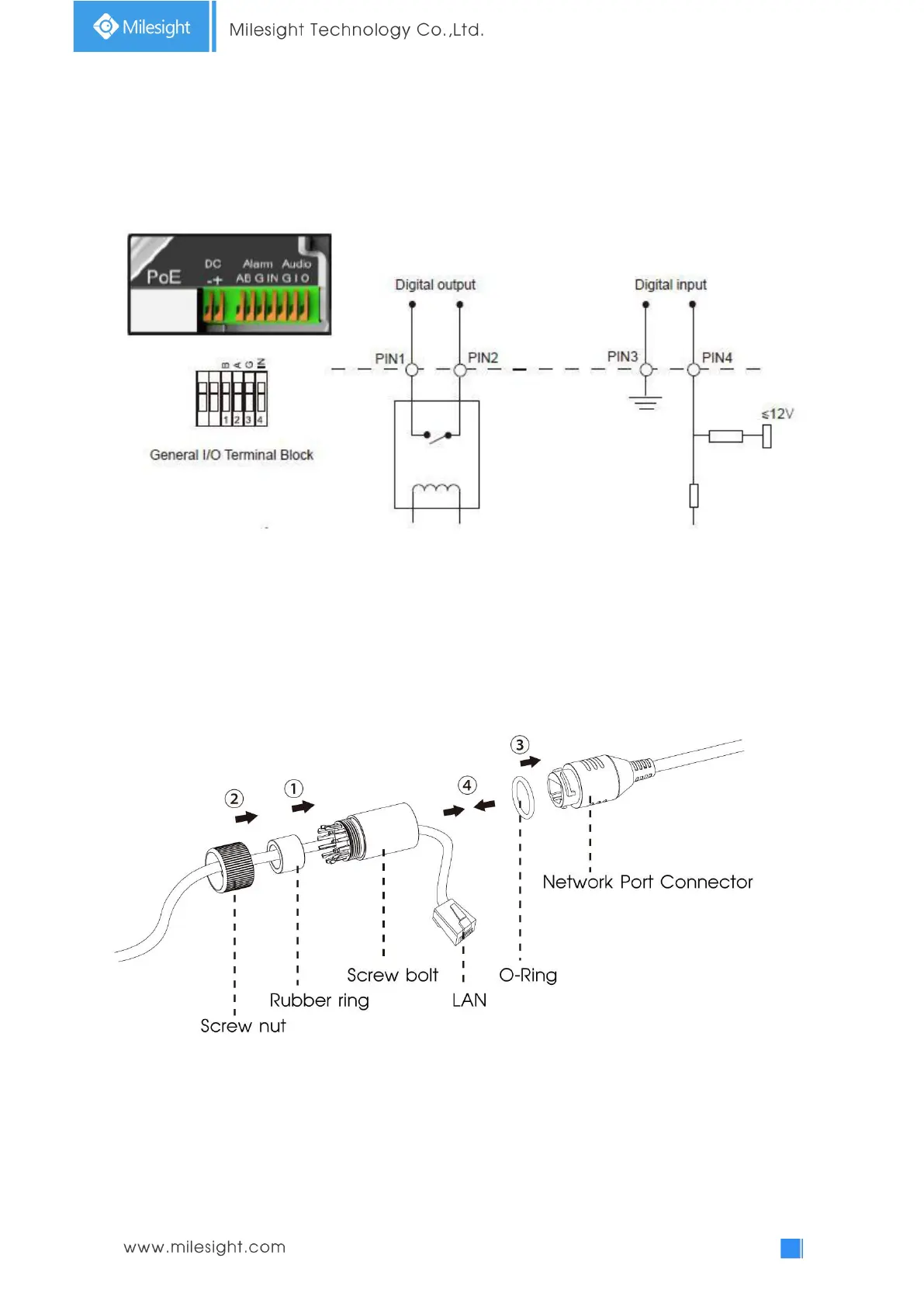
External interface of camera is as the following, you can refer to the picture to install the external
alarm device:(Example for PTZ BULLET)
PIN1: Alarm Output NC/NO 24V DC 1A
PIN2: Alarm Output NC/NO 24V DC 1A
PIN3: Alarm Input NC/NO ≤12V
PIN4: Alarm Input NC/NO ≤12V
1.5 How to Connect the Water-proof Connector
Step1: Get the network cable through the screw nut, rubber ring and the screw bolt.
Step2: Insert the rubber ring into the screw bolt.
Step3: Connect the screw nut to the screw bolt.
Step4: Place the O-Ring on the network port connector.
Step5: Connect the RJ45 to the network port connector, and tighten the screw bolt and the
connector.











 To Next Page