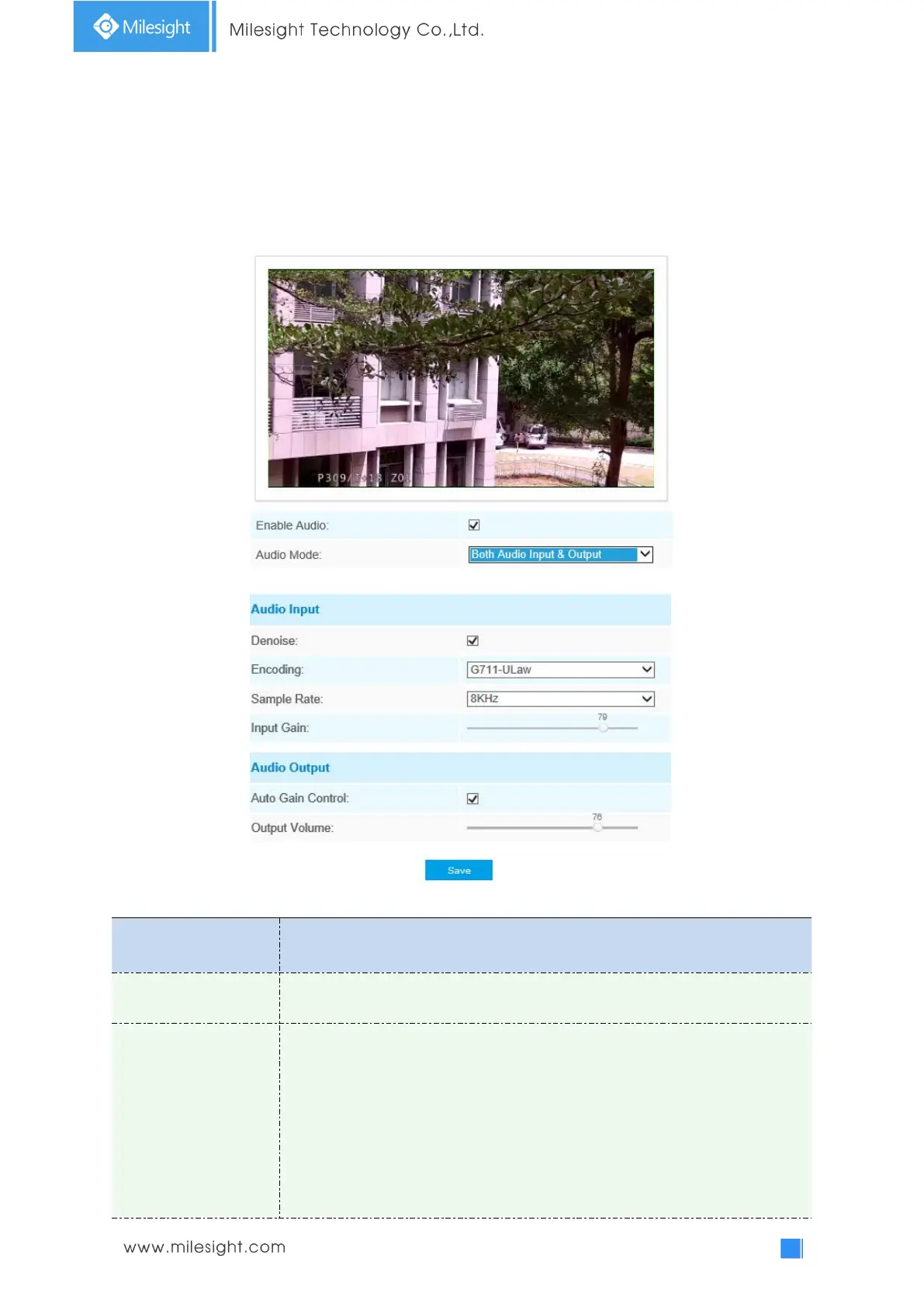
4.4.3 Audio
This audio function allows you to hear the sound from the camera or transmit your sound to the
camera side. A two-way communication is also possible to be achieved with this feature. Alarm can
be triggered when the audio input is above a certain alarm level you set, and configured audio can
be played when an alarm occurs.
Table 4-4-7 Description of the buttons
Check on the checkbox to enable audio feature.
Denoise: Set it as On/Off. When you set the function on, the noise detected can
be filtered.
Encoding: G.711-ULaw, G.711-ALaw, AAC LC, G.722 and G.726 are available.
Audio Bit Rate: The function is available only for AAC LC, and supports up to
256kbps.
Sample Rate: 8KHz, 16KHz, 32KHz, 44.1KHz, and 48KHz are available.
Input Gain: Input audio gain level, 0-100.
Alarm Level: Alarm will be triggered if voice alarm is enabled and input gained











 To Next Page