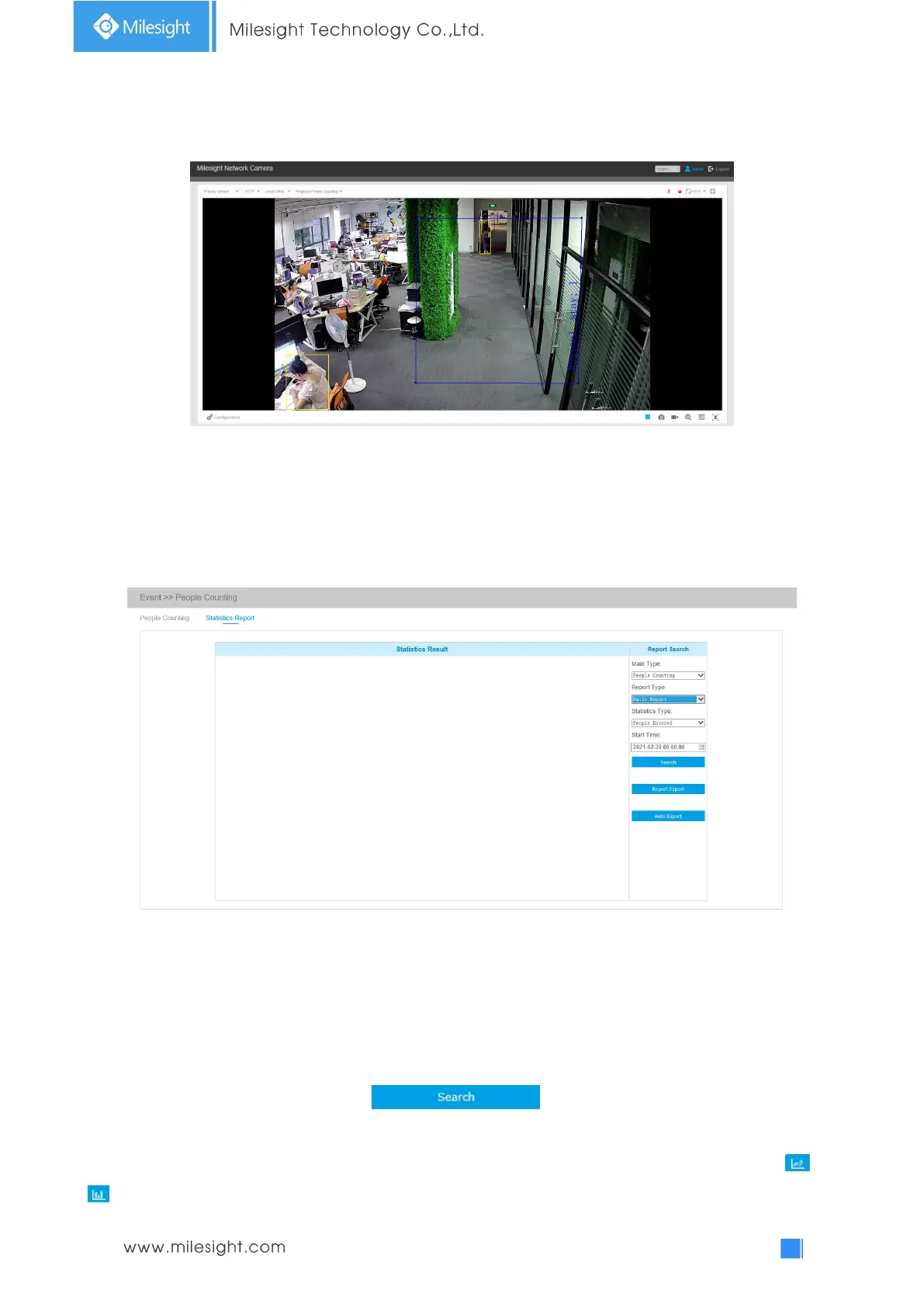
Note:
1) Users can check the real-time number of people and the time of each person's stay in the
detection region on Live View interface.
2) For Regional People Counting, please make sure your camera model is MS-CXXXX-XXC.
3) Support up to 4 detection regions for regional people counting.
Statistics Report
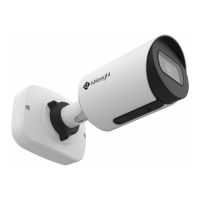
The results during the enabling period will be displayed on “Statistics Report” interface.
Step 1: Select Main Type including People Counting and Regional People Counting;
Step 2: Select Report Type including Daily Report, Weekly Report, Monthly Report and Annual
Report;
Step 3: Select Statistics Type including People Entered, People Exited and Sum;
Step 4: Select Start Time, then click button, the camera will automatically
count the data for the day/ week/ month/ year (based on the report type selected by the user)
from the start time and generate the corresponding report. Moreover, you can also click or
to switch display mode of Statistics Report as shown below.



 To Next Page