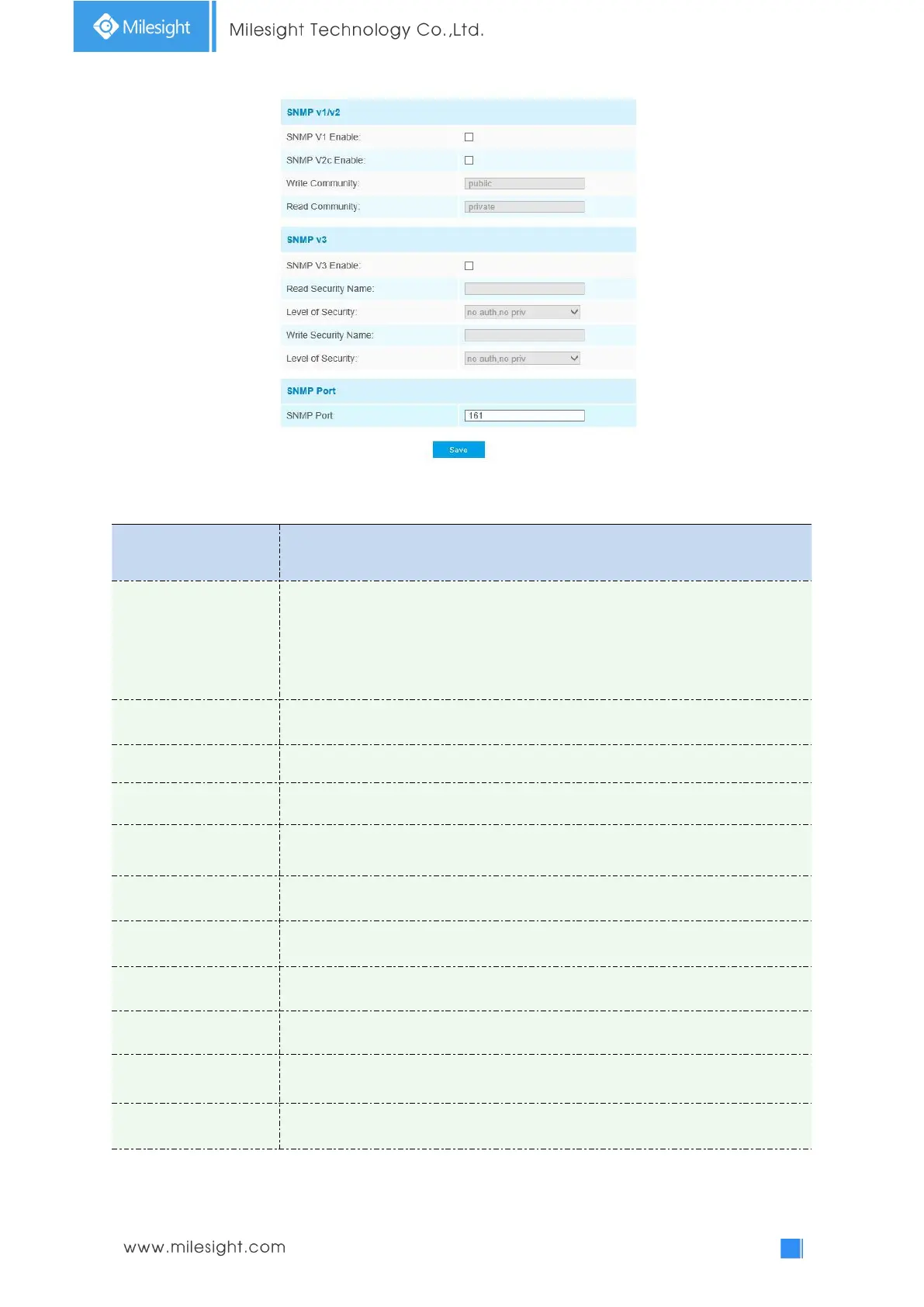
Table 4-4-15 Description of the buttons
The version of SNMP, please select the version of your SNMP software.
SNMP v1: Provide no security
SNMP v2: Require password for access
SNMP v3: Provide encryption and the HTTPS protocol must be enabled
Input the name of Write Community
Input the name of Read Community
Set the trap port, the default is 162
Input the trap community name
Input the name of Read Security Community
There are three levels available: (auth, priv), (auth, no priv) and (no auth, no priv)
Input the name of Write Security Community
There are three levels available: (auth, priv), (auth, no priv) and (no auth, no priv)
The port of SNMP, the default is 161
Note:











 To Next Page