For more information, please refer to Milesight-Troubleshooting-How to Use RTMP for Live
Broadcast
Note:
1) For YouTube live broadcast, if you use a newly created account to live broadcast, you need to
wait for 24hrs to activate the account for using live function.
2) For RTMP, since G.711 is not available for YouTube, so you can only play video from Milesight
Network Camera with H.264 video coding and AAC audio coding on YouTube.
3) Server Address in Network Camera RTMP interface needs to be filled with the format: rtmp://<
Server URL >/< Stream key >, remember it needs ’/’to connect between < Server URL > and <
Stream key >.
More
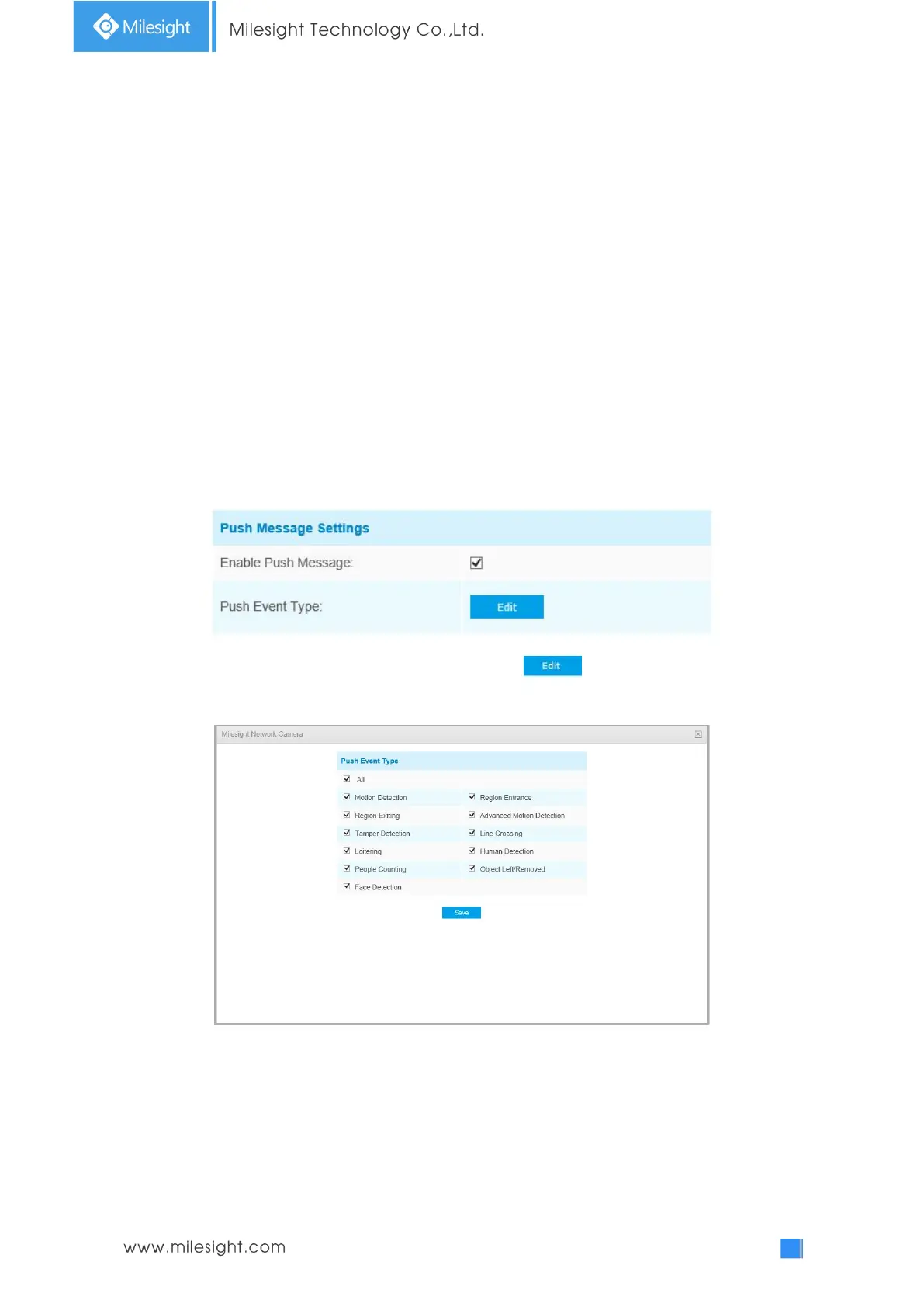
Here you can set more functions, like Push Message Settings and ONVIF Settings.
Push Message Settings:
When enabling the Push Message function, you can click to choose the types of Events’
message which will be pushed to M-Sight Pro App as shown below:
Note: There must be Opened Alarm Push of corresponding cameras in M-Sight Pro-APP.
For more information, please refer to Alarm Message of Milesight_M-Sight Pro-APP User
Manual.
ONVIF Settings:
Here you can choose whether to enable or disable camera ONVIF function. If camera ONVIF function is enabled,
it can be searched out, added and connected by third-party software through ONVIF protocols. Generally, the
default status of ONVIF function is enabled.











 To Next Page