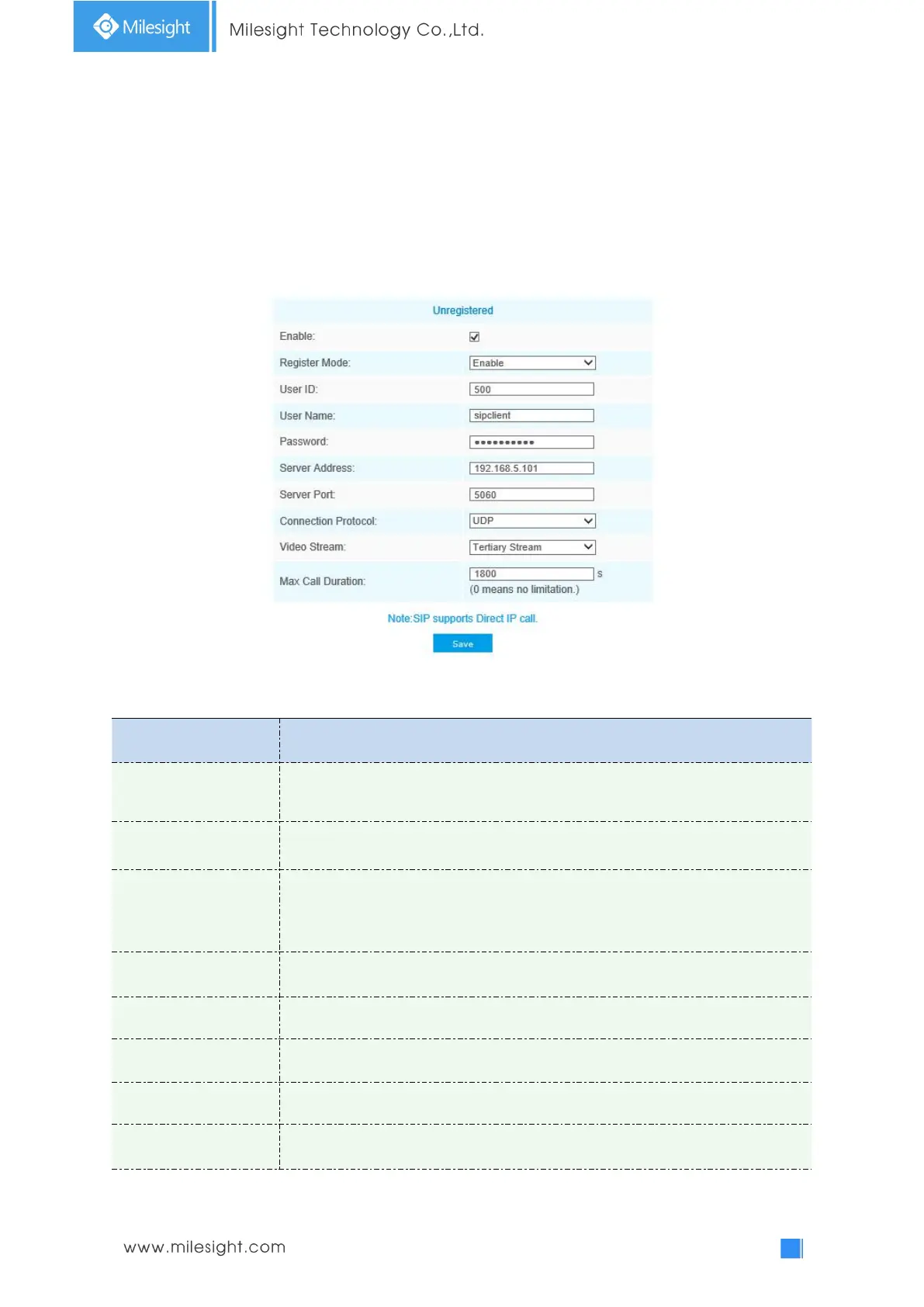
Note:
SIP phone and the camera should in the same network segment.
Method2: Account registration mode
1) Before using the SIP, you need to register an account for the camera from the SIP server;
2) Register another user account for the SIP device from the same SIP server;
3) Call the camera User ID from the SIP device, you will get the video on the SIP device.
SIP Settings
Table 4-5-9 Description of the buttons
SIP registration status. Display “Unregistered” or “Registered”
Choose to use Enable mode or Disable mode. Enable mode means to use SIP with
register account. Disable mode refers to use SIP without register account, just use
the IP address to call.











 To Next Page