4.2 Communication Settings
4.2.1 LoRaWAN Settings (LoRaWAN Version Only)
LoRaWAN settings is used for configuring the transmission parameters in LoRaWAN
®
network
and is only applied to UC300 LoRaWAN
®
version.
Basic LoRaWAN Settings:
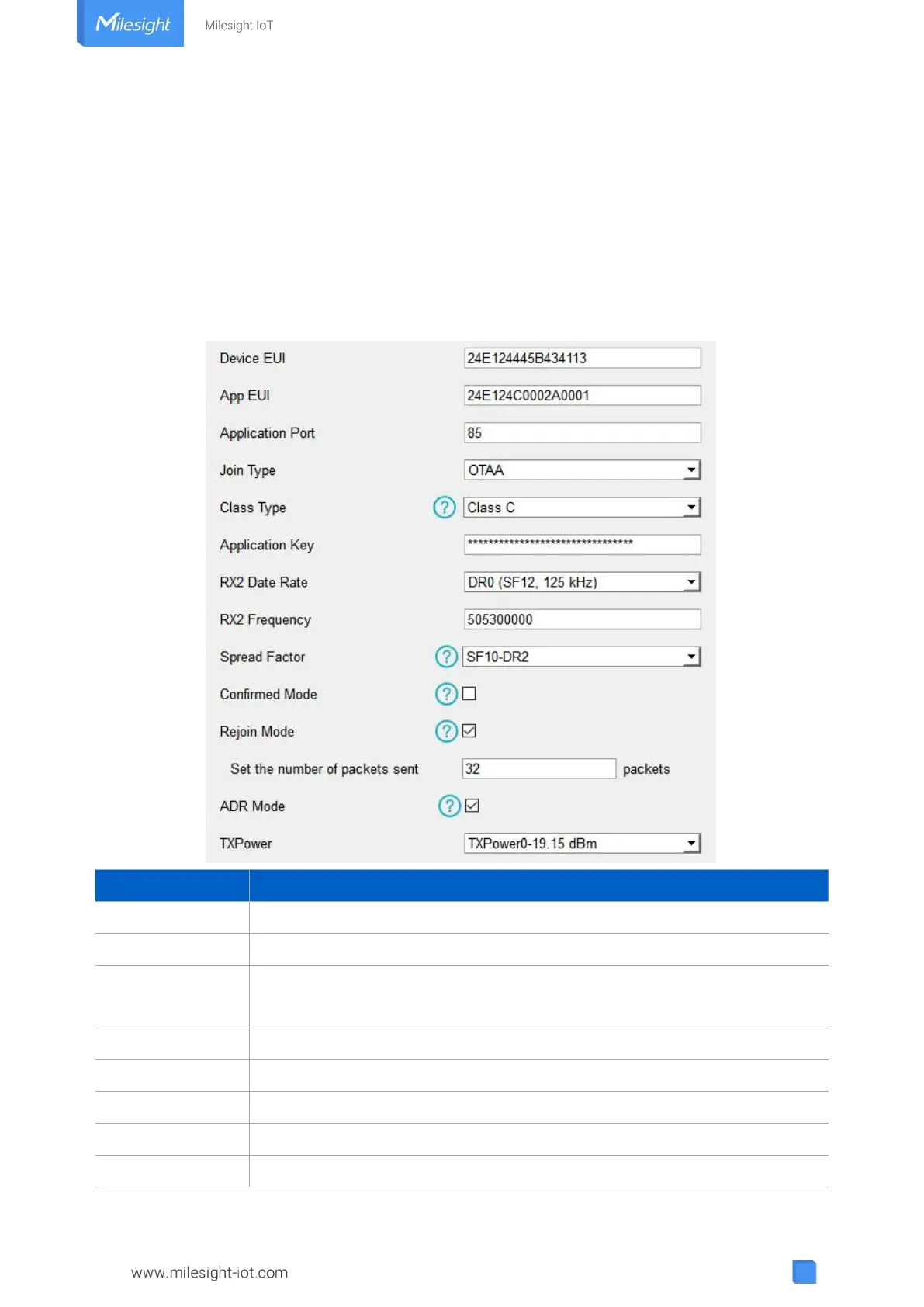
Go to “LoRaWAN Settings -> Basic” to configure join type, App EUI, App Key and other
information. You can also keep all settings by default.
Unique ID of the device on the label.
Default App EUI is 24E124C0002A0001.
The port used for sending and receiving data (RS232 data excluded), default
port is 85.
OTAA and ABP modes are available.
Appkey for OTAA mode, default is 5572404C696E6B4C6F52613230313823.
DevAddr for ABP mode, default is the 5
th
to 12
th
digits of SN.
Nwkskey for ABP mode, default is 5572404C696E6B4C6F52613230313823.



 To Next Page