4.6.2 Backup
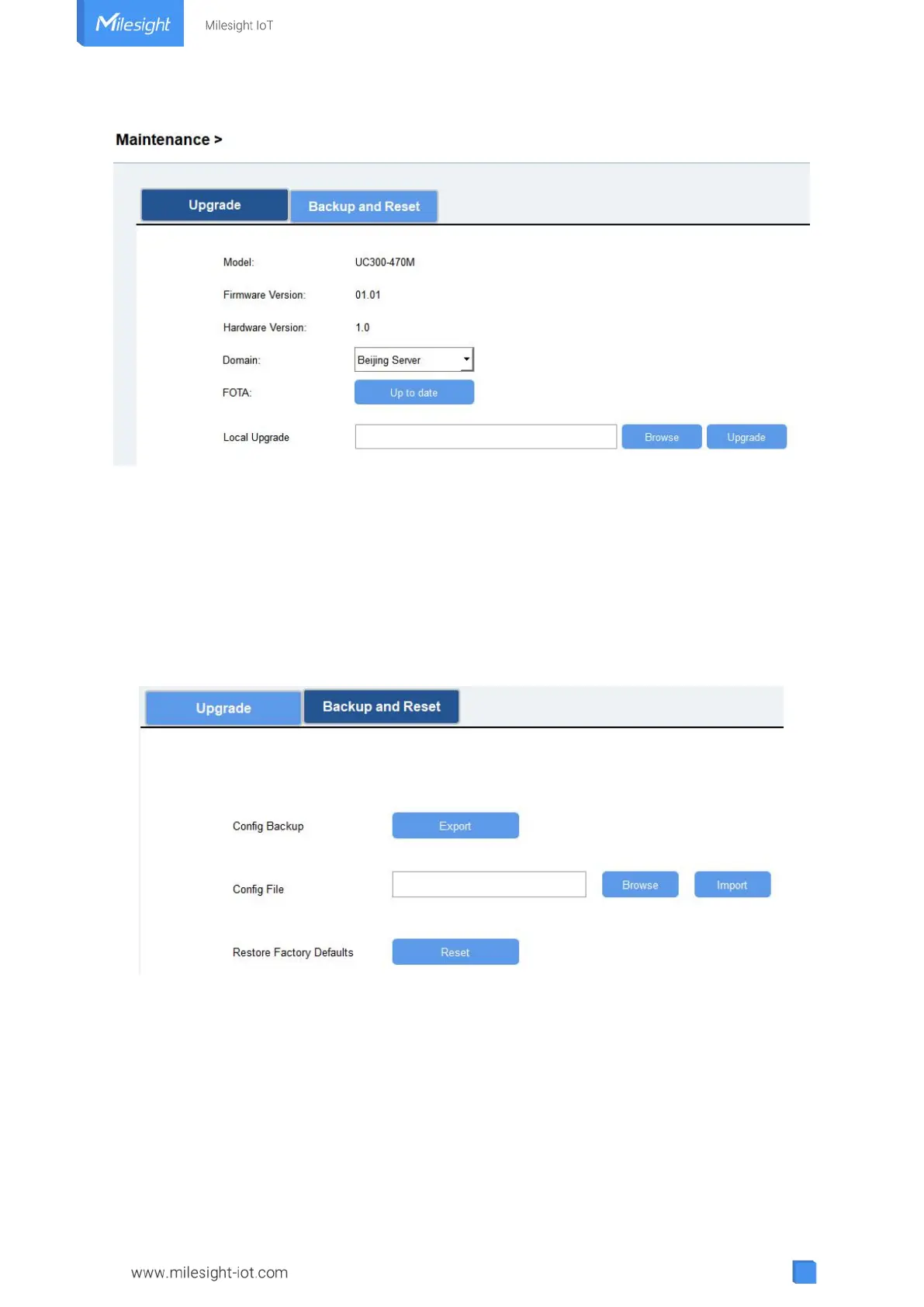
UC300 devices support configuration backup for easy and quick device configuration in bulk.
Backup is allowed only for devices with the same model and LoRa frequency band.
1. Go to “Maintenance -> Backup and Reset”, click “Export” to save current configuration as
json format backup file.
2. Click “Browse” to select backup file, then click “Import” to import the configurations.
4.6.3 Reset to Factory Default
Please select one of following methods to reset device:
Via Hardware: Open the case of UC300, hold on the reset button for more than 10 s until SYS
LED blinks.
Via ToolBox Software: Go to “Maintenance -> Backup and Reset” to click “Reset”.



 To Next Page