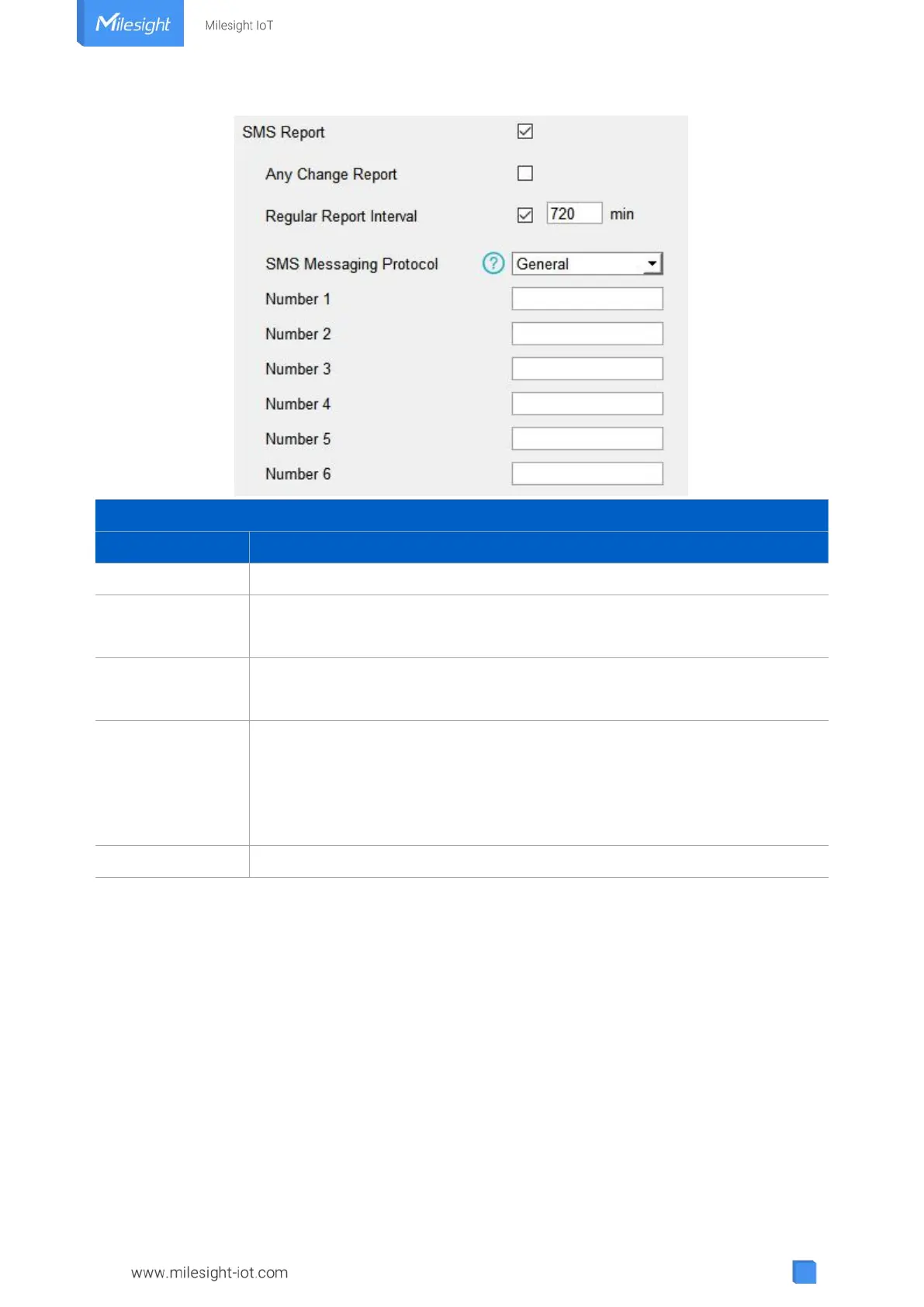
Enable to allow device to report device DI/DO status via SMS.
When any of DI/DO interfaces’ status changed, the device will send the
current status via SMS.
Report the time, signal, network type and data interface status/values of
device regularly via SMS. Default: 720 mins, Range: 1-1440 mins.
Select the SMS messaging protocol. It’s General by default.
General: send SMS as general string format.
UCP: send SMS as hex format, you can decode it referring to UC300
Communication Protocol document.
Reports SMS to these phone numbers. 6 numbers can be added at most.
4.3 Data Interface Settings
4.3.1 Basic Settings
LoRaWAN Version:



 To Next Page