The password used for connecting to MQTT broker.
Enable the TLS encryption in MQTT communication.
Import the client certificate.
4.2.3 SMS Settings (Cellular Version Only)
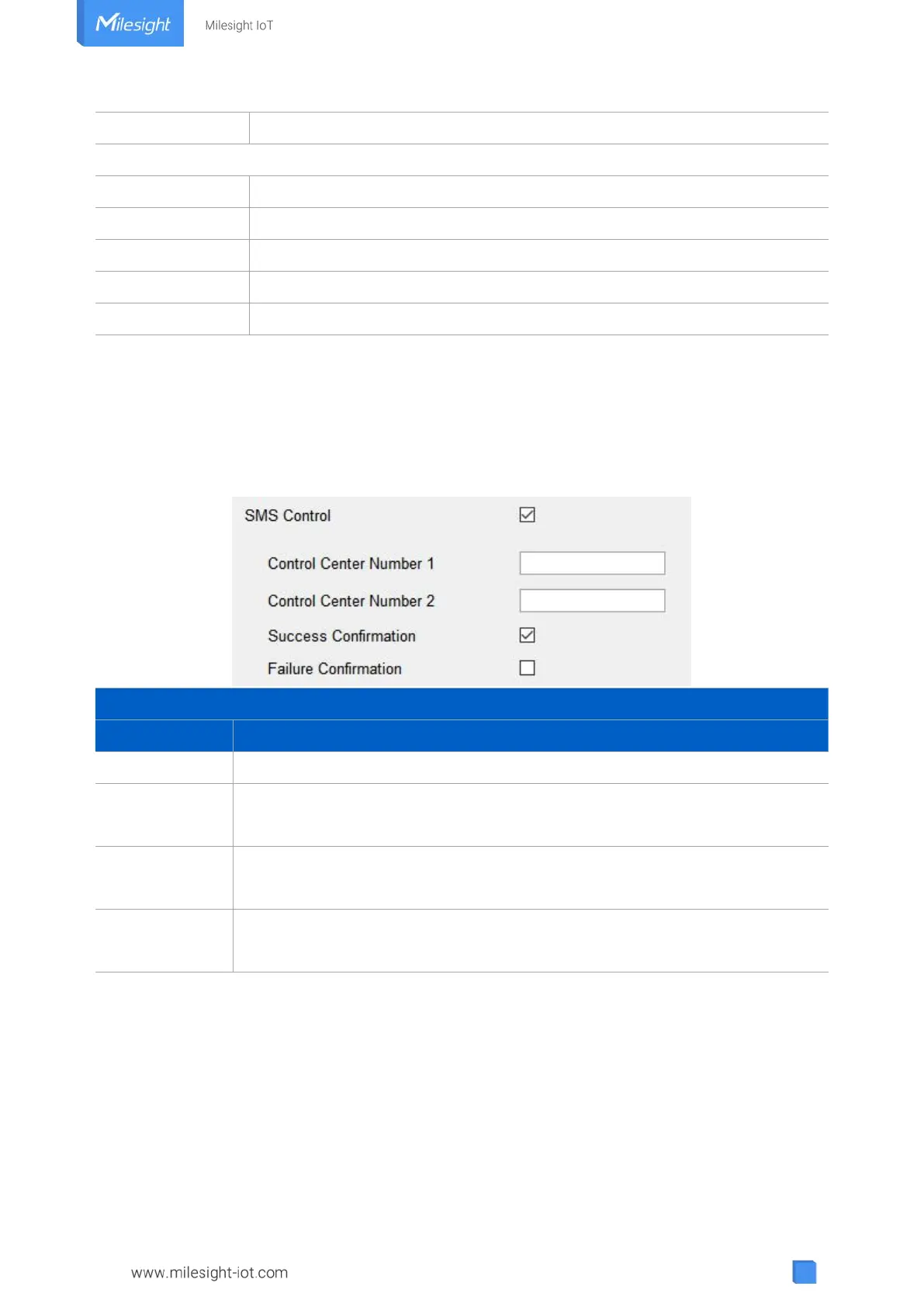
UC300 cellular version supports SMS control and SMS report. Before that, ensure the device has
registered to cellular network and SMS Center Number is typed in “General -> Basic” settings.
About the SMS control commands and report contents, please refer to the UC300 Cellular
Communication Protocol.
Enable to allow users to send SMS to control the device.
The number used to control this device. 2 control numbers can be added at
most.
After control success, the device will send success reply to the control center
number.
After control failure, the device will send failure reply to control center number.



 To Next Page