1) This function is only applicable for line cross people counting.
2) Only report group counting data when group counting function is
enabled.
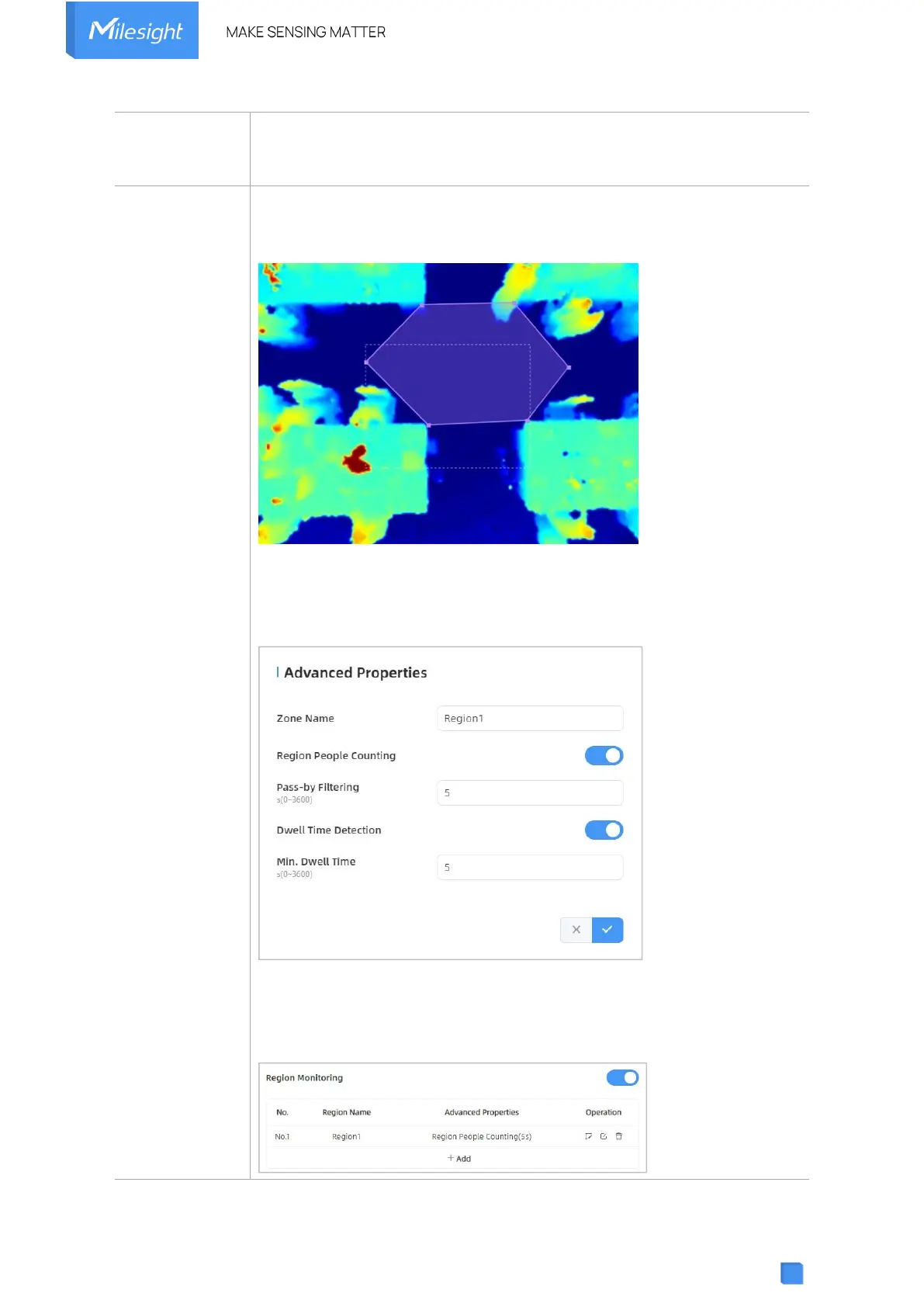
Click “+Add” to add the region monitoring. Up to 4 regions are supported
with maximum 10 segments each.
Step 1: Draw the region monitoring areas on the screen.
Step 2: You can customize the zone name. And click to enable Region
People Counting and Dwell Time Detection as needed. Pass-by Filtering
can be set to improve statistical accuracy and Min.Dwell Time can be set
to improve statistical validity.
Step 3: The configuration is displayed in the list after the configuration is
complete. You can redraw the areas by clicking the redraw button in the
list. And click the edit button to modify the advanced settings of the areas
or click delete button to delete the areas separately.



 To Next Page