To Next Page
C
cmyersSep 12, 2025
What to do if Miller Welding Accessories show Temperature Sensor Malfunction?
- TTracie JohnsonSep 12, 2025
If this code appears on the display, contact the nearest Factory Authorized Service Agent.

What to do if Miller Welding Accessories show Temperature Sensor Malfunction?
If this code appears on the display, contact the nearest Factory Authorized Service Agent.
What to do if Miller PipeWorx Welding Accessories show Primary Power Circuit Over Current?
If this code appears on the display, contact the nearest Factory Authorized Service Agent.
How to resolve 'Weld Library' error on Miller Welding Accessories?
To resolve the 'Weld Library' issue on your Miller Welding Accessories, the weld library must be loaded from a memory card.
What does 'Memory Card Fault' mean on Miller PipeWorx?
If you are experiencing a 'Memory Card Fault' with your Miller Welding Accessories, it may be due to a faulty memory card or the wrong format.
What does 'File Read Error' mean on Miller PipeWorx?
If you are experiencing a 'File Read Error' with your Miller Welding Accessories, it indicates a faulty file on the memory card.
What to do if the button is stuck on Miller PipeWorx feeder?
To clear the fault when the button is stuck on your Miller Welding Accessories feeder, release the button.
What to do if Miller PipeWorx says 'Invalid File'?
When 'Invalid File' error appears on Miller Welding Accessories, remove the card or press any button to clear the error.
What does 'Trigger Fault Right' mean on Miller Welding Accessories?
To address 'Trigger Fault Right' on your Miller Welding Accessories, note that the fault was held too long in trigger jog (the lesser of 60 seconds or 30 ft (9.1 m) of wire.
What does 'Trigger Fault Left' mean on Miller PipeWorx Welding Accessories?
To address 'Trigger Fault Left' on your Miller Welding Accessories, note that the fault was held too long in trigger jog (the lesser of 60 seconds or 30 ft (9.1 m) of wire.
What to do if Miller PipeWorx Welding Accessories says 'Read Only File'?
If you encounter a 'Read Only File' error with your Miller Welding Accessories, use a different card.
Explains symbols used for hazard identification.
Details electric shock and other risks during arc welding.
Explains additional symbols related to installation, operation, and maintenance safety.
Lists chemicals known to cause cancer or birth defects.
References key safety standards and their sources for welding and cutting.
Details electromagnetic field effects on medical implants and mitigation procedures.
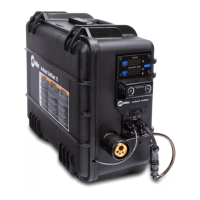
Lists the technical specifications of the PipeWorx Remote Feeder.
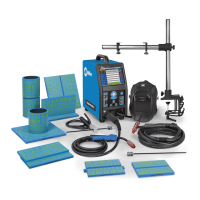
Illustrates how to connect the PipeWorx System, Feeder Remote, and cables.
Details the pinout and function of the PLG6 connector.
Details the pinout and function of the PLG2 connector.
Details the pinout and function of the PLG3 connector.
Details the pinout and function of the PLG4 connector.
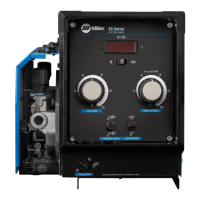
Describes the front panel controls of the remote pendant for welding operations.
Provides an example setup for the left side controls and active settings.
Provides an example setup for the right side controls and active settings.
Outlines routine maintenance tasks and their recommended frequency.
Lists diagnostic codes for power source and feeder malfunctions.
 General
| Welding Processes | MIG (GMAW), Stick (SMAW), TIG (GTAW), Flux-Cored (FCAW) |
|---|---|
| Rated Output | 400 A at 36 VDC, 60% Duty Cycle |
| Max. Open-Circuit Voltage | 78 VDC |
| Compatibility | Compatible with various Miller wire feeders, including Smart Feeders |
| Function | Multi-process welding for pipe fabrication |
| Material | Steel, Stainless Steel, Aluminum |