EasyManua.ls Logo

Millipore Elix 100 - User Manual

Millipore Elix 100
71 pages
Print Icon
To Next Page IconTo Next Page
Loading...
User Manual
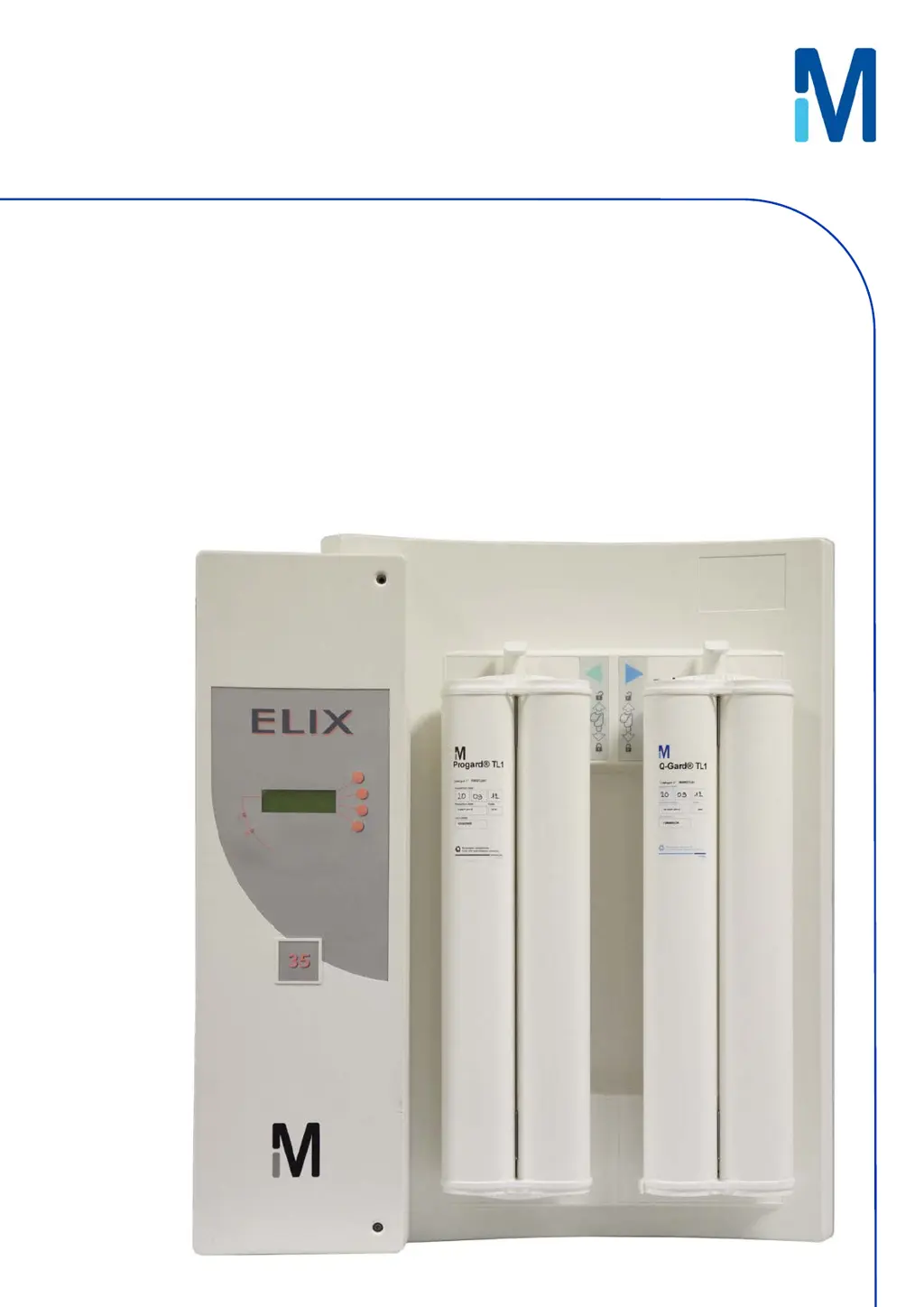
Elix® 20, 35, 70 and 100

Table of Contents

Questions and Answers

  • M
    Mary DaviesSep 7, 2025
    How to resolve low pump pressure on Millipore Elix 100?
    • M
      Melissa TateSep 7, 2025
      If your Millipore Water Filtration System is showing 'LOW PUMP PRESSURE', try increasing the pump pressure. If the issue continues, contact Millipore SAS for assistance.
  • T
    Tara HillAug 22, 2025
    How to clear EXCH. ASM UV lamp in XX days message on Millipore Elix 100 Water Filtration Systems?
    • Z
      Zachary PatrickAug 22, 2025
      The message 'EXCH. ASM UV LAMP IN XX DAYS' on your Millipore Water Filtration System will disappear after you install a new ASM UV Lamp and reset its software timer.
  • T
    Terry CollinsSep 4, 2025
    How to fix QGard TL polisher not in place error on Millipore Elix 100 Water Filtration Systems?
    • K
      Keith MeyerSep 4, 2025
      To resolve the 'QGARD TL POLISHER NOT IN PLACE' error on your Millipore Water Filtration System, verify that the QGard TL Polisher is installed with its “TAG” Sensor at the top.
  • J
    Jacqueline PadillaSep 3, 2025
    How to fix Progard TL pack not in place error on Millipore Water Filtration Systems?
    • M
      Megan SmithSep 3, 2025
      To resolve the 'PROGARD TL PACK NOT IN PLACE' error on your Millipore Water Filtration System, make sure the Progard TL is installed with its “TAG” at the bottom.
  • K
    Katherine HallSep 2, 2025
    What to do if product conductivity is less than mini on Millipore Elix 100 Water Filtration Systems?
    • N
      Nicolas AguirreSep 2, 2025
      If the Millipore Water Filtration System displays 'PRODUCT CONDUCTIVITY < MINI', allow the Elix System to remain in PRODUCTION mode for a few minutes. This will help remove any trapped air in the Resistivity Sensor. For further assistance, contact Millipore SAS.
  • C
    Christina BurkeAug 31, 2025
    How to clear EXCH. Progard TL in XX days message on Millipore Elix 100 Water Filtration Systems?
    • M
      Mary GonzalezAug 31, 2025
      The 'EXCH. PROGARD TL IN XX DAYS' message on your Millipore Water Filtration System will disappear once you install a new Progard TL Pack.
  • J
    Jamie FosterAug 30, 2025
    What to do if Millipore Water Filtration Systems says Progard TL pack exhausted?
    • R
      Ricky PerkinsAug 30, 2025
      If your Millipore Water Filtration System displays 'PROGARD TL PACK EXHAUSTED', you should replace the Progard TL pack. Alternatively, you can accept the used-up Progard until a new one becomes available.
  • E
    Eric RodriguezAug 29, 2025
    How to fix % rejection < setpoint on Millipore Elix 100?
    • J
      Jonathon NealAug 29, 2025
      If the Millipore Water Filtration System is showing '% REJECTION < SETPOINT', verify that the RO % Rejection Setpoint is at 92%. Allow the Elix System to run for a few minutes, as this may increase the measured RO % Rejection.
  • K
    Kathleen AndrewsAug 27, 2025
    What to do if the Millipore Water Filtration Systems shows a low feed pressure?
    • M
      Melissa McdonaldAug 27, 2025
      If the Millipore Water Filtration System displays 'LOW FEED PRESSURE', first ensure the feedwater supply is turned on. Next, check if the Progard TL Pack is clogged by observing the RO reject water in FLUSH mode. If the water pressure issue is resolved during FLUSH mode, the alarm will automatically reset.
  • M
    Michelle BaldwinAug 26, 2025
    What to do if distilled water conductivity is less than mini on Millipore Elix 100?
    • D
      David SandersAug 27, 2025
      If the Millipore Water Filtration System displays 'DIST WATER CONDUCTIVITY < MINI', keep the loop operating for a few minutes to remove any air that could be trapped in the Resistivity Sensor. If problems persist, contact Millipore SAS for assistance.

Summary

Introduction to the Elix System Manual

Using This Manual

Guidance on how to effectively use the user manual and its contents for system operation.

Safety Information

Critical safety statements, warnings, and symbols to ensure safe operation.

Product Information for Elix Systems

Elix Product Water Specifications

Details on the flow rates and quality parameters of the purified water produced by Elix systems.

System Recovery

Explanation of RO recovery principles and how system recovery is managed.

Schematic of Main Components

A visual representation of the Elix system's internal components and water flow path.

Description of Main Components

In-depth descriptions of the key functional components within the Elix system.

Using the Elix System

How the Elix Normally Delivers Product Water

Explanation of the standard operation for delivering purified water, including automatic and manual methods.

Maintenance Procedures for Elix Systems

Scheduled Maintenance Table

A comprehensive table outlining routine maintenance tasks, their frequency, and how-to guides.

How to Replace the Progard TL

Step-by-step instructions for replacing the Progard TL pretreatment pack.

Troubleshooting Elix System Issues

Maintenance, Alarm, Alarm Stop and Custom Messages

Classification and explanation of different message types displayed by the Elix system.

Alarm Message or Maintenance Message Displayed

Detailed guide to interpreting and responding to various alarm and maintenance messages.

Millipore Elix 100 Specifications

General IconGeneral
TypeWater Purification System
Water Production Rate100 L/h
Product Water Flow RateUp to 100 L/h
Product Water TOC< 30 ppb
Dimensions (H x W x D)742 x 640 x 447 mm
Weight60 kg (empty)
Power Supply100-240 V ±10% / 50-60 Hz
Output Water QualityType 2 Water
Product Water Resistivity at 25°C> 5 MΩ·cm
Feed Water QualityPotable water or pre-treated water
TechnologyReverse Osmosis with Electrodeionization

Related product manuals