6 www.millipore.com
S10: Installing an S10 Cartridge in the S10 Housing
Installation of the cartridge requires the S10 header kit (Millipore Cat. No. 540605).
The kit may be reused. For replacement of individual components, please see the
parts list provided with the kit.
Please review the Safety and Environmental Compliance section, before
proceeding with the installation.
1. Remove the bagged cartridge from its shipping box.
2. Open the bag and remove the cartridge.
3. Lubricate the O-rings on the permeate connector (supplied in the header kit)
with pure glycerin.
NOTE: Do not use silicone, petroleum jelly, or any other lubricant.
4. Install the permeate connector into the inlet header.
5. Install the inlet header onto the housing base.
6. Place a gasket on the inlet header.
7. The cartridge is labeled at the outlet end. Install the opposite end, the inlet
end, into the inlet header and tighten the clamp.
8. Install a gasket on top of the cartridge.
9. Lubricate the O-ring in the center of the outlet header with pure glycerin.
NOTE: Do not use silicone, petroleum jelly, or any other lubricant.
10. Connect the outlet header to the cartridge and clamp it in place.
After installation, follow the instructions for flushing and cleaning and integrity
testing, in the next two sections.
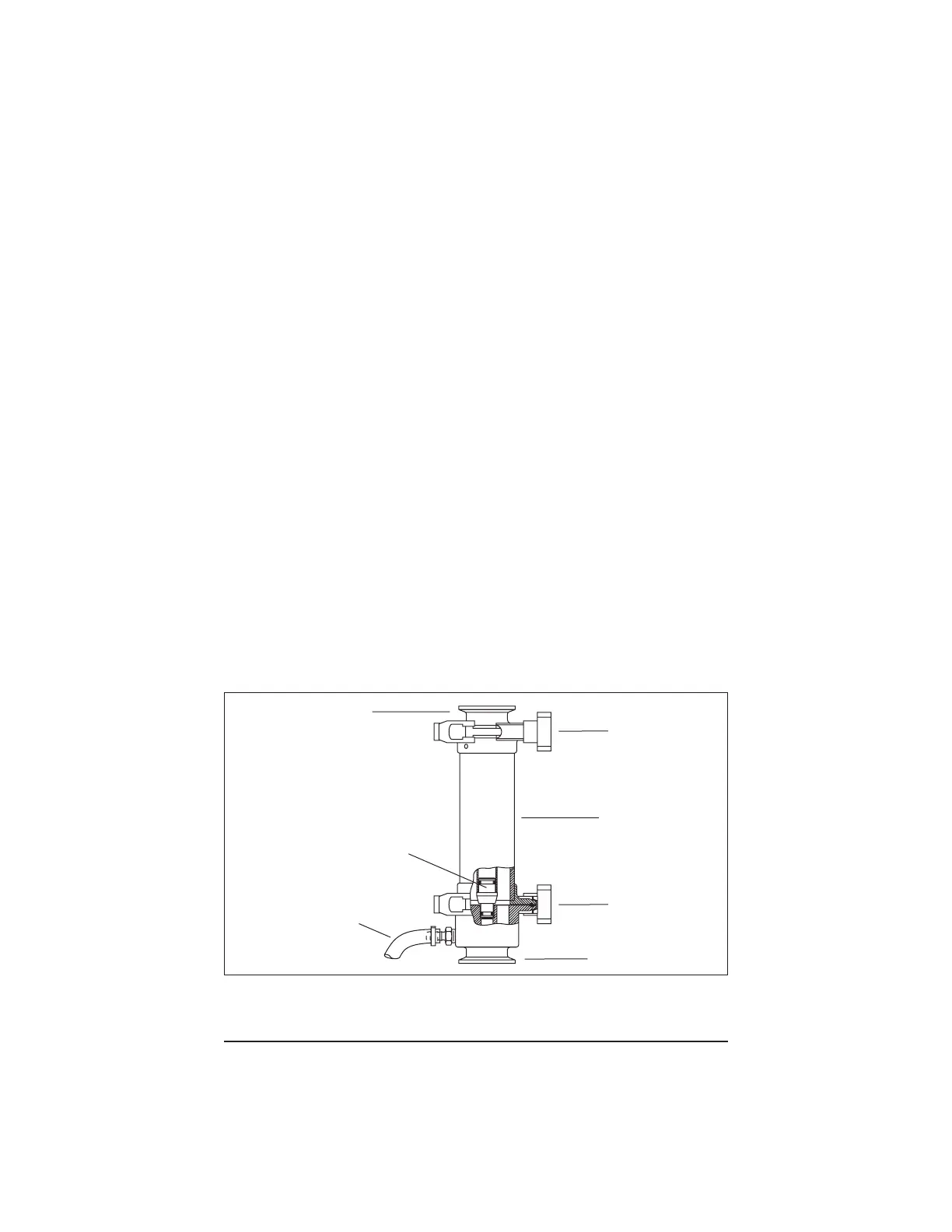
Figure 1 shows the completed installation of the S10 cartridge with the header kit.
Figure 1. Installation of the S10 Cartridge
Outlet Header
Clamp
Inlet Header
Permeate Connector
Permeate Line




 To Next Page